About 13 Decision Tree
■ What it does
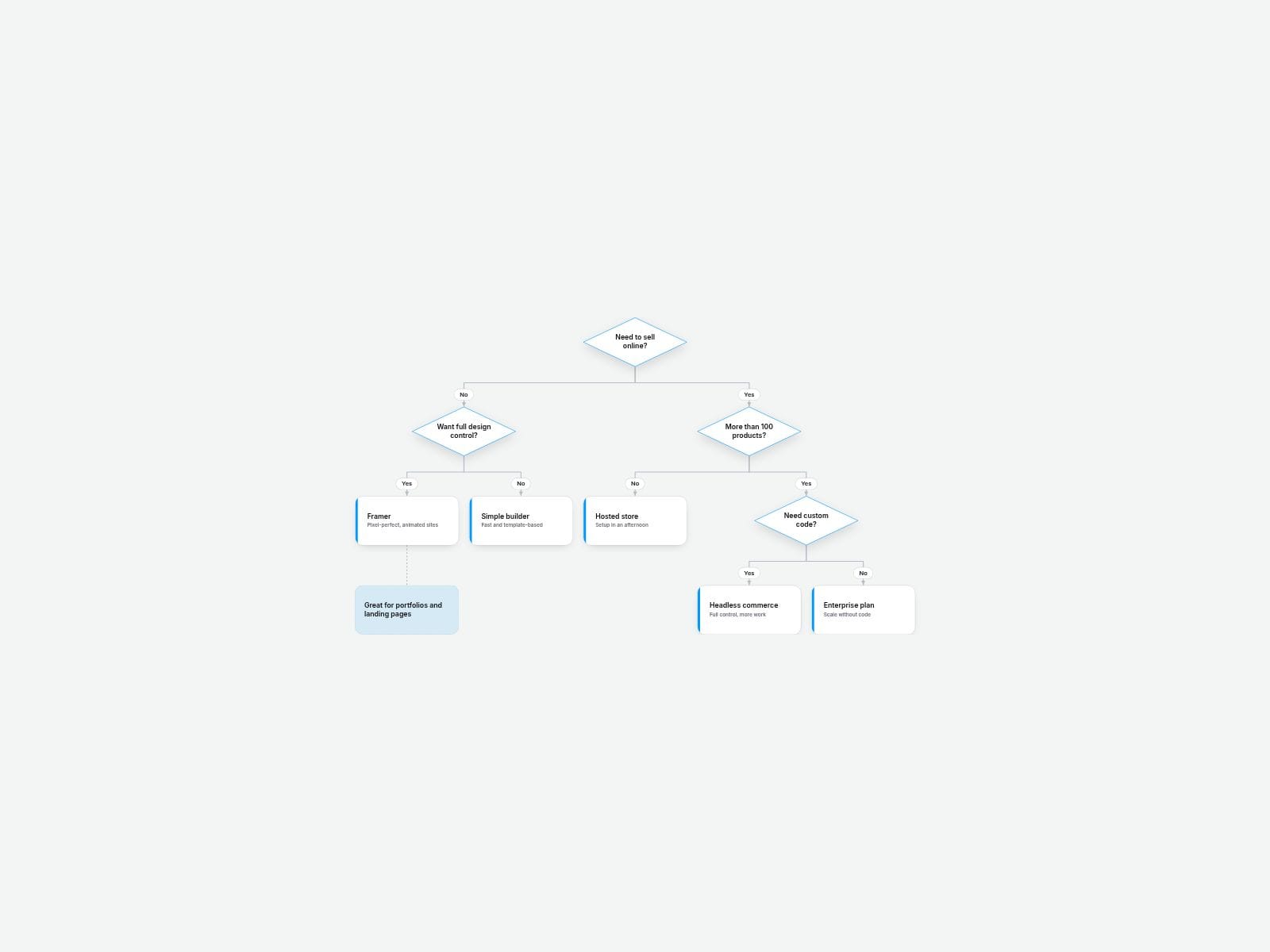
Add your questions, answers and outcomes, tell each one which node it belongs to, and Decision Tree Flowchart lays out the whole diagram for you — diamonds for questions, cards for outcomes, elbow connectors and Yes/No labels on every branch. No manual positioning, no nested frames.
Switch on Walkthrough and your visitors click through the branches one answer at a time: the next step opens, the path they took lights up, and the result card is highlighted when they arrive. Perfect for "Which plan fits me?", "Do I need this service?", troubleshooting guides and onboarding flows.
■ Customizable properties
- Nodes — ID, Parent ID, Branch label, Text, Type (Question / Outcome / Note) and color for each node
- Walkthrough — click-through mode with a Start over button; click an earlier question to step back
- Hover Path — in the full view, hover or focus any node to highlight the route from the start
- Direction — Top-down or Left-right
- Questions — Diamond or Rounded
- Overflow — Fit, Shrink or Scroll, so big trees stay readable on mobile
- Layout — node width/height, sibling gap, level gap
- Style — card, text, line, highlight, question / outcome / note colors, radius, shadow
- Fonts — separate node and branch fonts
■ Need help?
Reach out anytime at hello@brandingupstudio.com — we usually reply within 72 hours.
Custom edits are available from $75/hr.
■ More resources
Explore more components at BrandingUp → https://brandingupstudio.com
Built with code but fully customizable via property controls — no coding needed.
Unlink is not provided so we can keep delivering updates. When an update is available, just click the Update button on the component.