About 3D Coverflow
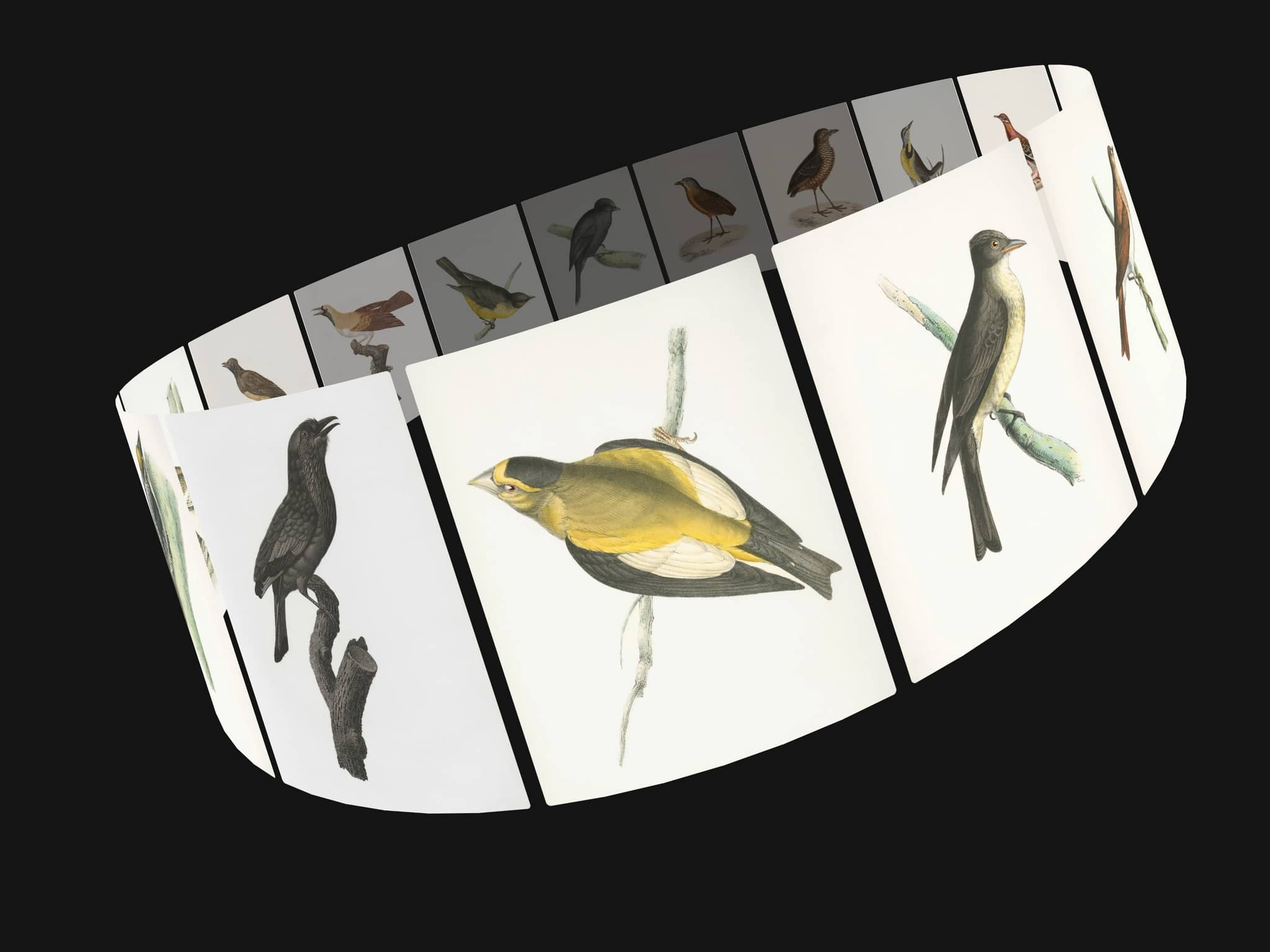
3D Coverflow is a true cylindrical carousel: your slides ride the surface of a turning cylinder, each one tangent to the ring and facing outward, so the left card turns left and the right card turns right — like cards on the outside of a spinning wheel, not flat images sliding past.
NAVIGATION
- Press and drag to spin the ring freely either way, following your pointer
- Flick and release to keep spinning with momentum, easing to a stop and snapping to the nearest slide
- Arrows, dots and arrow keys all glide smoothly
- Smart tap vs drag: a quick tap on the front card opens its link; dragging never triggers it by accident
LINKS & BUTTONS
- Give each slide an image link (tap the front card to open it)
- Or add an optional call-to-action button per slide, with its own text and link
- The button opens its own link, or falls back to the slide link
3D & LAYOUT
- Full Circle mode spreads slides evenly around the ring so there's always depth behind the centre
- Ring radius, perspective, side scale, opacity and back opacity all adjustable
- Custom card width, height and corner radius
STYLE
- Five arrow icon styles (chevron, arrow, caret, angle, triangle) with custom shape, size and colours
- Custom dots, container radius, border and padding
- Background and optional shading
RESPONSIVE
- The whole scene scales down proportionally to fit phones and small sections, keeping the 3D proportions intact — set your design width and it just fits.
Built with clean code — no dependencies, no WebGL, images preloaded so navigation never stutters. Every property is editable directly in Framer.