About 3D Drawer Footer
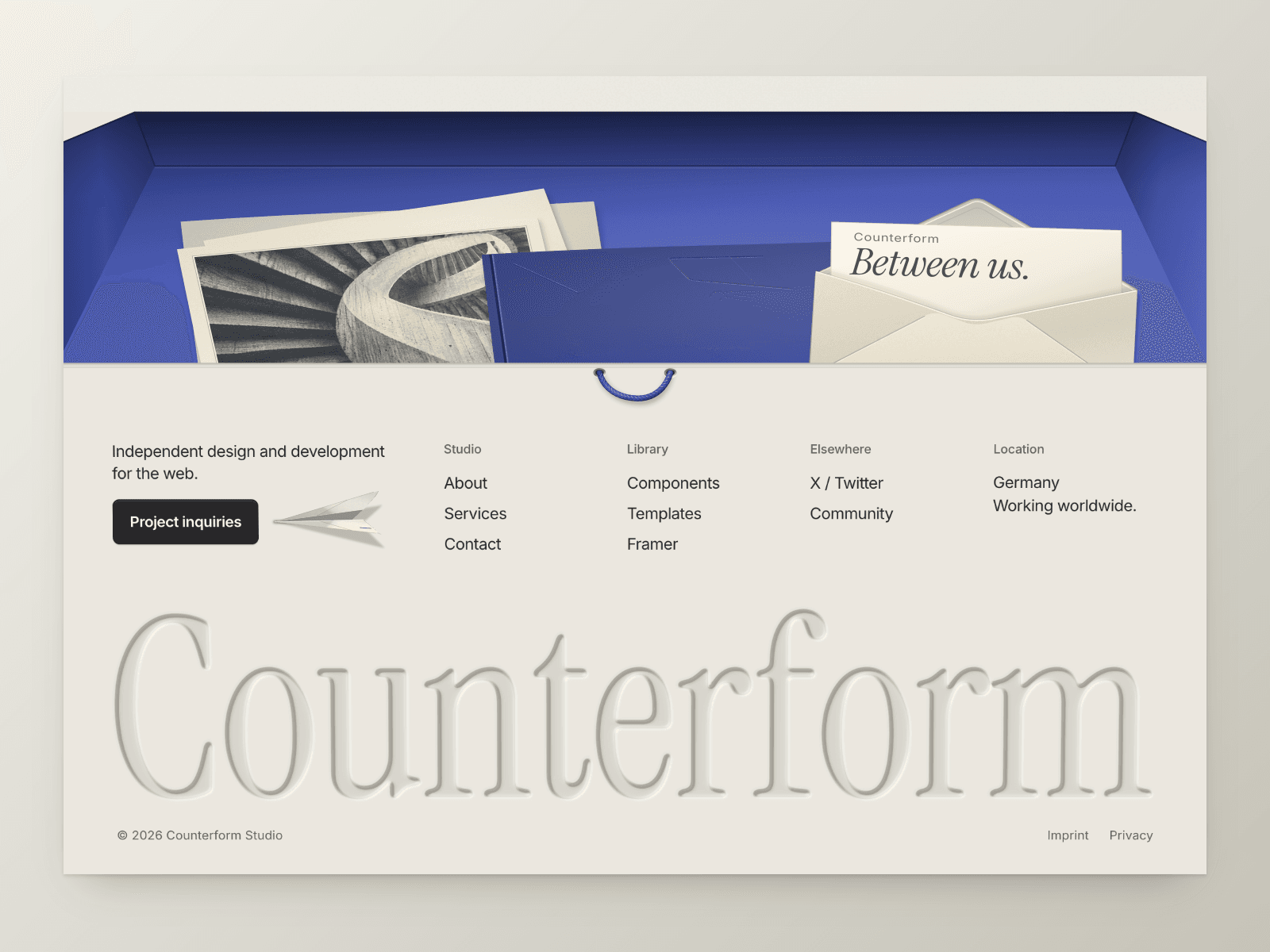
3D Drawer Footer is an interactive Framer footer with a braided cord tucked above an oversized, letterpress-style wordmark. Pull the cord down and a blue drawer opens upward. Inside, a folded paper plane rests beside a stack of prints and a letter. Release the open drawer and the plane glides out, landing with its nose aimed at your contact button.
A drawer you can feel
A short pull takes up the slack in the cord. Pull a little farther and you can hold the drawer halfway open to look inside. The navigation, contact button and wordmark stay in place throughout, so visitors can follow the flight and still reach the same link. On a phone, a tap on the drawer front opens it. The cord also responds to keyboard input, and the component respects reduced-motion preferences. Move the pointer across the wordmark and a narrow highlight follows the edges of the letters, like light catching an impression in paper.
Put something of yours inside
Use a scan from your sketchbook as the drawer lining, add your own backdrop and write a note for the envelope. Leave the note empty to remove the envelope. You can give the lining and the landed plane separate destinations, so a visitor who explores the drawer can discover a project, a process journal or a studio archive.
Match the paper, ink and wordmark colors to your identity. Then set the wordmark, introduction and project inquiry button, arrange links across three named groups, and edit the location, copyright and legal links. Choose whether the drawer starts open or closed.
A final detail for a portfolio
Place it after the last case study on a design studio site, beneath a photographer’s contact sheet or at the end of an illustrator’s portfolio. The letter is a good spot for a personal sign-off or a short invitation to collaborate. The responsive link groups keep studio details close to the inquiry button on smaller screens.
Made by Design Supply