About Pixel Hour Toggle
Original design and animation by @Lattice_Node. Adapted for Framer by Design Supply.
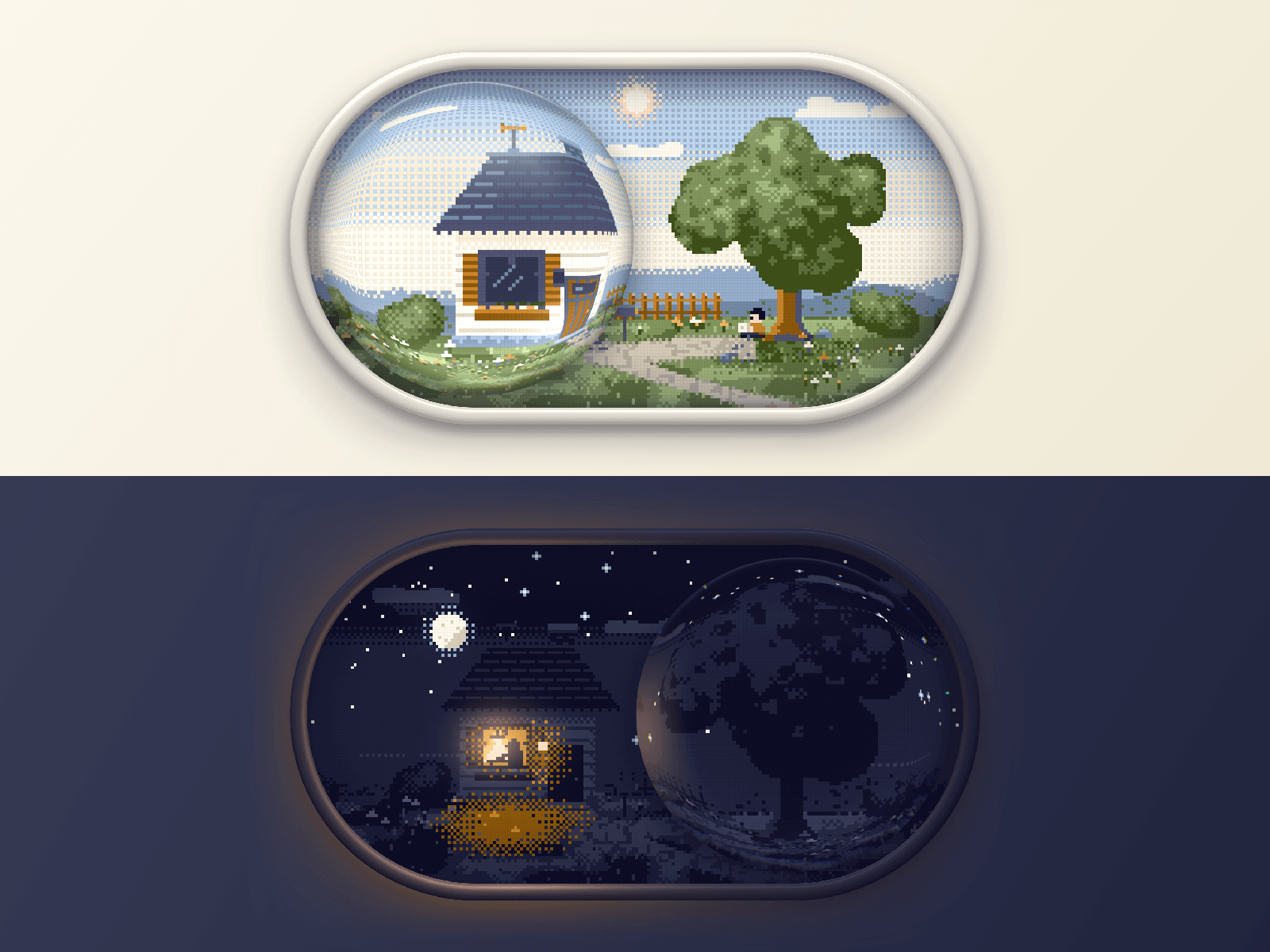
A cottage from noon to midnight
Pixel Hour Toggle is a pixel-art day and night switch for Framer. In daylight, the glass lens sits over a little cottage and magnifies the tiles on its roof. Slide it toward the tree and the garden slips into dusk. By the time the lens settles on the right, the stars are out and a single warm window lights the path.
Follow the light
Click or tap to switch in one motion, or drag the lens slowly to catch the evening light. The glass stretches as it moves and bends the pixels along its edge. On the return trip, the cottage passes through dawn on its way back to daylight.
Leave the scene running and clouds drift past the weather vane. Every so often, a flock of birds crosses the daytime sky. Turn ambient motion off when you want the scene to sit still between interactions.
Set the palette and pace
Give the cottage a cooler sky, deeper foliage or a warmer glow after dark. Framer controls let you tune the porcelain rim, ink and lamplight, choose the opening state and adjust how quickly the lens settles after release.
Give the surrounding frame its own day and night colors. To trigger another interaction when the lens reaches either end, connect the On Day and On Night events. Visitors can also focus the switch with the keyboard and use the arrow keys to move the lens in small steps. Set a screen reader label to suit its role on your page. The switch respects reduced-motion preferences.
Where it fits
Set it into an illustrator’s portfolio, give an indie game landing page a playable detail, or let readers bring nightfall to a chapter of an interactive story. It scales to the space you give it, from a small control to the focal point of a section.
Made by Design Supply