About Get in Touch
Get in Touch is a complete contact section: a heading, a list of your contact details, and a form that’s ready to receive messages.
Choose Formspree, Basin or Getform and paste your form ID, or use Email App to open the visitor’s email app with the message ready to send.
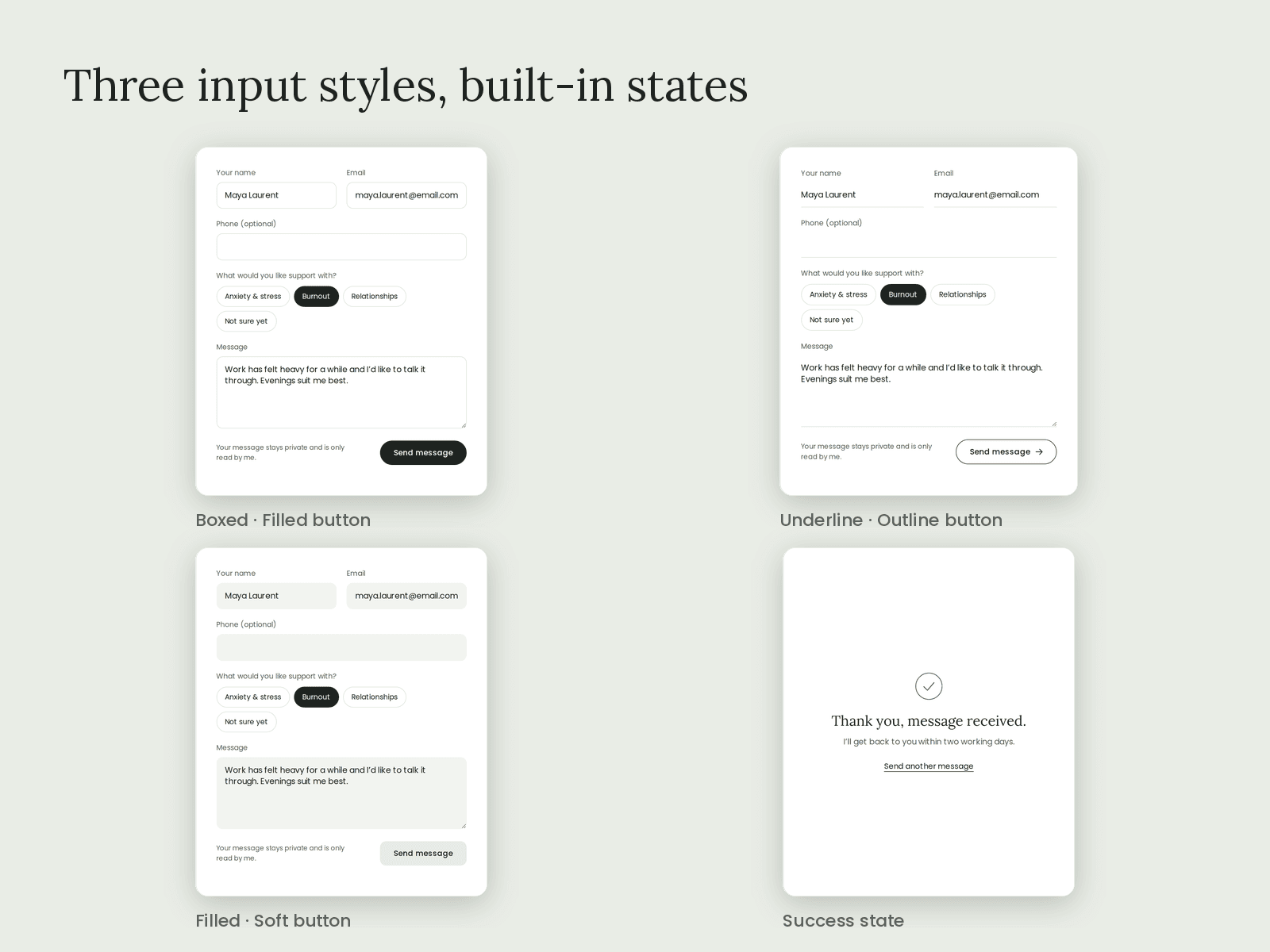
You can choose a split or stacked layout, and Boxed, Underline or Filled inputs. Show the form on a card or without one. The button comes in Filled, Outline or Soft, in three sizes and three shapes, with an optional arrow. The section reveals as it scrolls into view, with Rise, Blur or Fade, at three paces.
It includes a spam honeypot, accessible labels, and a canvas preview of the success panel so you can style it. It’s responsive down to mobile, respects reduced-motion settings, and appears static on the canvas. It makes no requests other than the form submission.