About Resume Upload Form
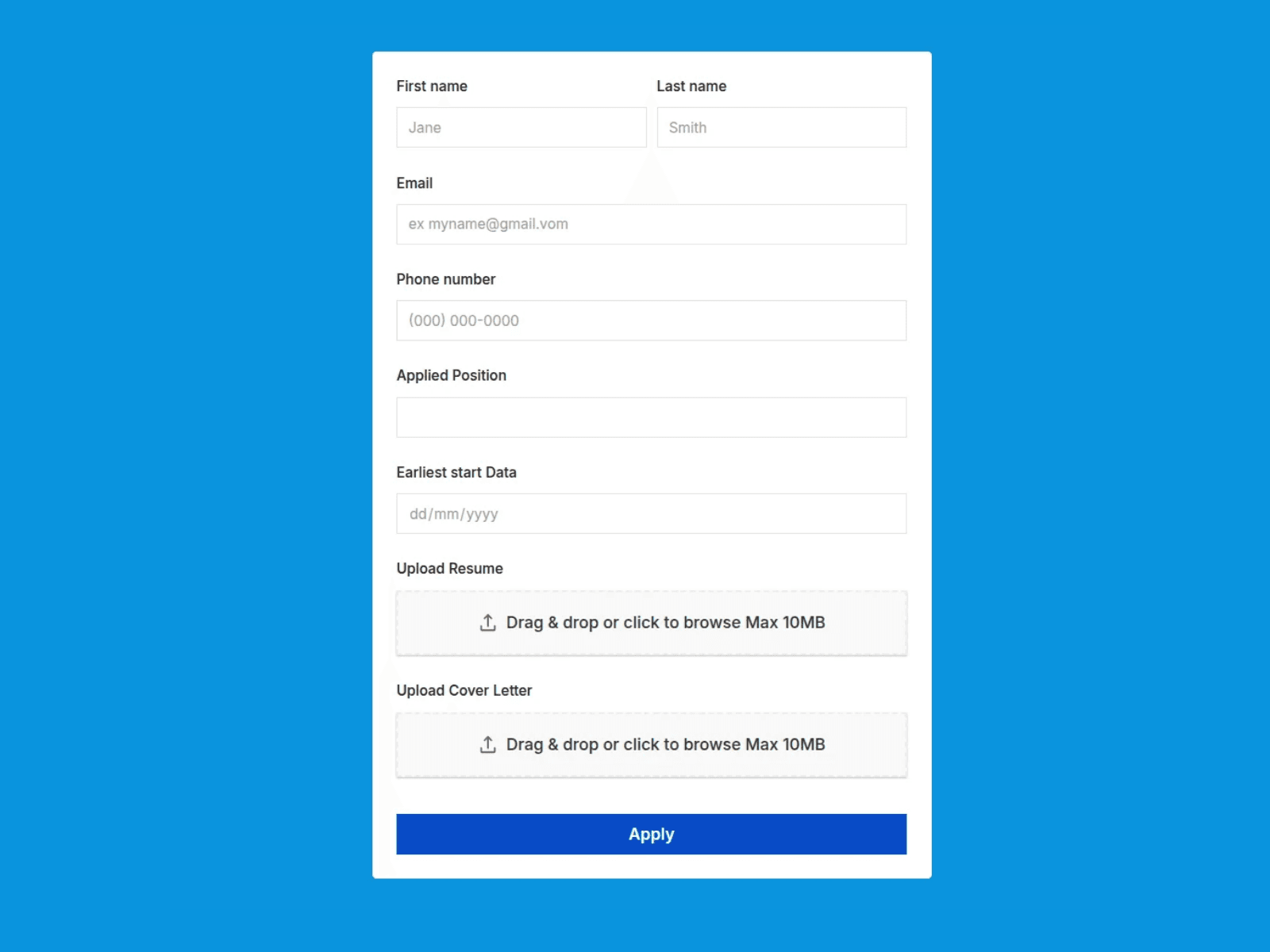
Upgrade your career pages, application portals, and submission forms with a powerful, fully customizable job application form built natively in Framer. Powered by Cloudinary, this component allows applicants to seamlessly upload resumes, cover letters, portfolios, and supporting documents directly to secure cloud storage.
Key Features
Cloudinary Powered: Upload files securely straight to Cloudinary using an unsigned upload preset—no backend setup required.
Flexible File Extensions: Supports PDFs, DOC, DOCX, images, and any custom file type you choose to allow.
Framer Native Forms Integration: Built on top of Framer's native form controls so you can easily add, edit, or remove any input fields (text, email, dates, numbers, phone fields, and more).
Duplicatable File Upload Fields: Need separate fields for a Resume, Cover Letter, or Portfolio? Simply duplicate the upload component inside your form as many times as needed.
Drag & Drop UI: Clean, modern interface with instant file preview and drag-and-drop support up to custom file size limits.
Fully Customizable Styling: Match your brand fonts, border styles, input colors, button hover states, and spacing effortlessly.
Quick Setup in 3 Easy Steps
Connect Cloudinary: Create a free Cloudinary account and create an Unsigned Upload Preset in your Media Library settings.
Add Your Credentials: Paste your Cloudinary
Cloud NameandUpload Presetinto the File upload fieldCustomize Your Form: Modify input labels, duplicate file upload fields (e.g., Resume & Cover Letter), set accepted file formats, and connect your preferred form submission handler!
Detailed Setup Instructions: Step-by-step guide to quickly connect your Cloudinary account and configure your form.
Free Support: Direct support if you need help setting up or customizing the component.
Free Lifetime Updates: Get immediate access to feature enhancements and future compatibility updates.