About Book Direct Bar
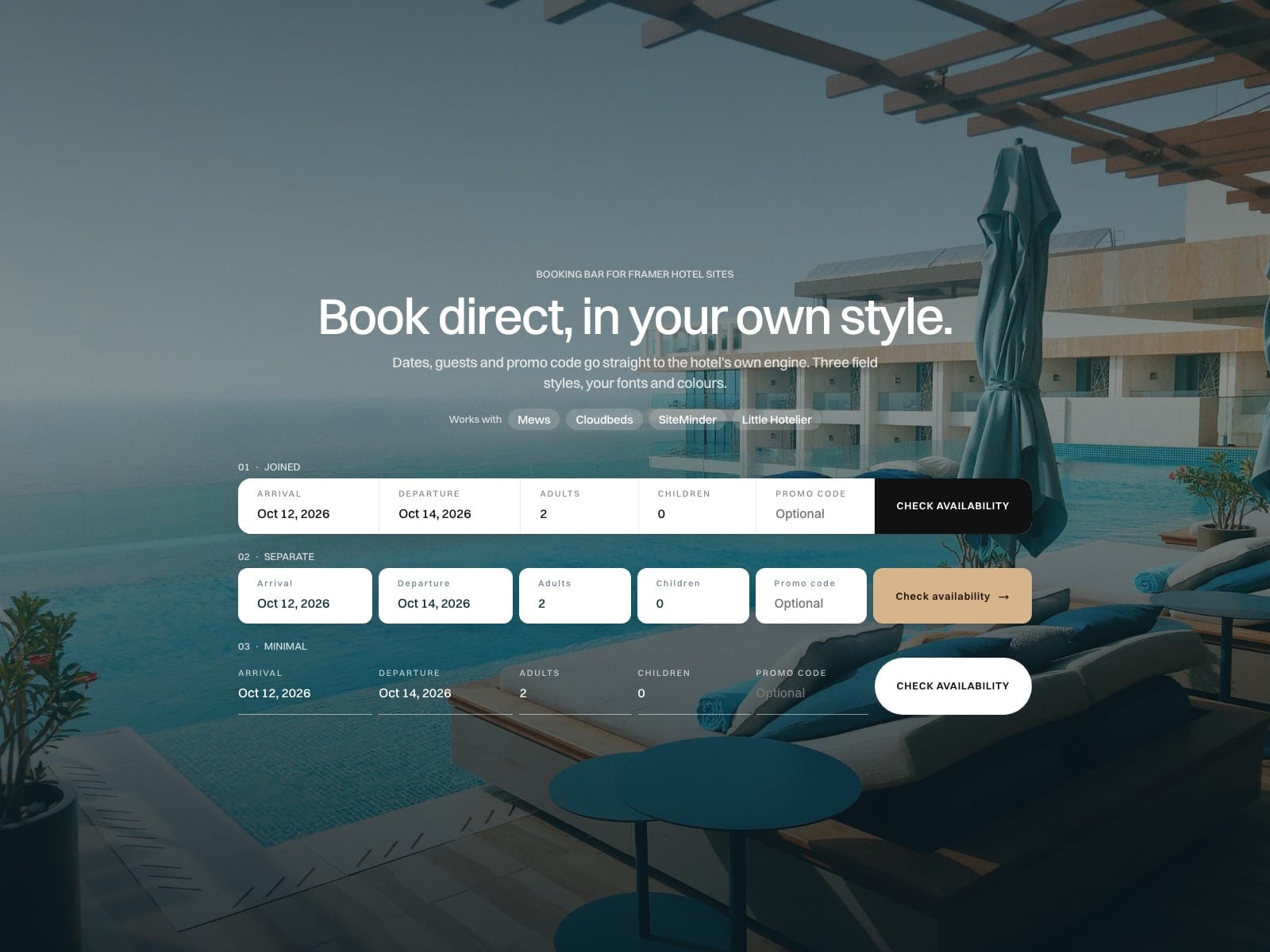
A booking bar for hotel websites in Framer. Arrival, departure, guests and promo code go straight to the hotel’s own booking engine, so the guest lands on rates, not on an empty search page.
How to use
Paste Book Direct Bar into your Framer project
Pick the engine (Mews, Cloudbeds or SiteMinder / Little Hotelier) and paste the hotel’s ID. The documentation shows where each engine keeps it
Choose a layout and a field style, then set your colours and fonts
Turn on Test mode, check the link under the bar against the hotel’s engine, then turn it off and publish
Key features
Presets for Mews, Cloudbeds and SiteMinder / Little Hotelier, built from each engine’s own documentation
Test mode: the exact link the engine receives, live on the canvas and on the published site
Four layouts: Row, Grid, Button with a modal (bottom sheet on phones), or Modal only, opened from any button wrapped in the included Book Trigger
The row turns into a grid by itself on narrow widths
Three field styles: Joined, Separate or Minimal, with gap, border and shadow
Dates written in your site’s language: 12 Nov 2026, Thu 12 Nov or 12/11/2026
Labels on or off, uppercase or not, button radius and arrow, seven colours, three font controls and padding
Engine language follows your site’s locale; optional currency
Stay rules: default nights, minimum stay, maximum adults and children
Localizable labels, keyboard friendly: focus stays in the modal and Escape closes it
Sends data only to the engine you pick, on an address fixed in the code. No backend, no analytics calls, nothing stored
Full documentation, with five style recipes: miguelrecio-components.framer.website/book-direct-bar/docs
One-time payment: 1 designer, unlimited client projects. If the bar can’t talk to your engine, write to info@miguelrecio.es within 14 days and it gets fixed or refunded. Built for Lumbre, a hotel and restaurant template for Framer.