About Shader Footer
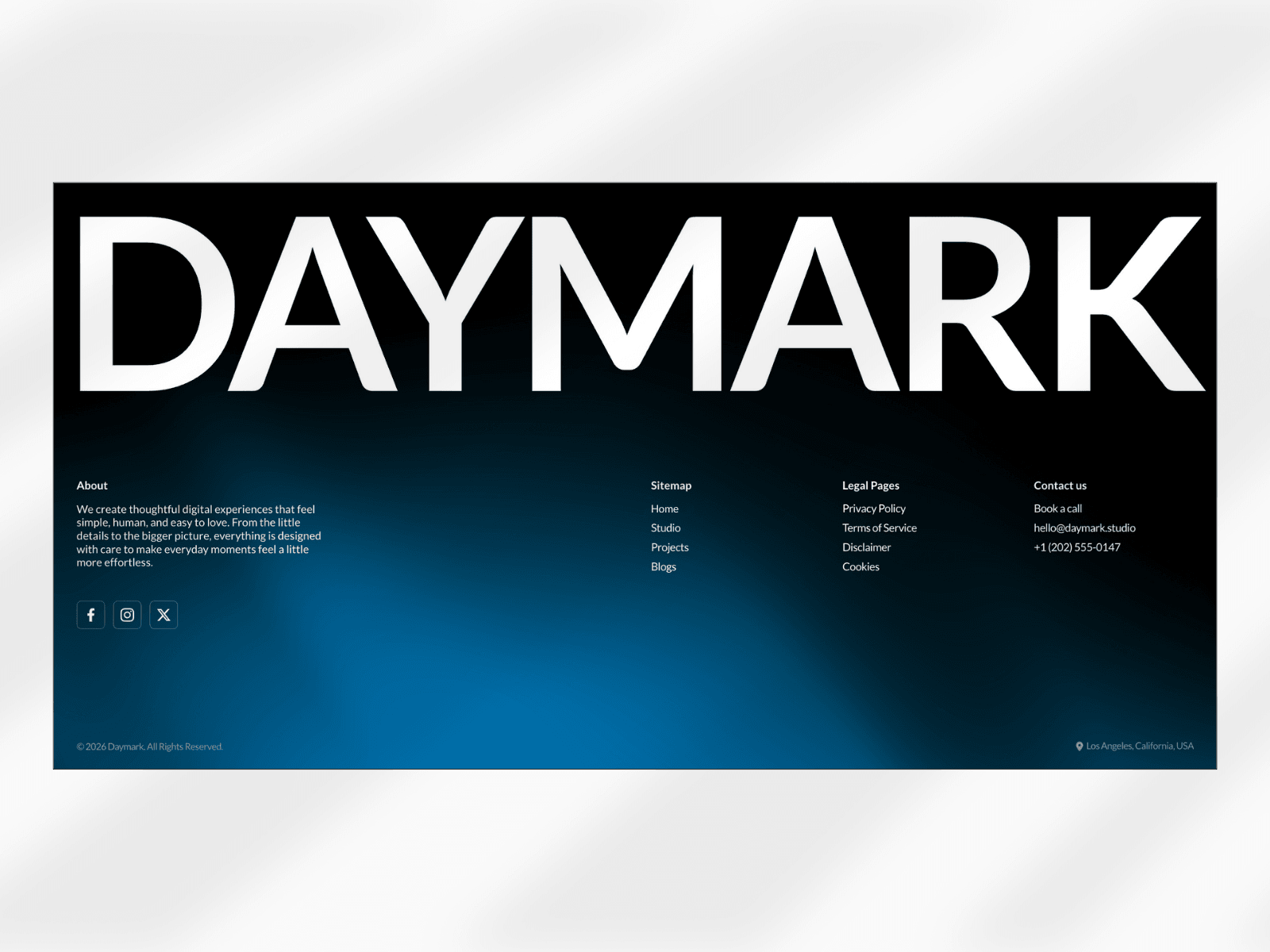
Create stunning, interactive footers with 100 unique shader variations, built entirely and natively in Framer. Shader Footer gives you a powerful collection of animated WebGL-style shader backgrounds that can be customized directly from the Framer properties panel without external code, plugins, or complicated setup.
Instructions
Copy and paste the ShaderFooter component into your Framer project.
Customize the footer content, links, typography, spacing, and layout.
Use the shader controls to select your preferred shader, adjust colors, mix multiple colors, and fine-tune the animation speed and frequency. Everything is editable directly inside Framer.
How it Works
Shader Footer includes 4 dedicated shader controllers:
Shader / Seed: Choose from 100 different shader variations.
Colors: Set the primary shader color or Combine multiple colors to create custom gradients and effects.
Speed & Frequency: Control the animation speed and shader movement intensity.
Beyond the shader controls, the footer is fully native to Framer, giving you complete control over typography, font family, font size, spacing, padding, alignment, colors, links, and other native Framer properties.
Main Features
100 unique animated shader backgrounds
Custom color and multi-color mixing
Adjustable shader speed and frequency
Fully responsive across desktop, tablet, and mobile
Fully editable typography and layout
Customize spacing, padding, sizing, and alignment
Ready-to-use footer structure
Easy to duplicate and reuse across projects
Smooth animated backgrounds
Designed for modern websites and landing pages
Use Cases
Perfect for creative agencies, design studios, SaaS websites, startups, portfolios, personal websites, digital products, AI websites, creative portfolios, Web3 projects, and modern landing pages.
Made with ❤ by Soyeb
© 2026 Soyeb. All rights reserved.
Have questions or need a custom Framer component? Reach out at heysoyebali@gmail.com