About Fill Me In
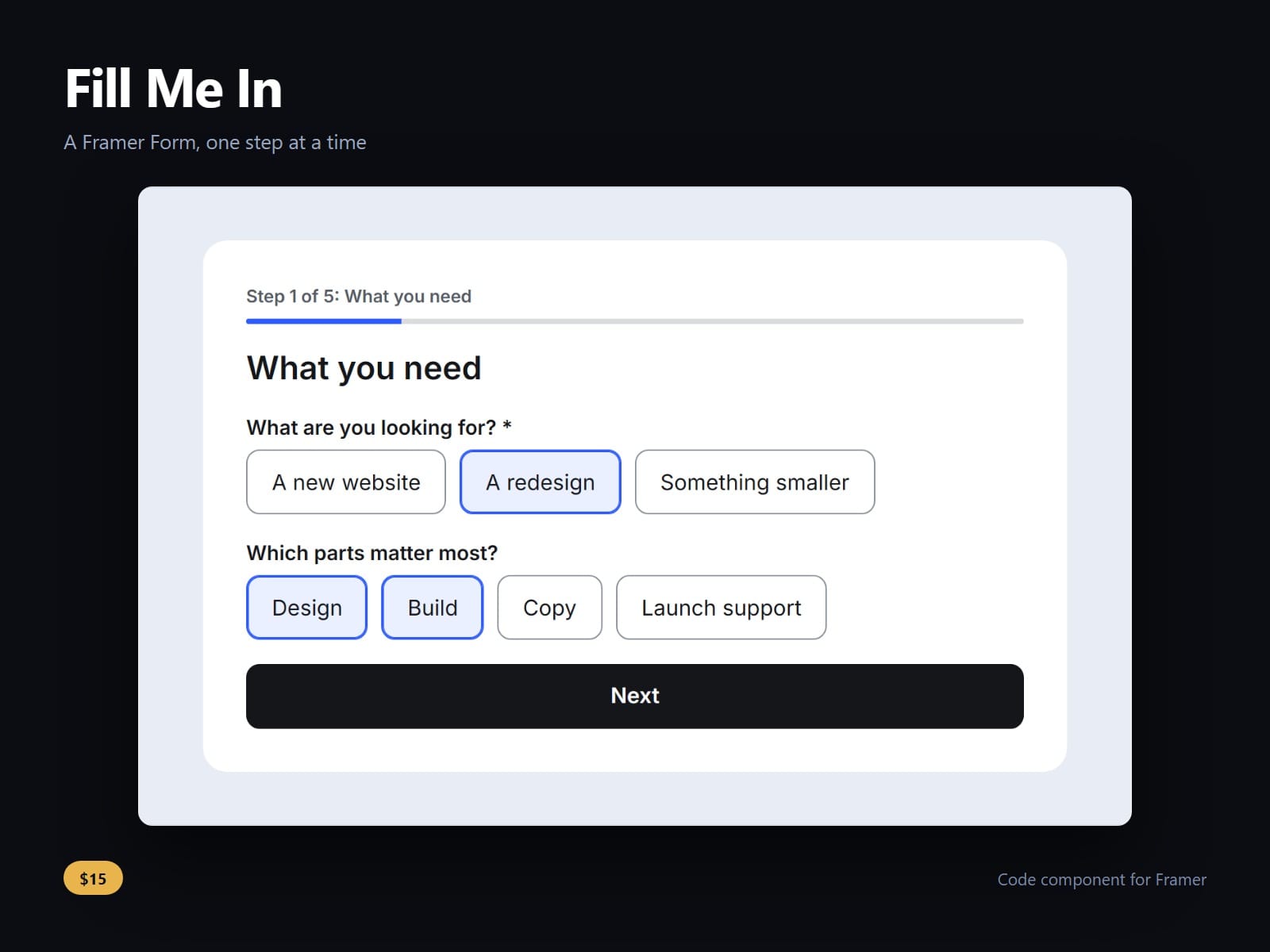
A multi-step form for Framer Forms. Type the questions as plain lines grouped into steps; visitors answer one step at a time with Back and Next, and your form's own button sends the last step, so every answer arrives wherever that form already sends.
A line like Email | email | required is a question, and # About you starts a step. Text, long text, email, phone, number, URL, date, choice, choices, dropdown, yes or no, consent and hidden values. A step can show only when an earlier answer matches.
Nothing sends early: Enter moves to the next step, and the form's button appears on the last. Next checks the current step only, and a refusal moves focus to the field and says why. A skipped step neither blocks nor sends; Back keeps every answer.
Fields are 16 px or larger, so phones do not zoom, and email and phone fields get the matching keyboard and autofill. Focus moves to each step's heading and screen readers hear Step 2 of 4: Budget and timing. Nothing is stored on the device. No file uploads: Framer Forms drop files.
Texts, progress (bar, step names, both or none), cards or a list for choices, every colour, four fonts and sizes, radius, gap and field height are controls. A line it cannot read is flagged on the canvas.
After purchase you receive the component URL. In Framer, select a frame and paste it (Ctrl+V or Cmd+V). Put it inside a Framer Form, above its button, one per form. In the Steps box, press Shift+Enter for a new line.
Licence: yours to use on your own sites and on client sites, commercially, with no attribution. Not for resale or redistribution: do not share the component URL, and do not publish the component or its code anywhere, paid or free. Full terms arrive with your purchase. Questions: me@majedesigns.dev