About Halftone Gallery
About Halftone Gallery
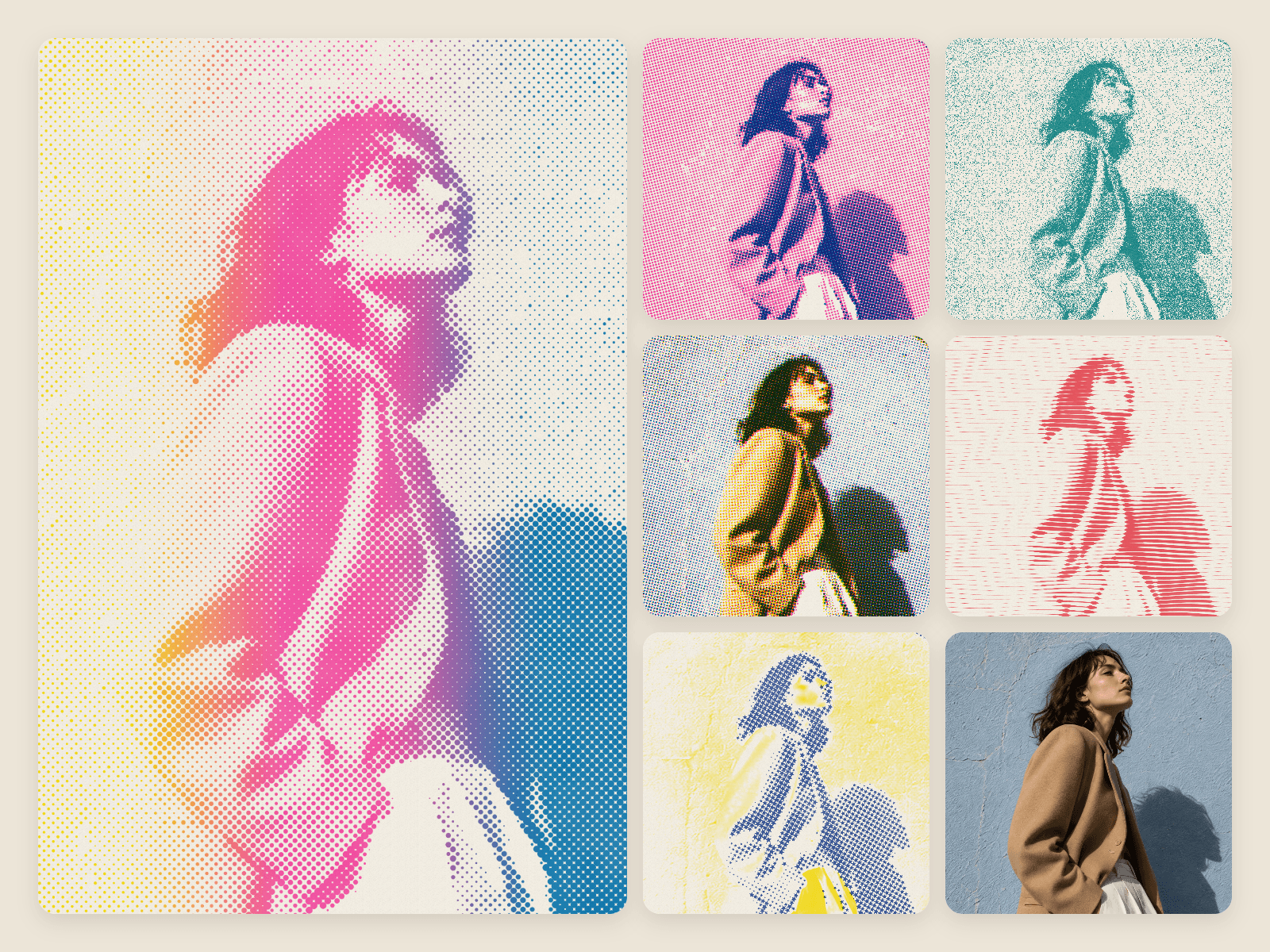
Halftone Gallery is a WebGL component that turns your photos into risograph like prints, live on your Framer site: soft riso ink, halftone dots, film grain and plates printed slightly out of register on a paper colour you choose. A vintage screen print look, straight off a riso press. Use it as a single photo effect for a hero, or as an image gallery: a slideshow carousel with arrows, swipe and soft fades. No code needed; it runs on a fast WebGL shader.
Six print looks
Two-Ink Halftone: classic duotone dots
Split Fountain: inks blending into each other, the classic riso gradient
Grain: grainy stipple, like a dithered zine
Three-Plate: overprinted plates, a retro comic book look
Line Screen: engraved lines that ripple
Shape Screen: stars for dots, a pop art poster feel
Inks and paper
24 riso ink colours (Fluorescent Pink, Federal Blue, Sunflower and more) or any colour of your own. Tune screen size, angle, contrast, paper grain and misregistration.
Motion
Still, Ambient, Hover (the print reacts to the cursor) or Print on Scroll, where each image prints in as it scrolls into view.
Getting started
Paste the component onto your canvas and add your photos under Images.
Pick a look under Effect, then choose Ink 1 and Ink 2.
Set Rotation: Auto changes images on a timer, Manual shows arrows and swipe.
Set each photo’s focal point in Framer’s image picker so subject stay in frame.
Please note the thumbnail switcher on the preview page is not part of the component. It is only there to show the six looks.
Light on load: only the image on show and its neighbours load, sized to the frame. Use up to 16 instances of the component on one page (a browser WebGL limit).
Questions or issues?
Write to team@thebigdesignproject.com
Digital product: all sales are final, no refunds.