About Humanic
Humanic Subscriber Form
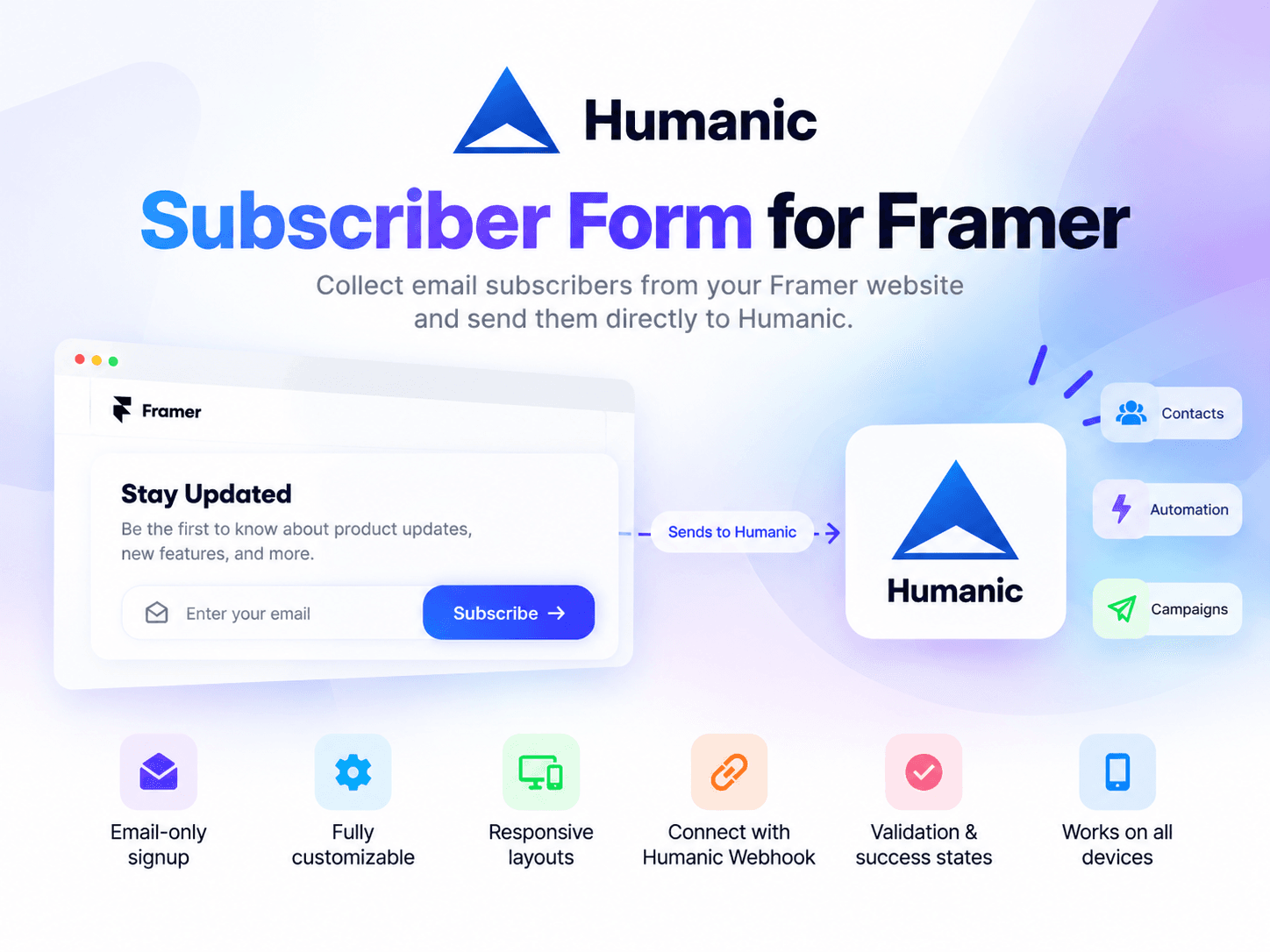
Collect email subscribers directly from your Framer website and send them to Humanic using a webhook URL generated from your Humanic App.
Features
Email-only signup — Simple, focused subscriber form with an email field.
Humanic integration — Connect your form using a webhook URL generated from your Humanic dashboard.
Responsive layouts — Choose between vertical and horizontal form layouts.
Fully customizable — Customize input, button, colors, borders, radius, spacing, typography, and messages directly from Framer.
Built-in validation — Validates email addresses before submission.
Loading & success states — Provides clear feedback while submitting and after a successful subscription.
Error handling — Displays a helpful message when a submission fails.
Native Framer component — Add it directly to your Framer project and customize it visually without external embeds.
How it works
Add the Humanic Subscriber Form to your Framer project.
Get your Humanic webhook URL from the Humanic dashboard.
Paste the webhook URL into the component's properties.
Customize the form to match your website.
Publish your website and start collecting subscribers.
How to get your Humanic Webhook URL
Log in to your Humanic account. app.humanic.ai
Navigate to Integration from the left navigation.
Select the Webhook tab.
Click Add Webhook.
Enter an integration name, for example: Website Humanic Subscriber Form
Set Integration Type to Contact.
Click Create.
Copy the generated Webhook URL.
Paste the Webhook URL into the Humanic Subscriber Form component in Framer.
Data sent to Humanic
When a visitor submits the form, the component sends the subscriber's email to the configured Humanic webhook.
{ "email": "email@example.com" }
Perfect for
Newsletter signup
Product waitlists
Lead capture
Early-access campaigns
Marketing subscriptions
Website audience growth
Humanic Subscriber Form makes it easy to connect your Framer website directly to your Humanic subscriber database.