About index stack
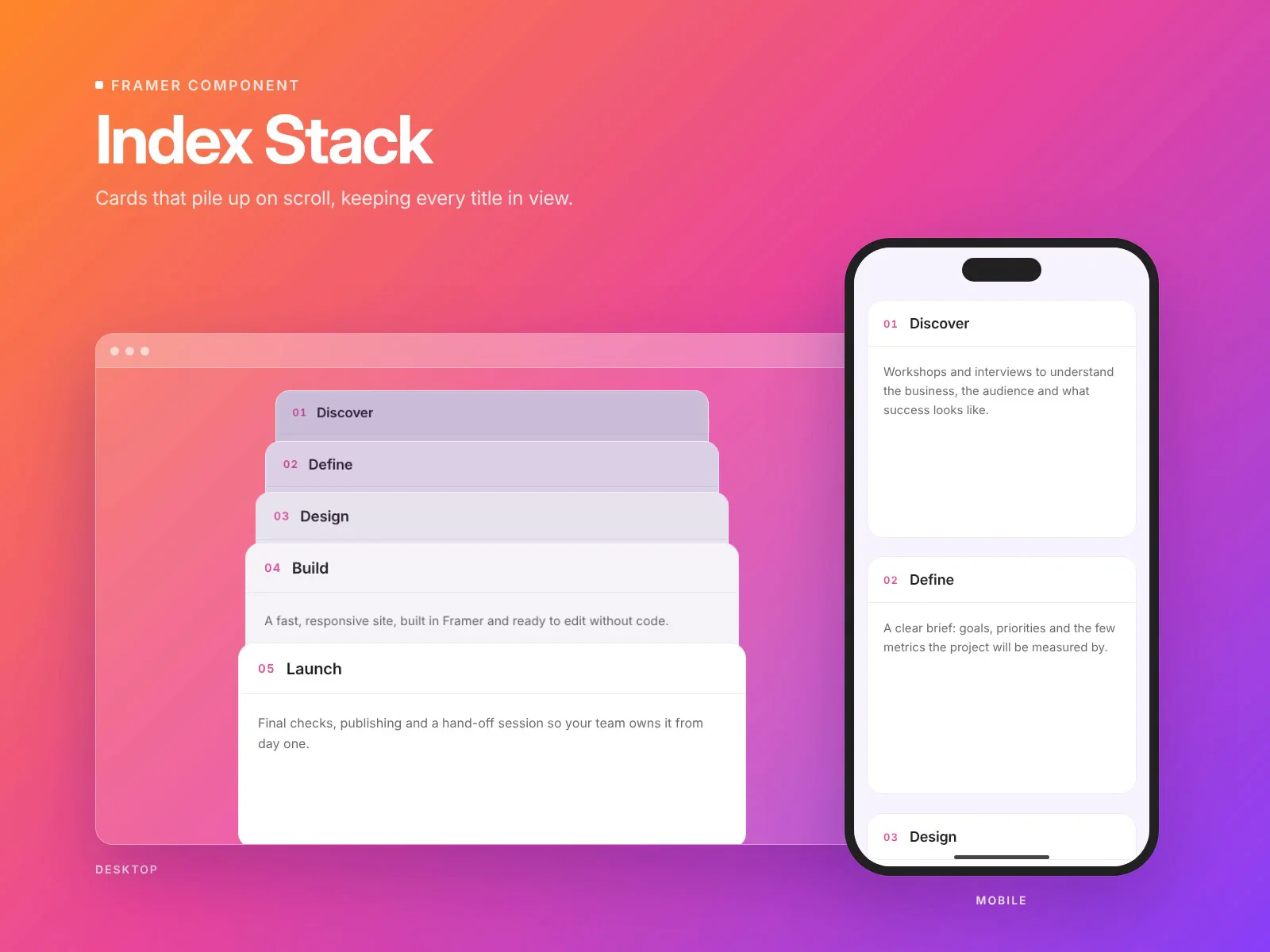
Turn a process, a list of services or a set of features into cards that stack as people scroll.
Each card sticks just below the previous one, so the next card slides over it and leaves its tab, the number and the title, in view. When the pile is complete it reads like an index: every title still visible. Other stacking components usually hide each card completely as the next one arrives.
Features
Every title stays visible in the finished pile, like index cards
Optional depth effect: cards underneath shrink and dim as they get covered
The finished pile scrolls away intact at the end of the section instead of collapsing into one card
Cards, titles and text edited in the properties panel, with optional numbering (01, 02…)
Top Offset control to clear a fixed navbar
Adjustable tab height, card height, spacing, radius, padding, shadow and max width
Choose your font, sizes and 6 colors
Works on desktop, tablet and mobile
Respects “reduce motion”: the pile becomes a simple list
Lightweight: no images and no external libraries. Scrolling never re-renders the cards
How to use
Drop the component onto your page and set its width to Fill.
Edit the cards in the properties panel.
If your site has a fixed navbar, set Top Offset to its height.
Keep parent layers’ overflow on Visible (or Clip). Hidden or Scroll stops sticky from working.
The stacking and depth effect run in Preview and on the published site.