About Luxury Card
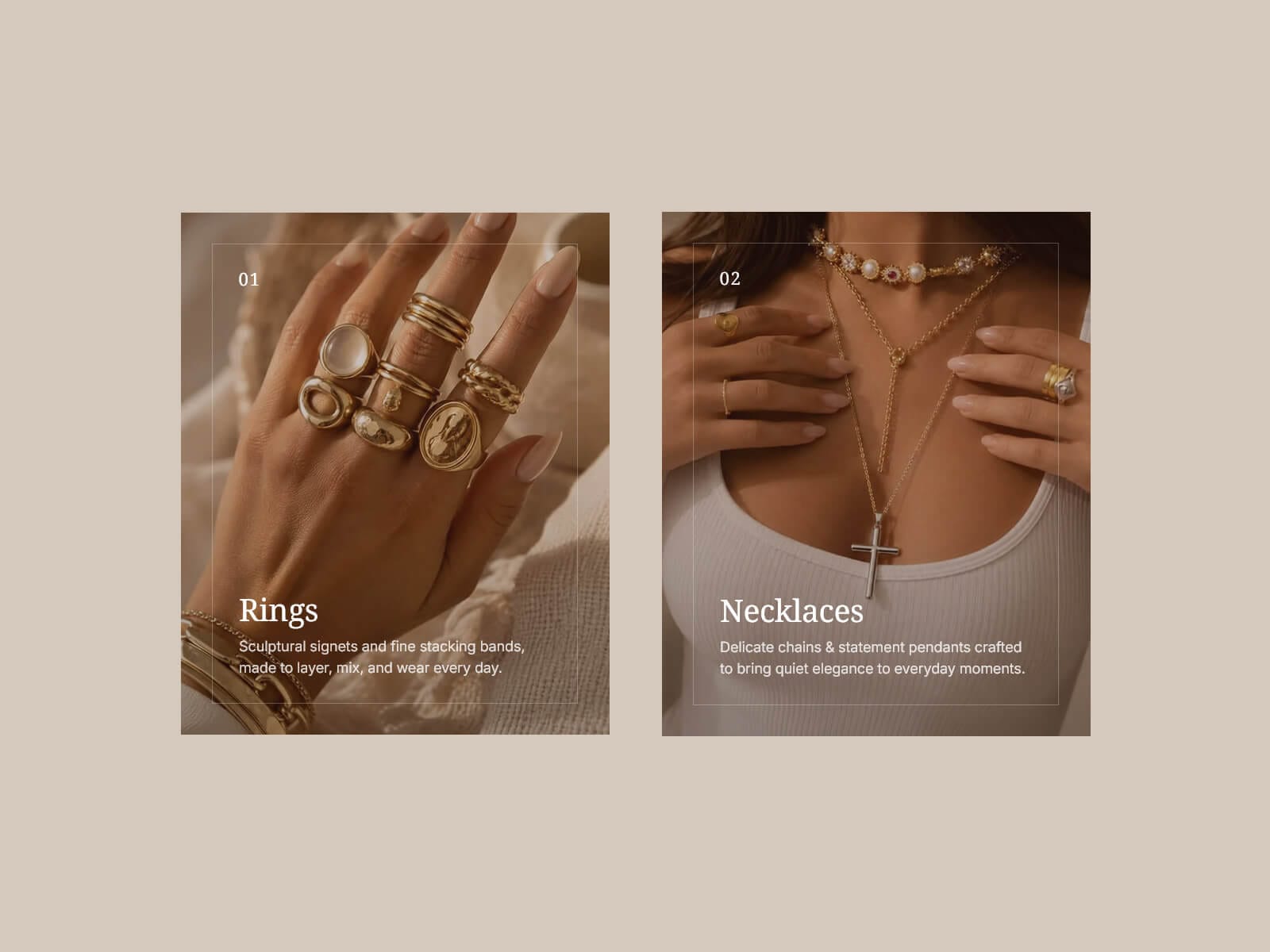
Luxury Card turns a photo or video into an editorial piece: a warm overlay sets the mood, a thin keyline frame sits just inside the edges, and a number, title, and description sit over the image.
On hover the frame blooms outward and dissolves, the photo eases back to its true scale, and the overlay lifts to reveal more of the shot, each on its own timing.
Made to Be Yours
Every layer is exposed: overlay color and blend mode, four frame effects, hover zoom in or out, and shared timing. Add an optional scrim for bright images, pick fonts per line, and set the card background, radius, and shadow. Works with an upload or a URL, image or video.
Key Features
Media
Image or video, from an upload or a direct URL
Plays on hover and pauses in place on leave, or set it to autoplay
Pauses off-screen; focal point keeps the subject framed
Frame & Overlay
Inset keyline frame with its own color, width, inset, and radius
Warm overlay with blend modes: Normal, Multiply, Screen, Overlay, Soft Light, Color
Optional bottom scrim that fades up behind the text
Hover
Four frame effects: Bloom, Assemble, Hold, or None
Separate rest and hover zoom, in or out
Adjustable text lift, duration, and easing; the canvas stays still
Content & Style
Number, title, and description, each with its own font
Independent text inset and title-to-description gap
Card background, radius, shadow, and an optional full-card link
How to Set Up
Drag Luxury Card onto the canvas
Pick Image or Video, then Upload or URL, and add your media
Write the number, title, and description
Set the overlay, frame, and hover effect to taste
Publish
Refund Policy
All sales of digital products are final and non-refundable. Questions? Contact hellonostromostudio@gmail.com before purchasing. Enjoy!