About Odometer Stats
Numbers that roll into place.
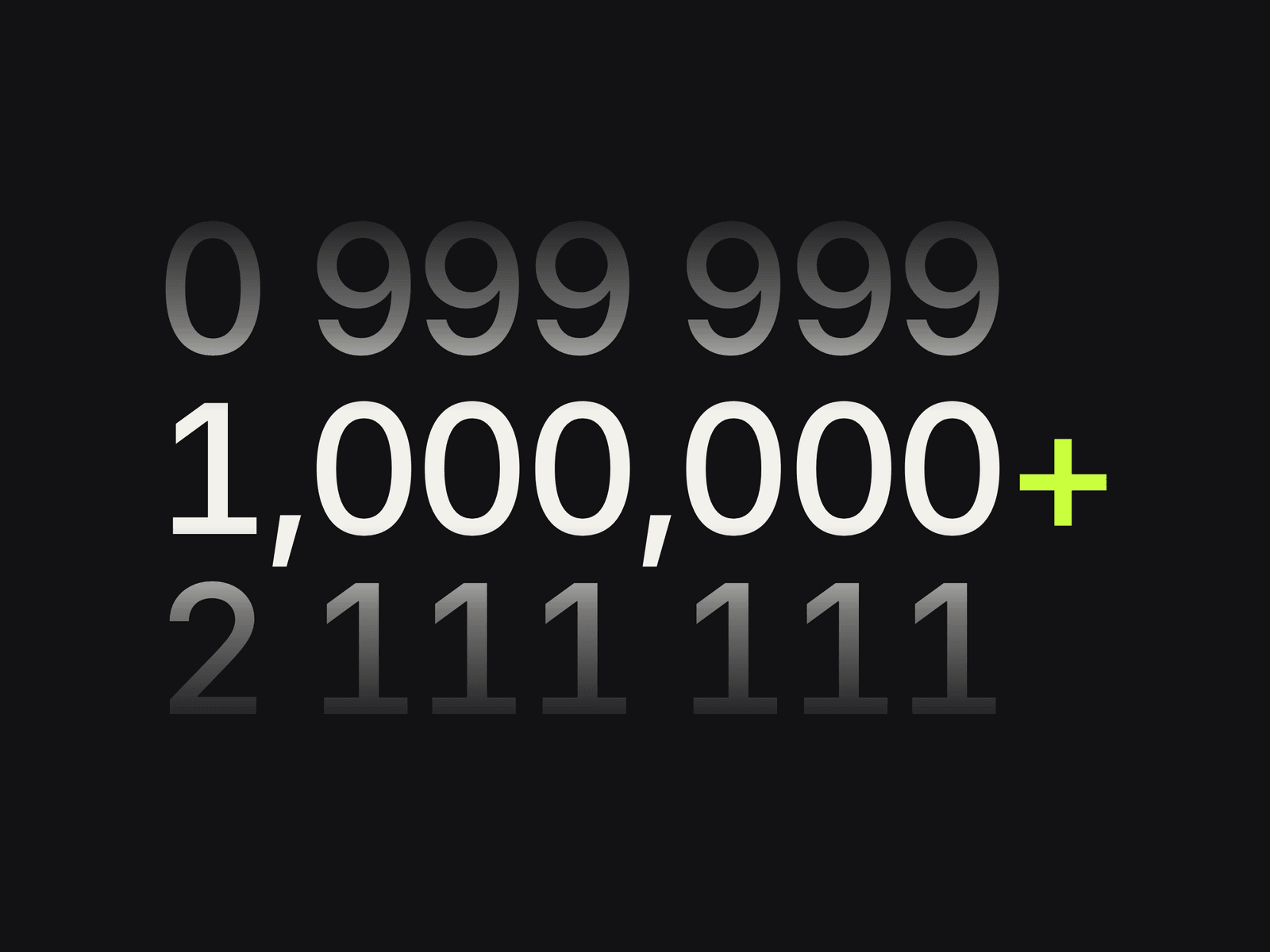
Odometer Stats turns your key numbers into a mechanical-counter moment: every digit spins and lands as the section scrolls into view. Prefixes, suffixes, decimals and thousands separators are handled for you, tabular numerals keep everything steady, and screen readers hear the full value. Free, by Pixlify.
Key features
Per-digit rolling animation with extra spins and stagger
Prefix / suffix (e.g. $, €, +, %, k, /5) with accent colour
Decimals and thousands separator (1,000 · 1 000 · 1.000 · 1000)
Grid layout with columns, gap, alignment and hairline dividers
Auto Fit shrinks long numbers instead of overflowing
Trigger in view or on load, play once or replay
Mobile columns; no JS animation loop at all
Accessible: full value + label for screen readers; reduced motion shows final numbers
Use cases
Agency results ("120+ websites launched")
SaaS metrics and social proof
Fundraising, impact and annual reports
Event stats (speakers, attendees, countries)
Case-study outcomes on CMS templates
How to use
Insert - Drag Odometer Stats from Assets and set width to Fill. Height is automatic.
Add stats - In Stats set Value, Decimals, Prefix, Suffix and Label for each item (max 12). Tip: use "2.5" + suffix "M" rather than 2,500,000 for big numbers.
Typography & colours - Number Font and Label Font control type; Colors sets number, prefix/suffix accent, label and divider.
Layout - Columns, Gap, Align, Dividers, Thousands separator, Label Gap, Auto Fit and Labels (show/hide). Reel Style → Visible turns on the drum look with faded neighbouring digits (Intensity, Rows).
Animation - Trigger (In View / On Load), Duration, Stagger, Extra Spins, Play Once.
CMS - On a CMS template page bind Value and Label to number/text fields (e.g. a case-study result).