About Paper3D
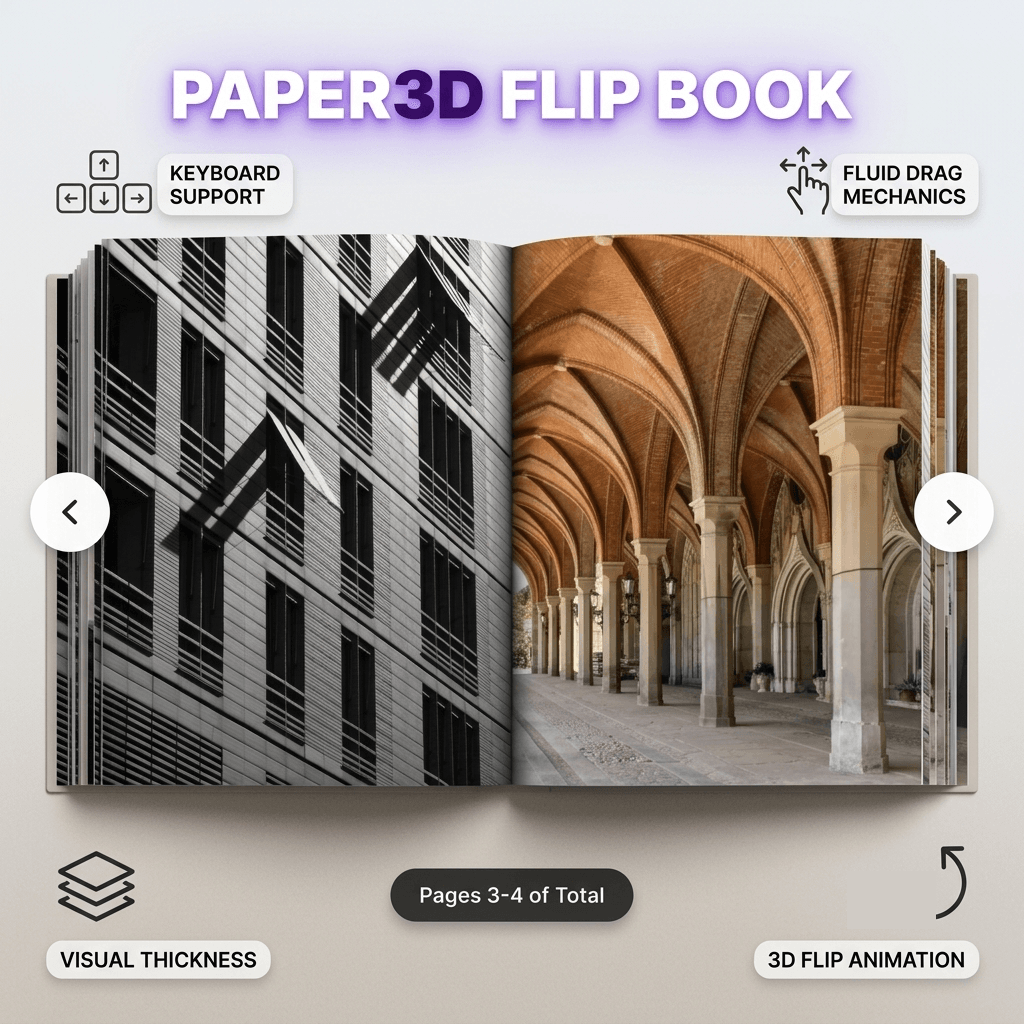
Transform image arrays, digital menus, portfolios, and catalogs into an interactive 3D reading experience for Framer.
3. Key Features Breakdown
📖 Realistic 3D Page Physics & Layout:
3D Spread Layout: Renders image pages in authentic side-by-side pairs (0–1, 2–3, etc.) with real-time
rotateYperspective andpreserve-3dcontext.Dynamic Book Depth: Visually stack page edges on both sides to represent remaining page thickness dynamically based on total pages.
Seamless Backface Content: Ensures realistic page flips with no blank white gaps or flash overlays during high-speed flips.
Authentic Spine & Lighting Effects: Features inset page shadows, book drop-shadows, dynamic spine gradients, and hover edge highlights.
🎮 Interactive Controls & Accessibility:
Multiple Navigation Modes: Smooth forward/backward page flipping using click zones, directional arrow buttons, or native keyboard shortcuts (
←/→).Hover Control Zones: Intuitive side-trigger zones (outer 30%) that reveal navigation arrows gracefully on mouse entry.
Accessible Image Engine: Supports custom
alttext metadata across all uploaded page arrays for screen readers and SEO.
⚙ Complete Framer Property Controls:
Custom Image Array: Upload multi-page image assets directly within the Framer Canvas inspector with custom ordering and alt text.
Autoplay & Timing Control: Enable hands-free presentation modes with customizable delay timers (1–10s) and adjustable flip durations (300–1000ms).
UI Customization: Toggle page counters ("Pages X-Y of Total"), navigation controls, background colors, and shadow effects with a single click.
⚡ Performance & Canvas Optimization:
Static Preview Mode: Optimized rendering safeguards for Framer Canvas context to prevent lag while editing.
Zero External Dependencies: Native lightweight React state & CSS architecture for maximum loading speeds and SSR compatibility.