About Pillbox Form
Stop settling for default radio buttons.
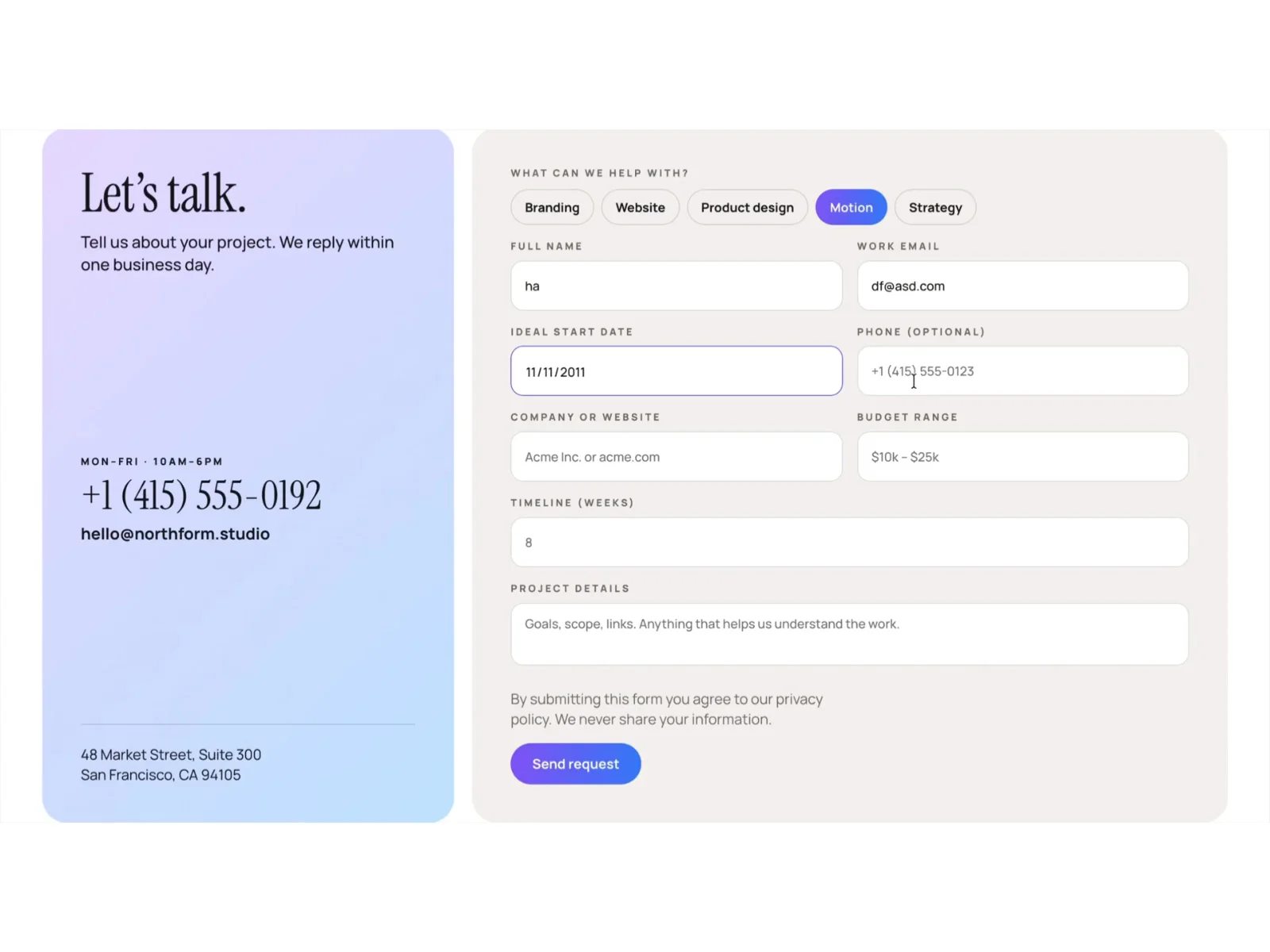
Pillbox swaps Framer’s basic radio inputs for toggle pills. Visitors tap a service and a purple-to-blue gradient highlight moves to it, and the choice is still submitted as a normal form field. Building this yourself in Framer means stacking variants, hidden inputs and interactions. Pillbox is that work, done.
What’s inside
Service Toggle: five pills with a smooth highlight animation. Each pill’s text is also the value that gets submitted, so you rename it in one place.
Complete inquiry form: name, work email, start date, phone, company, budget, timeline and project details, all native Framer form fields.
Contact card: heading, intro, opening hours, a phone number and email that visitors can tap, and an address, on a soft gradient.
Submit button with states: separate looks for sending, success and error.
Fully responsive: Desktop, Tablet and Phone layouts are built in and switch automatically.
Customize without opening the component 16 properties in the right-hand panel: heading, subheading, hours, phone, email, address, phone and email links, options label, five option labels, privacy note and button label.
Re-theme in seconds Colors come from 7 project color styles (Accent, Surface, Text, Text / Muted, Border, Base, Base / Line). Change those and the whole form follows. The gradients are set directly on the card, the selected pill and the button. Fonts are Instrument Serif and Manrope, both free Google Fonts.
Works with Framer Forms Submissions go through Framer’s built-in form handling, so you can send them to email, a webhook or any connected integration.
Perfect for agencies, studios, freelancers, consultants and SaaS teams who want a polished project-brief form without building one from scratch.