About Pinpoint Map
Pinpoint Map is a fully styleable map component for Framer. No API keys, no billing accounts, no setup: add coordinates and your map is live.
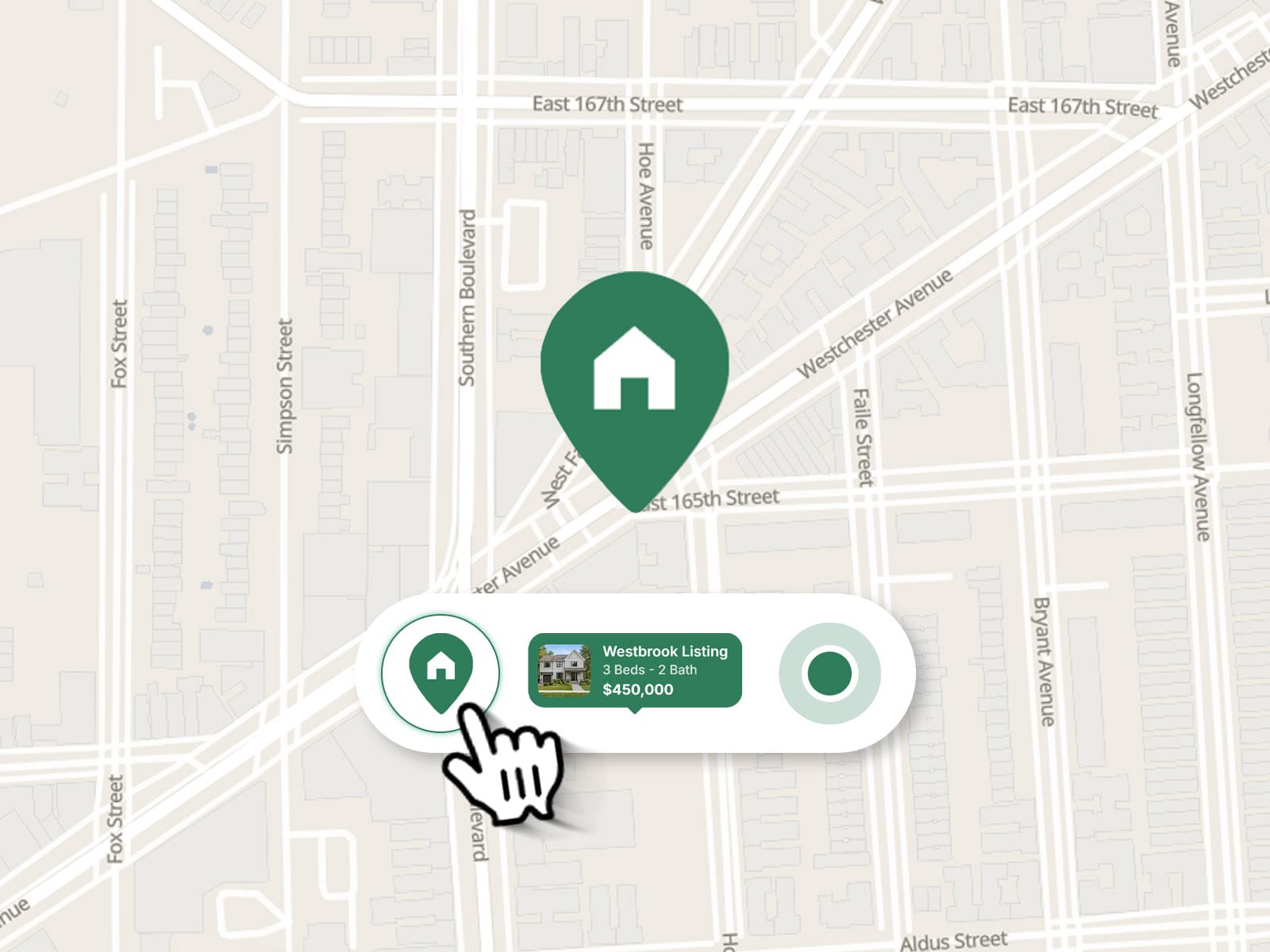
Match it to your brand with custom colors for land, water, parks, roads and labels, or pick one of three base styles. Mark a place with a pin, a pulsing dot, an info bubble, or a soft area circle for approximate locations.
What’s inside
No API key needed. Powered by MapLibre and free OpenFreeMap tiles.
Simple setup. Paste “latitude, longitude” and you’re done.
CMS-ready. Bind coordinates and the bubble’s image, title, subtitle and text to your CMS fields.
Info bubble. Show an image, a title, a subtitle and a highlighted line (price, rating, tag) right on the marker.
Directions button. Opens Google Maps, Apple Maps, Waze or OpenStreetMap. Auto mode picks Apple Maps on iOS.
Area mode. Show an approximate radius instead of an exact point.
Scroll-friendly. Ctrl + scroll zoom keeps page scrolling smooth, with custom hint text.
Custom UI. Font, colors, corner radius, shadow, zoom buttons and button position.
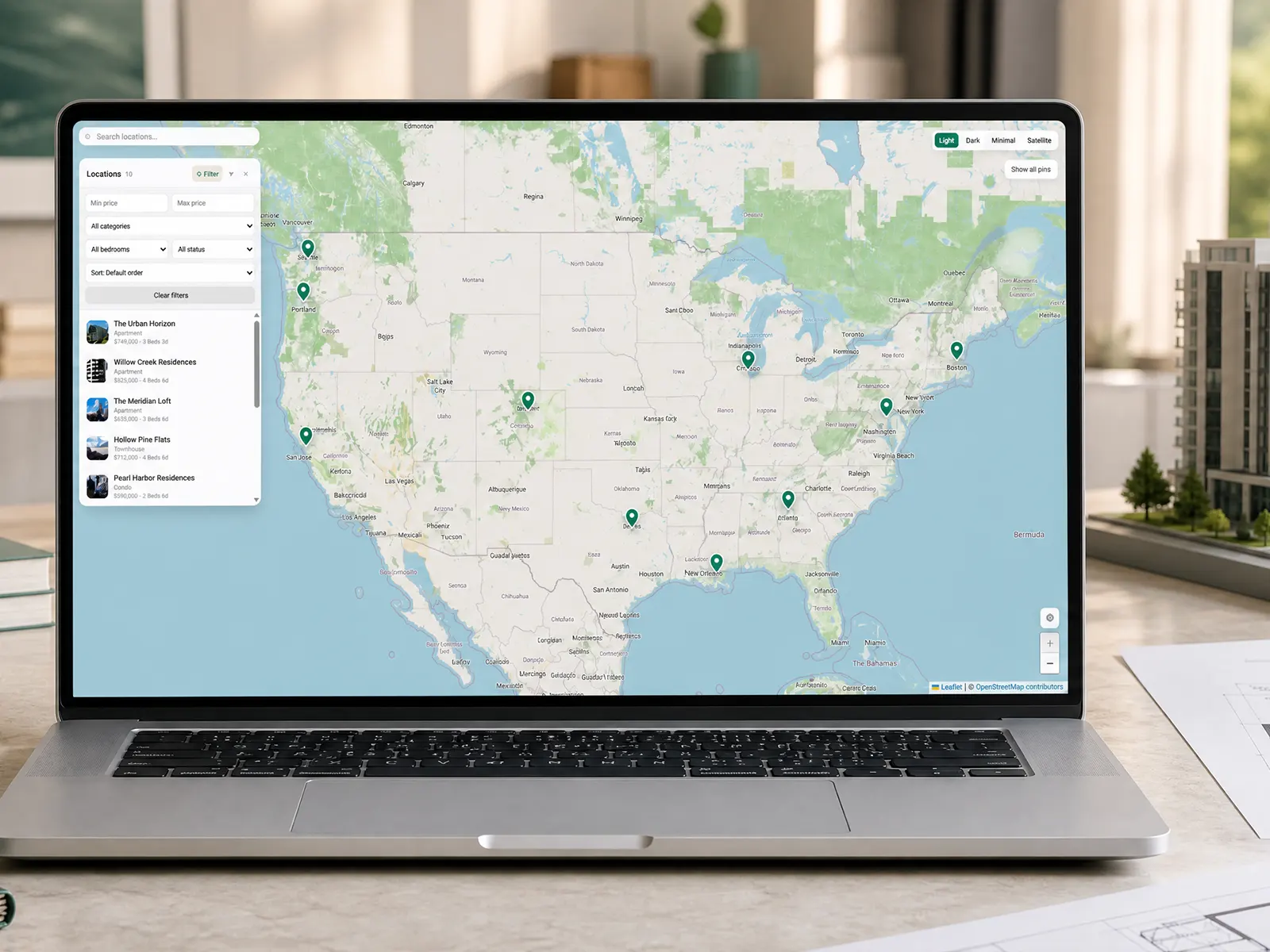
Perfect for real estate listings, restaurants, stores, event pages, travel guides, contact sections and portfolios.
Good to know
Map tiles and the map library load from public CDNs (OpenFreeMap and jsDelivr), so the map needs an internet connection.
Map credits (OpenFreeMap, OpenMapTiles, OpenStreetMap) stay visible, as required by the data providers.
On the Framer canvas the map is static. Test the interaction in Preview or on your published site.
Share your build
If you ship something cool with it, post it on X and tag me @danielgrafix_, or send it over. I’d love to see what you create.
Need help? Questions or feedback?
Reach me anytime: danielgrafix12@gmail.com or on X @danielgrafix_