About Portfolio Folders
About
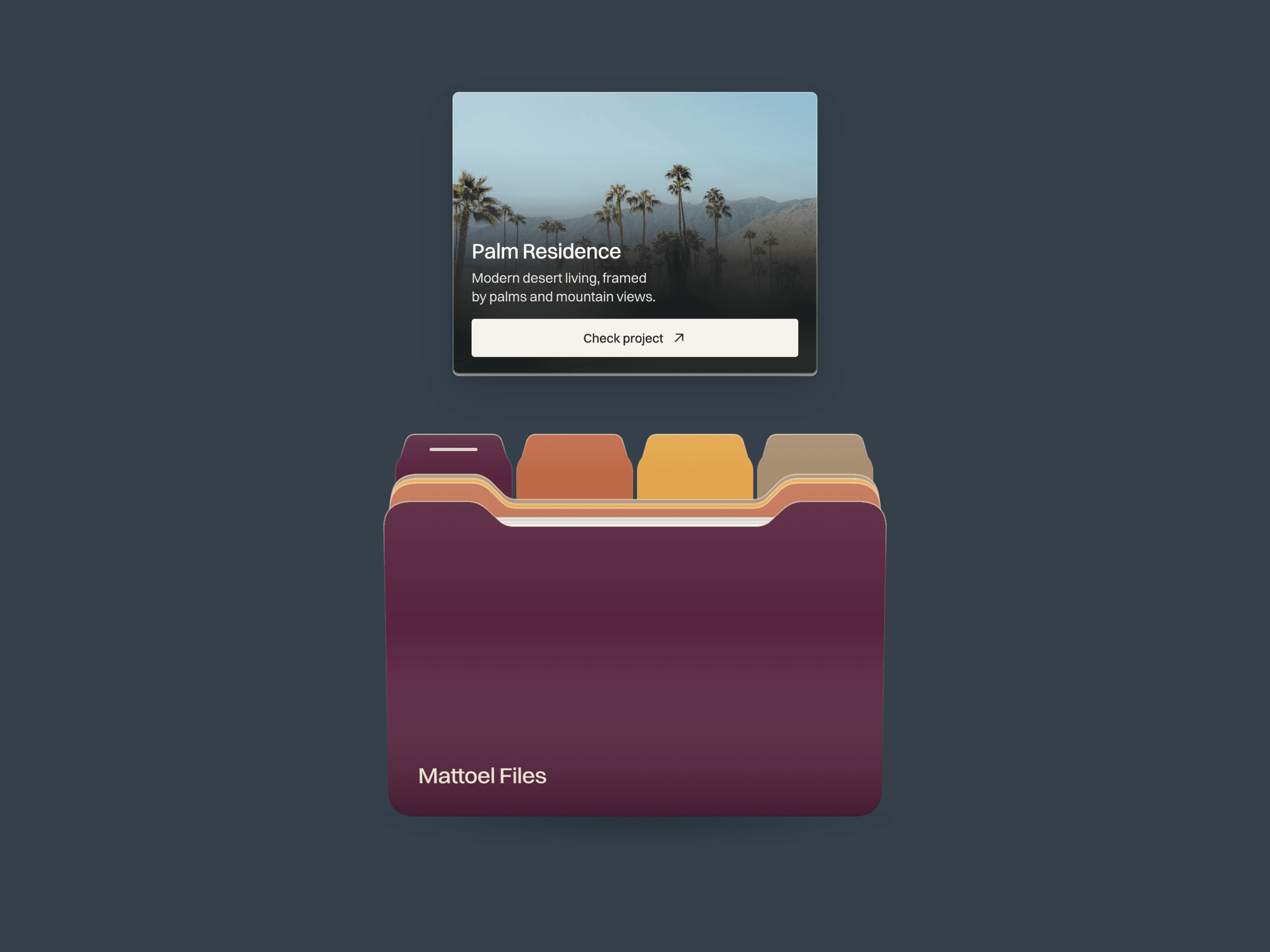
Portfolio Folder is an interactive Framer portfolio component that presents 1–6 projects inside a layered, 3D-style folder. Hover or tap the colored tabs to reveal an image card with a title, description and project link. Cards retract, dividers fold and the next project rises in a coordinated spring animation, making selected work feel tactile and inviting.
What you can customize
Use Framer property controls to add, remove and reorder projects. Edit images, titles, descriptions, compartment colors, CTA labels, links and new-tab settings. Customize the folder name, typography, text colors, card radius, image blur, CTA colors, angle, animation speed and shadows. Choose the starting project and an open or closed initial state.
Built as a responsive code component with a transparent background, compact small-screen geometry, keyboard navigation and reduced-motion support. No code editing needed.
Great for (examples)
Just a few ideas, use it anywhere a small selection of work deserves a closer look:
Designer portfolios and featured project collections
Architecture studios and interior design showcases
Agency websites and case-study navigation
Photography portfolios and selected series
Branding projects and visual identity presentations
Illustration, art and creative direction portfolios
Freelancer websites and personal work archives
Portfolio hero sections and project link hubs
Share your build
If you ship something cool with it, post it on X and tag me @Matthias_Oel, or send it over. I’d love to see what you create.
Need help?
Questions or feedback? Reach me anytime: matthias@lmvision.de or on X @Matthias_Oel.
Need a matching component?
Add another way to explore your work or finish the page: