About Sequence: Filmstrip
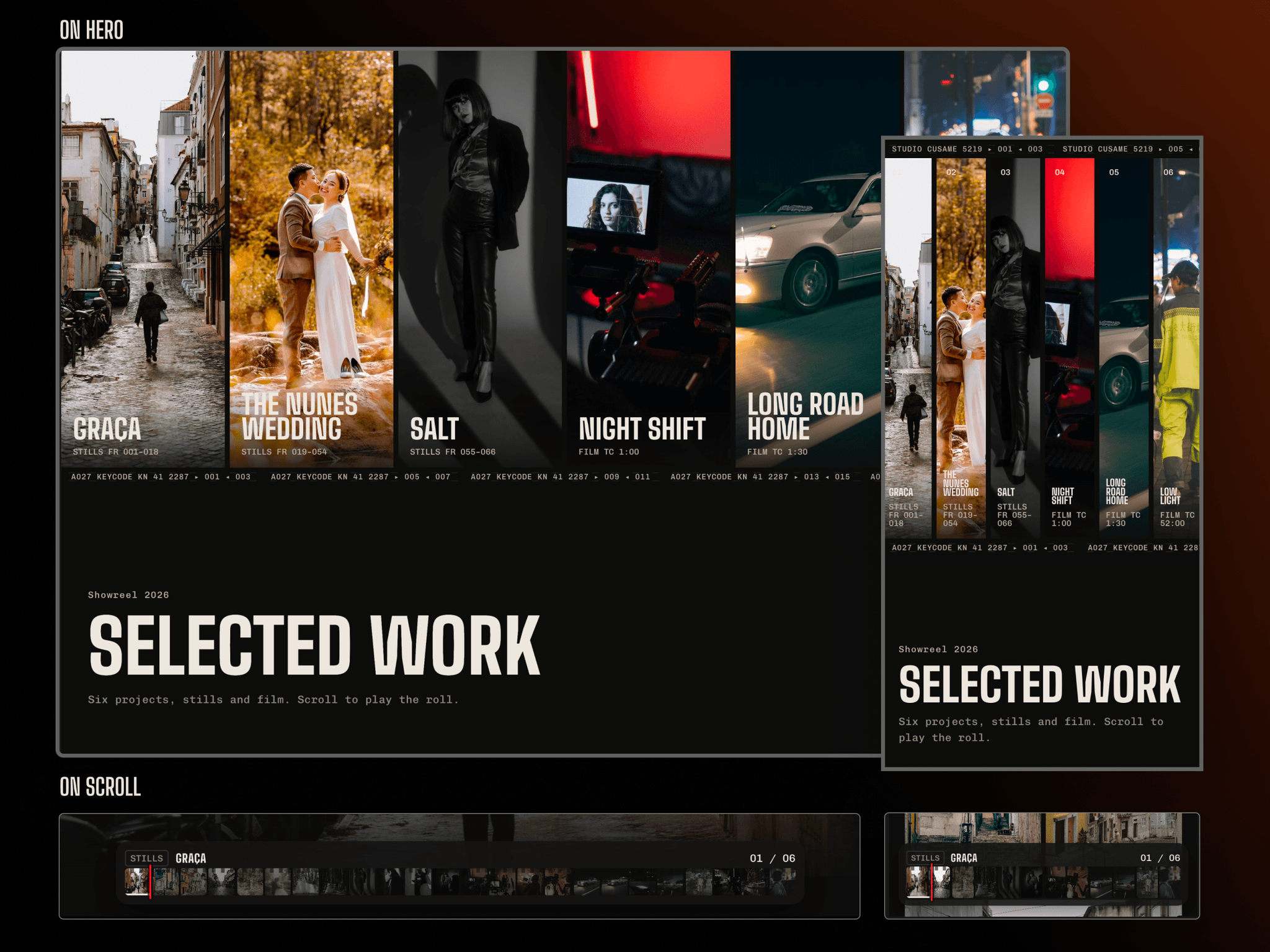
Sequence turns your portfolio into a roll of film. Projects open as a full-width filmstrip. Scroll and the strip docks into a slim timeline bar at the bottom of the screen, with a playhead, the current project's name and a running count.
In the docked bar, each project splits into its own frames, as many as fit. The frame that's lit is the one on screen. Click any frame, in the strip or the bar, and the page glides to that project.
What you get
Filmstrip hero that docks into a timeline bar the moment you scroll
Split frames: each project shows its own images in the docked bar
Click to jump, with smooth scrolling (on by default, respects reduced motion)
Counter options: project count (03 / 06), frame numbers and timecode, or off
Stills and film projects, with running timecode for films
Sequence Markers sync the bar to your page sections, with CMS support through normal field binding
Your colours, fonts, edge print and dock width from the properties panel
Desktop and phone layouts, keyboard and screen reader friendly
Setup
Paste the Sequence link onto your canvas.
Add your projects (cover, title, range, frames, link) in the properties panel.
Paste a Sequence Marker (its own link, included with your purchase) at the top of each project section, and one where the roll ends.
Made for anyone who works with film: photographers, filmmakers and studios building a portfolio or showreel page.
Questions or setup help: studiocusame@gmail.com