About Skills Wall
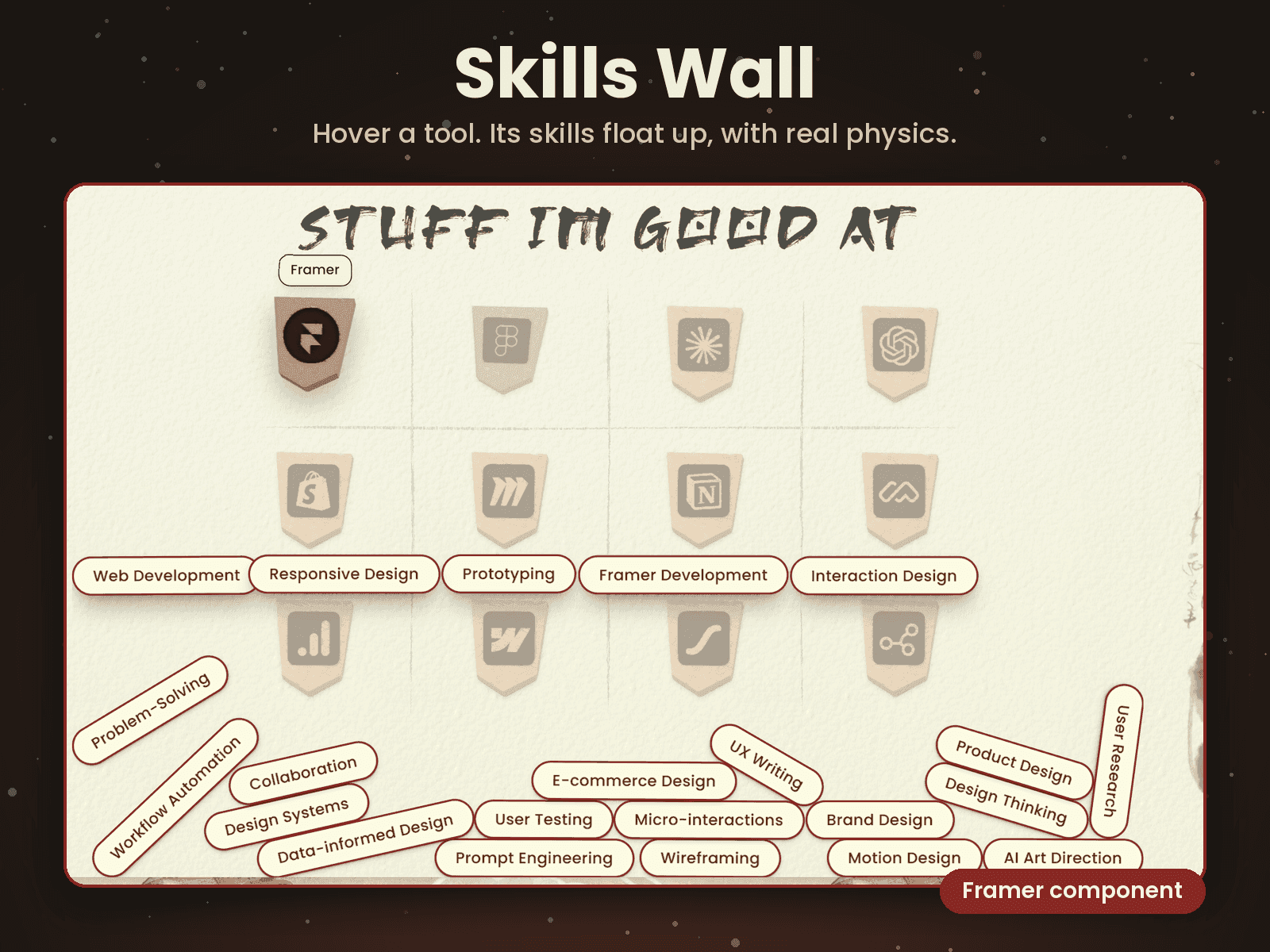
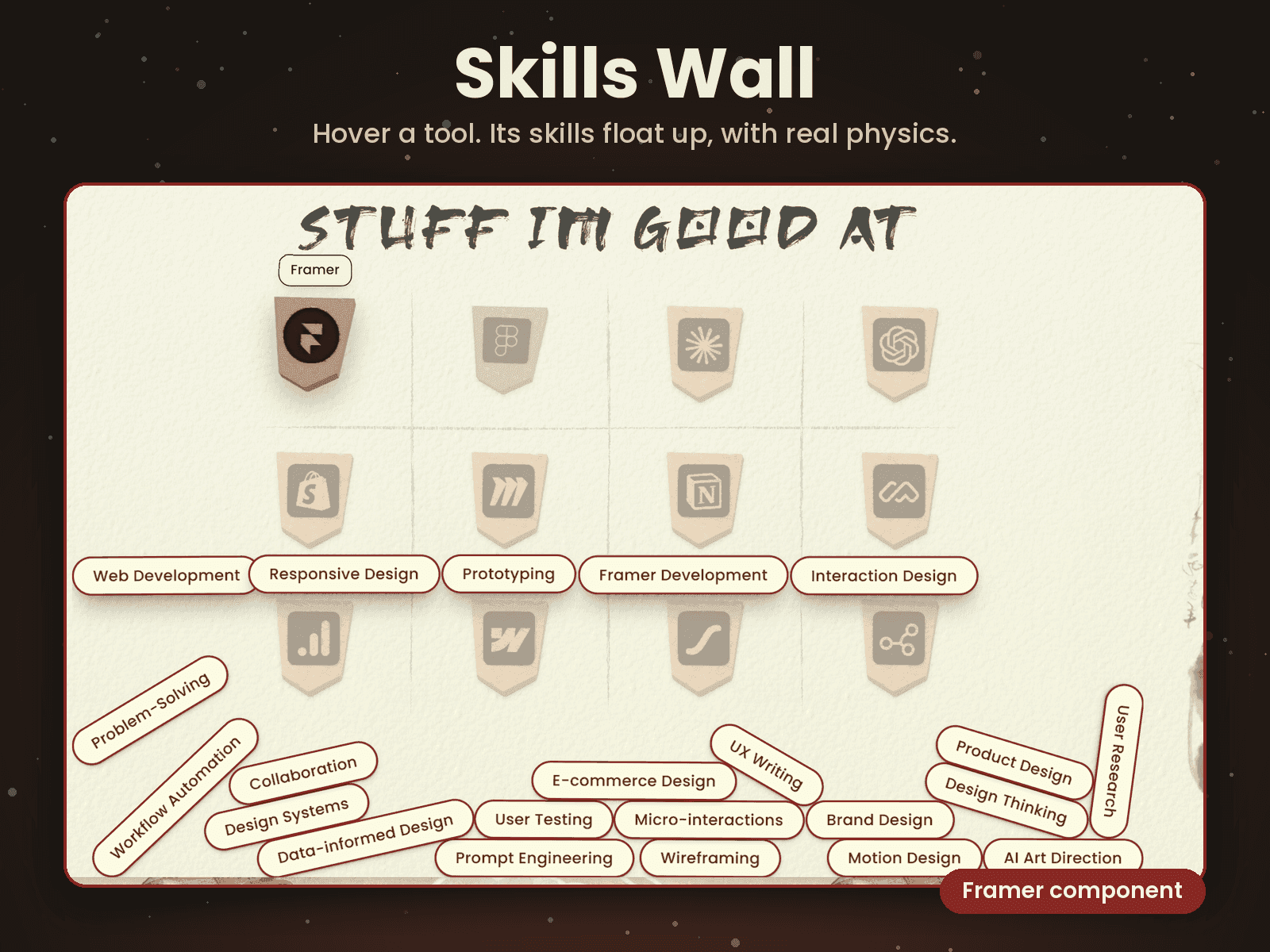
A physics-driven skills section for Framer. Your tools sit in a grid, your skills lie in a pile below, and hovering a tool lifts the skills it's linked to. Made for designers and developers who want their stack to feel hands-on instead of reading like a logo row.
About Component
Real 2D physics with Matter.js: pills fall, stack, bounce and settle
Hover a tool to lift its linked skills, which bob gently in place
Hover a skill to highlight every tool that uses it
Drag and throw pills with the mouse
Tap to lift on phones, and the page still scrolls
Name label follows the cursor, with optional fact tags per tool
Faint brush-stroke grid lines between tools
Idle tools fade back, the active one lifts and sharpens
Respects reduced motion
What's Included
1 code component, no extra setup
Tool list: image, name, linked skills and facts for each
Physics controls: gravity, bounce, lift height, bob
Layout controls: columns, piece size, gaps
Pill styling: font, fill, text and border colours
How It Works
Drop it on your canvas.
Add your tools with an image, a name and the skills each one lifts.
List your skills, pick your colours and tune the physics.
Use Cases
Designer portfolios
Developer portfolios
About pages
Agency capability sections
Résumé and CV sites
Team member pages
Tool stack and "how I work" sections
Keywords
skills section, tool stack, physics, matter.js, gravity, hover effect, skill tags, pills, portfolio, about page, interactive, drag and throw, framer component, framer portfolio, tech stack, resume
Support
If you experience any issues or need help customising the component, reach out within 3 business days of your purchase. Email: framercore@siddhantbaghel.art