About Spiral Timeline
About
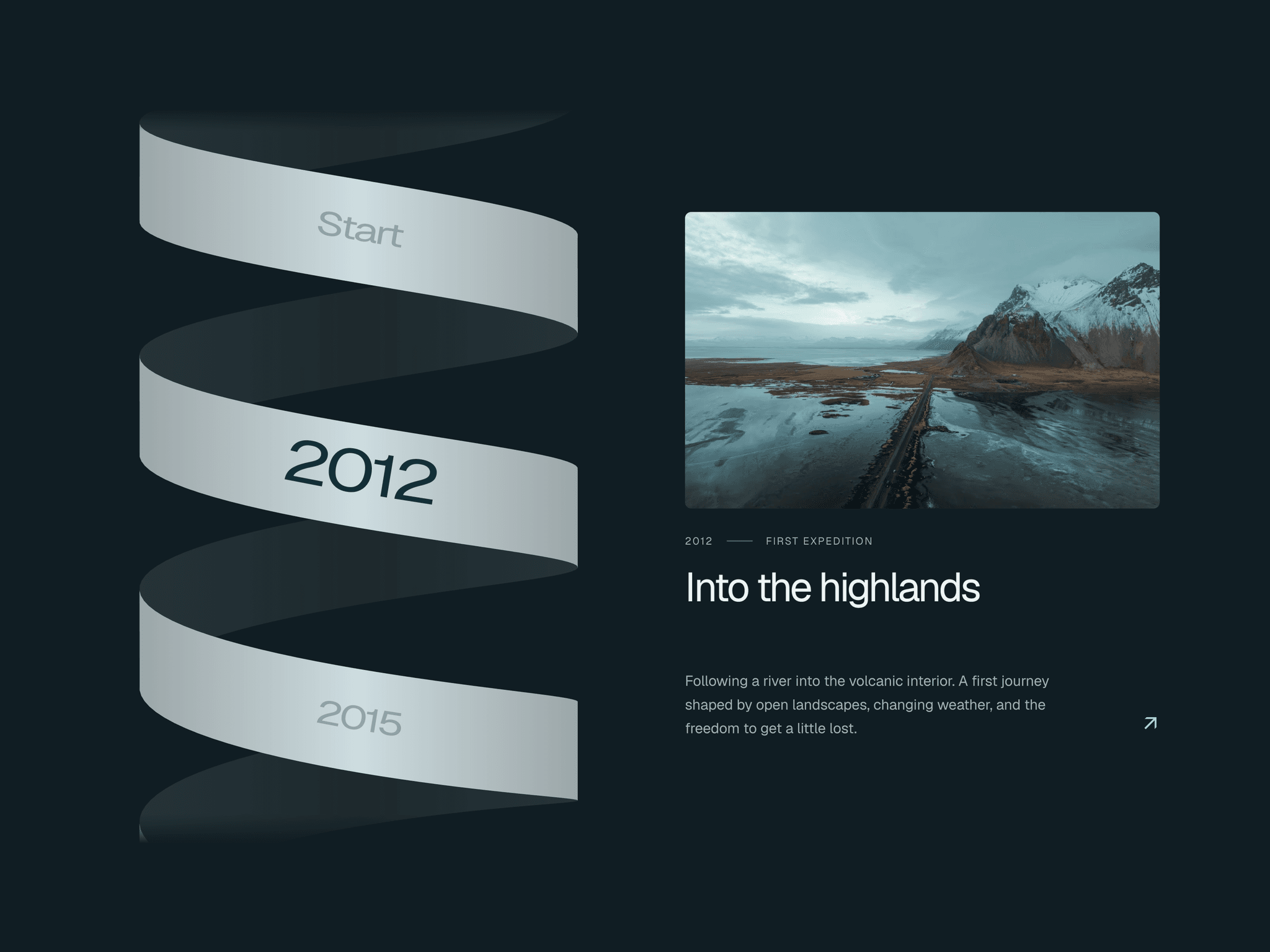
Spiral Timeline is a responsive Framer timeline component that turns milestones into an interactive story. Scroll with a mouse wheel or trackpad to move one chapter at a time as years travel along a dimensional spiral ribbon. The selected year takes center stage while images crossfade and story text transitions into view. On mobile, swipe the miniature ribbon or tap nearby years.
What you can customize
Add up to 20 milestones through Framer property controls, with editable years, labels, titles, descriptions, images and links. Customize colors, typography, ribbon depth, tilt, width and visible turns. Adjust spacing, image styling, transition timing and scroll sensitivity. Choose side-by-side or stacked layouts, plus Spiral or Compact mobile navigation. Optional arrows, year navigation and boundary labels let you shape the experience.
Built as a code component with keyboard navigation and reduced-motion support. Everything is configured through the property panel without editing code.
Great for (examples)
Just a few ideas, use it anywhere a journey deserves its own story:
Company histories and brand heritage pages
Founder stories and startup milestones
Personal journeys and career portfolios
Project timelines and case-study chapters
Product development and launch histories
Travel journals and expedition stories
Architecture projects and design evolution
Anniversary pages and cultural retrospectives
Share your build
If you ship something cool with it, post it on X and tag me @Matthias_Oel, or send it over. I’d love to see what you create.
Need help?
Questions or feedback? Reach me anytime: matthias@lmvision.de or on X @Matthias_Oel.
Need a matching component?
Explore more ways to present milestones and processes: