About Swatch Accordion
About
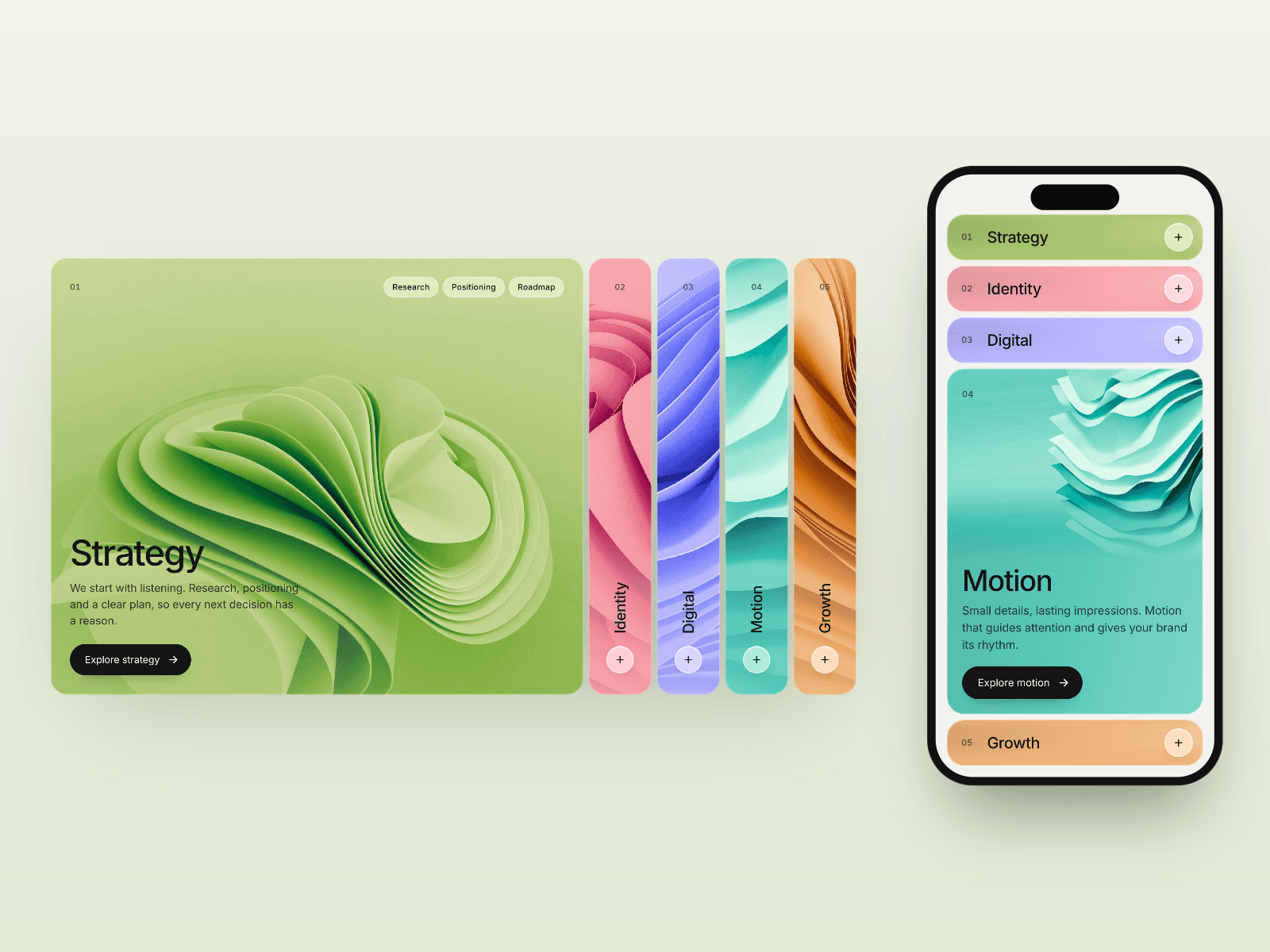
Swatch Accordion turns colorful image strips into an interactive showcase for your Framer website. Hover or tap to reveal a full image, tags, title, description and call to action. Spring transitions and staggered text reveals keep one story in focus, while neighboring panels invite exploration. Horizontal layouts become stacked panels on smaller screens. The closed strips pair image slices with a color wash and vertical labels, creating an editorial rhythm before each panel opens. Use it as an image accordion, service selector or compact visual gallery without sending visitors away from the page.
What you can customize
Make the presentation your own with editable images, copy, swatch colors, links and focal positions. Shape the layout with horizontal, vertical or automatic direction, strip sizing, spacing, padding and rounded corners. Style typography, text and button colors, then tune transitions and reveal timing. Choose hover or click navigation, show numbers, or enable autoplay with a progress line. Touch, keyboard navigation and reduced-motion support are included.
Great for (examples)
Agency services and creative capabilities
Portfolio projects and case study previews
Product features and SaaS landing pages
Fashion collections and shop categories
Team profiles and location showcases
Course modules and process steps
Share your build
If you ship something cool with it, post it on X and tag me @Matthias_Oel, or send it over. I’d love to see what you create.
Need help?
Questions or feedback? Reach me anytime: matthias@lmvision.de or on X @Matthias_Oel.
Need a matching component?
Build out your visual portfolio with more playful ways to explore projects:
Particle Hover Card for textured image transitions
Portfolio Folders for layered project browsing