About LineKit
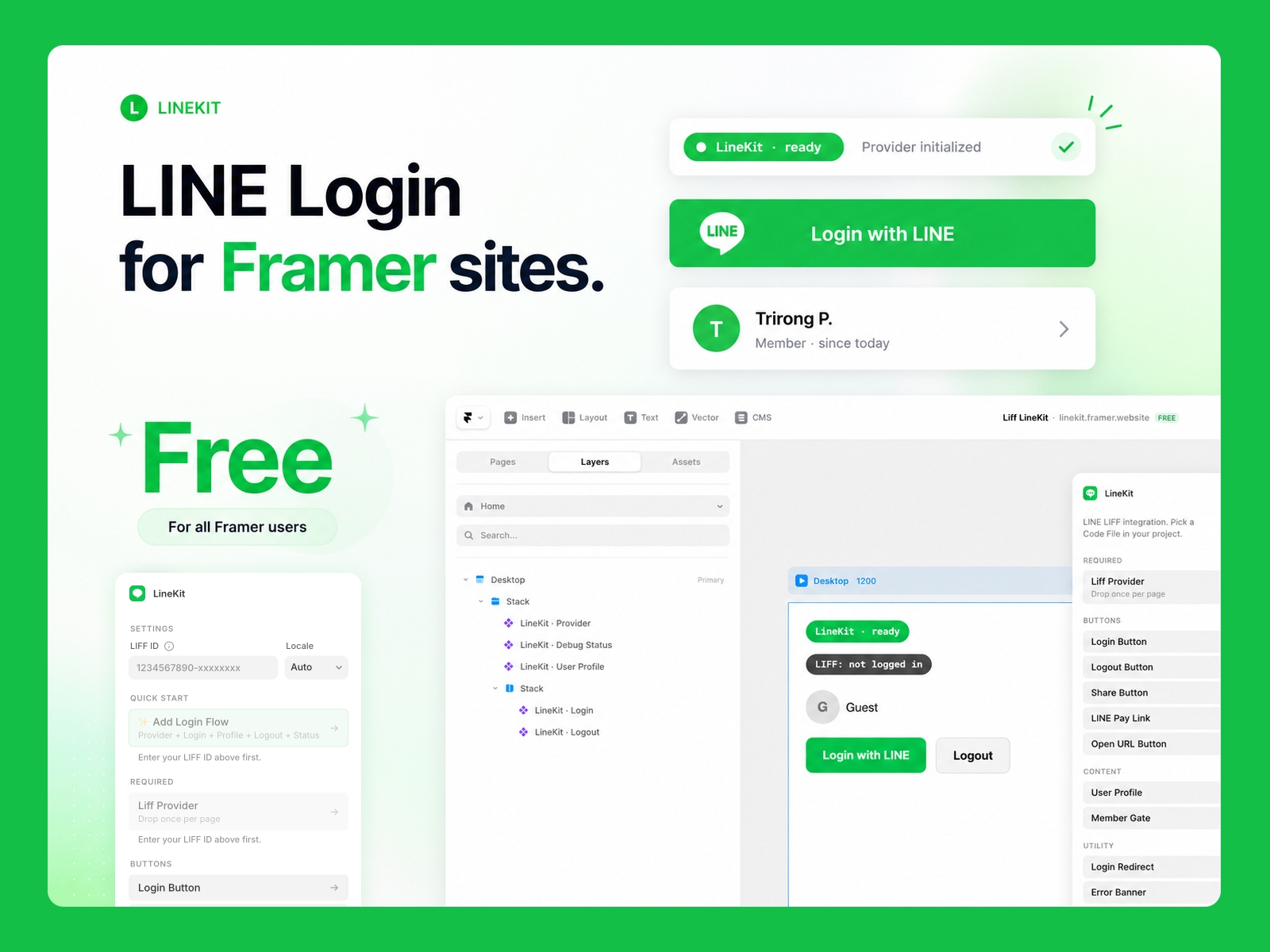
LineKit adds LINE Liff to your Framer site in under 5 minutes.
Click "Insert" on any of the 11 components and LineKit drops a Code File into your project that's ready to drag onto the canvas. No backend, no LIFF SDK boilerplate, no monthly fees — just paste your LIFF ID and publish.
⭐ Demo
https://linekit.framer.website/
⭐ Remix
What's included
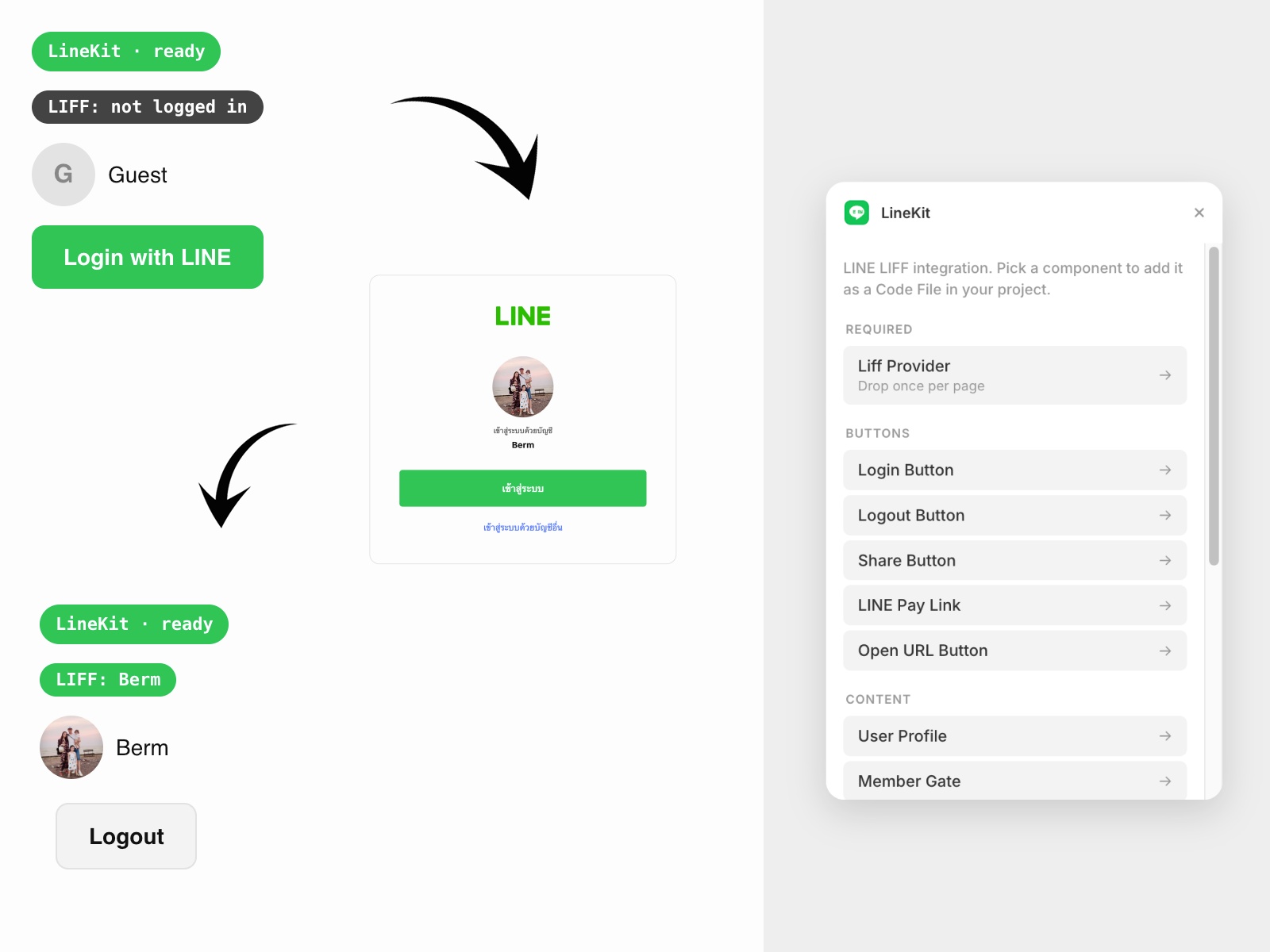
LiffProvider — bootstraps LIFF once per page
LoginButton, LogoutButton — auto-hide based on state
UserProfile — avatar + display name from the LINE profile, with built-in shimmer skeleton
MemberGate — show content only to logged-in (or logged-out) visitors
LineShareButton — opens LINE's share target picker (inside the LINE app)
LinePayLinkButton — deep-links to a LINE Pay merchant URL
OpenInLineApp — opens any URL through LIFF's in-app browser
LoginRedirect — invisible utility that navigates after auth state changes
ErrorBanner — surfaces LIFF errors cleanly
LoginStatus — debug pill for development
Built for the Asia market
Auto-translates UI between English, ไทย, and 日本語 — or override per instance
Designed for Framer designers serving Thai, Japanese, and Taiwanese clients with active LINE OA channels
Works the way Framer designers expect
All 11 components show up in the Insert panel after a single click in the LineKit sidebar
Property controls for every visual prop (color, radius, padding, font, layout)
Pre-fills the LIFF ID and default locale you set in the plugin settings
Need a LIFF ID first? Open the in-plugin "How to get a LIFF ID" link for a 5-minute walkthrough.
☕ Buy a Coffee for Trirong Phasukyued 🙏
PromptPay 0855544590