About QR & Barcode Scanner
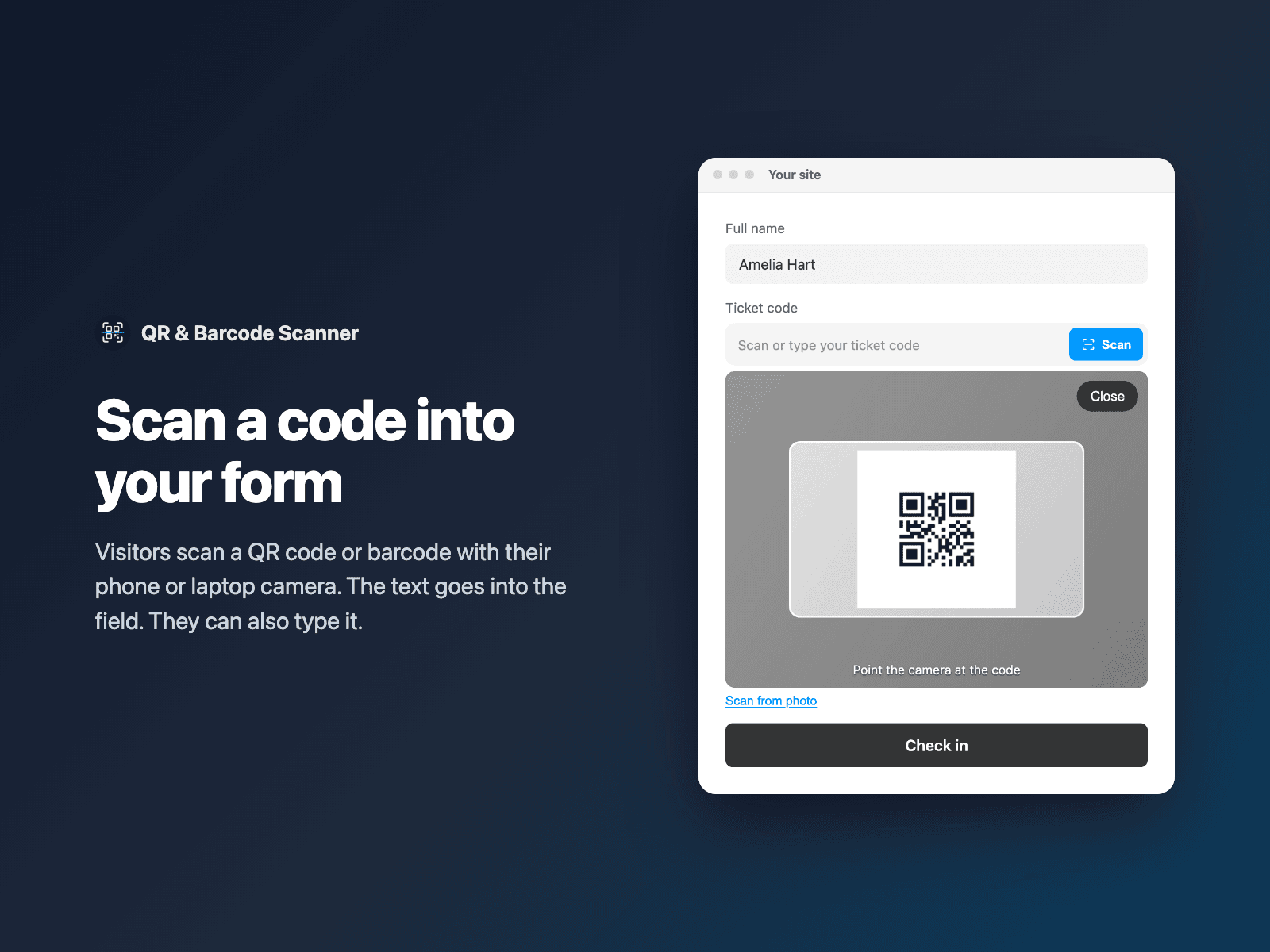
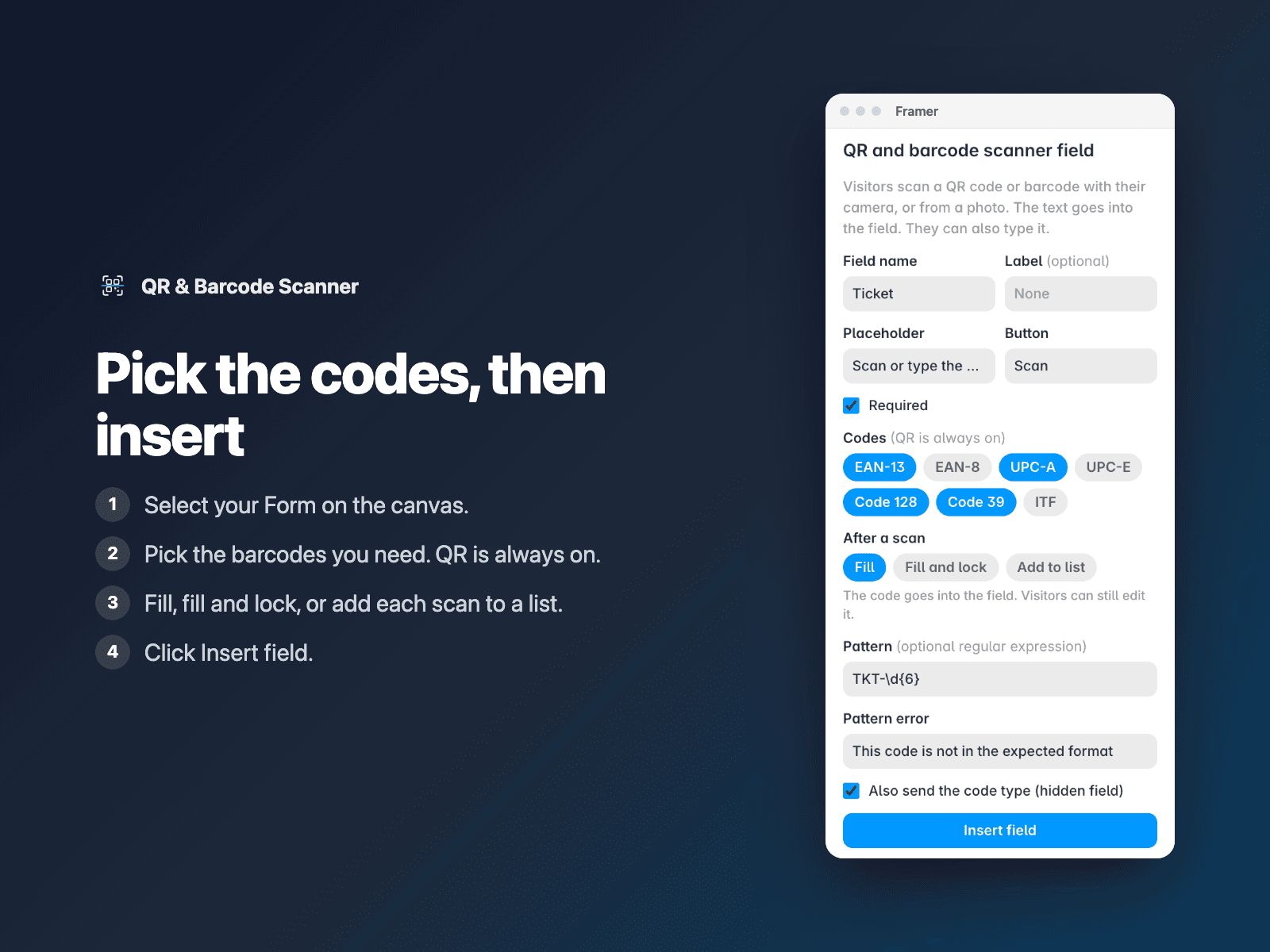
Add a field to your native Framer form that scans a QR code or barcode with the visitor's phone or laptop camera. The decoded text goes into the field. Visitors can also type it, or scan from a photo.
Use it for ticket and booking codes, product and serial numbers, asset tags, membership cards and equipment check-in.
Codes: QR, EAN-13, EAN-8, UPC-A, UPC-E, Code 128, Code 39 and ITF. QR is always on; turn off the barcodes you do not need.
After a scan:
Fill: the code goes into the field.
Fill and lock: the code cannot be typed over.
Add to list: several codes, sent joined by commas.
How it works:
Select your Form on the canvas.
Open QR & Barcode Scanner and pick the codes.
Click Insert field. It is added above the submit button.
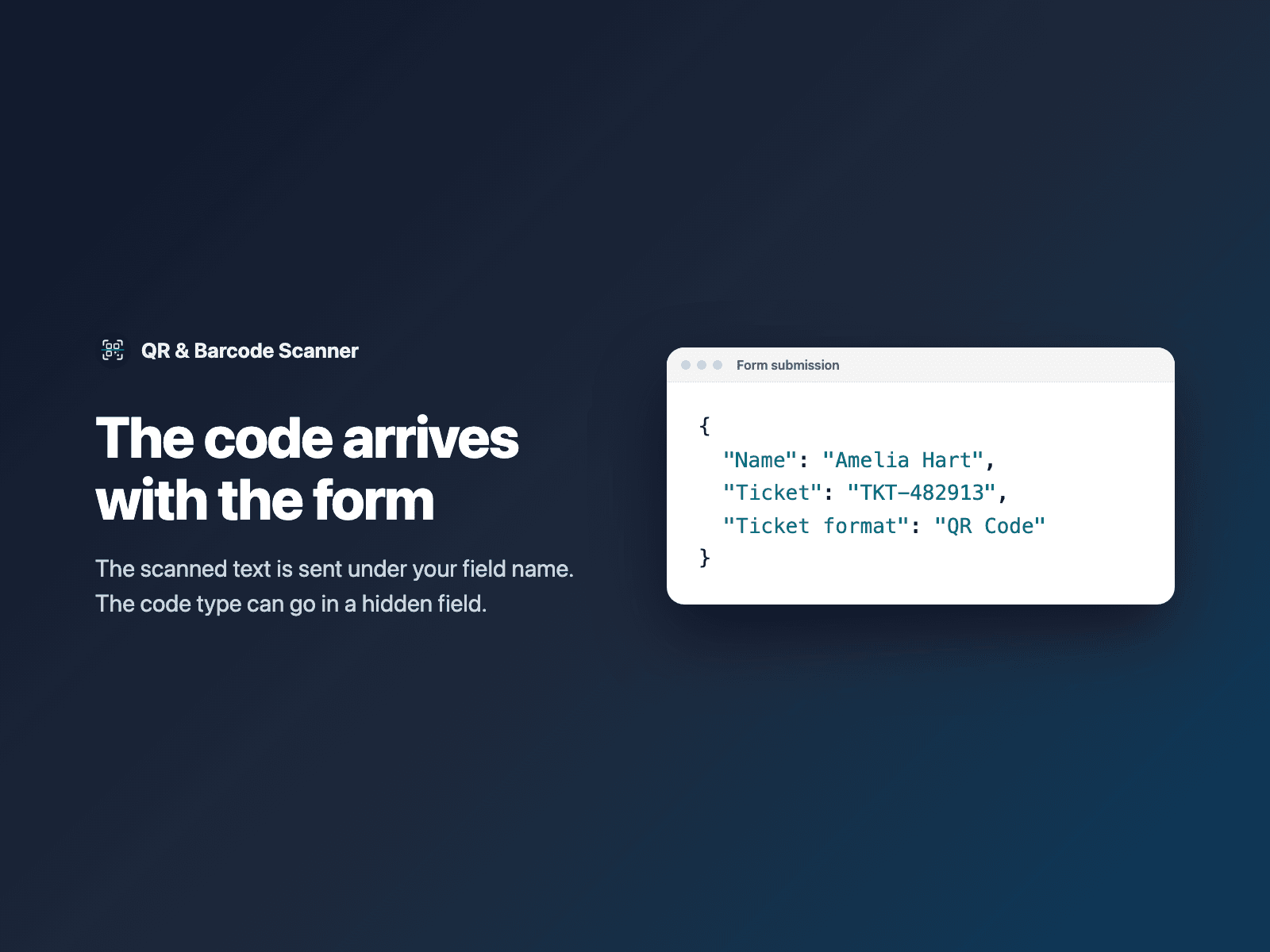
The form gets the code under your field name, for example "Ticket": "TKT-482913". A hidden field can also send the code type ("Ticket format": "QR Code").
Options: field name, label, placeholder, button text, required, a pattern the code must match (with your own error text), scan from photo, vibrate on a read, inline or full-screen camera, all messages, fonts and colors.
If the camera is blocked or missing, the field says so and still works for typing and photos.
Where the browser has its own barcode reader (Chrome on Android and Mac), nothing is downloaded. On other browsers, including iPhone, the open-source ZXing decoder loads from cdn.jsdelivr.net when a visitor first presses Scan: about 340 KB, pinned to one version and checked against fixed hashes. Nothing loads before that. Images stay in the browser.
Works with FramerSend Multi-Step Form and Conditional Fields.
Pricing: free forever with a free FramerSend account, no card needed. Plans (from $5/month) add the connectors. Details at framersend.com/pricing.