MODAX
MODAX

MODAX

MODAX builds premium Framer components, templates & plugins that solve real UI/UX problems with performance and quality.

·
MODAX
MODAX8h

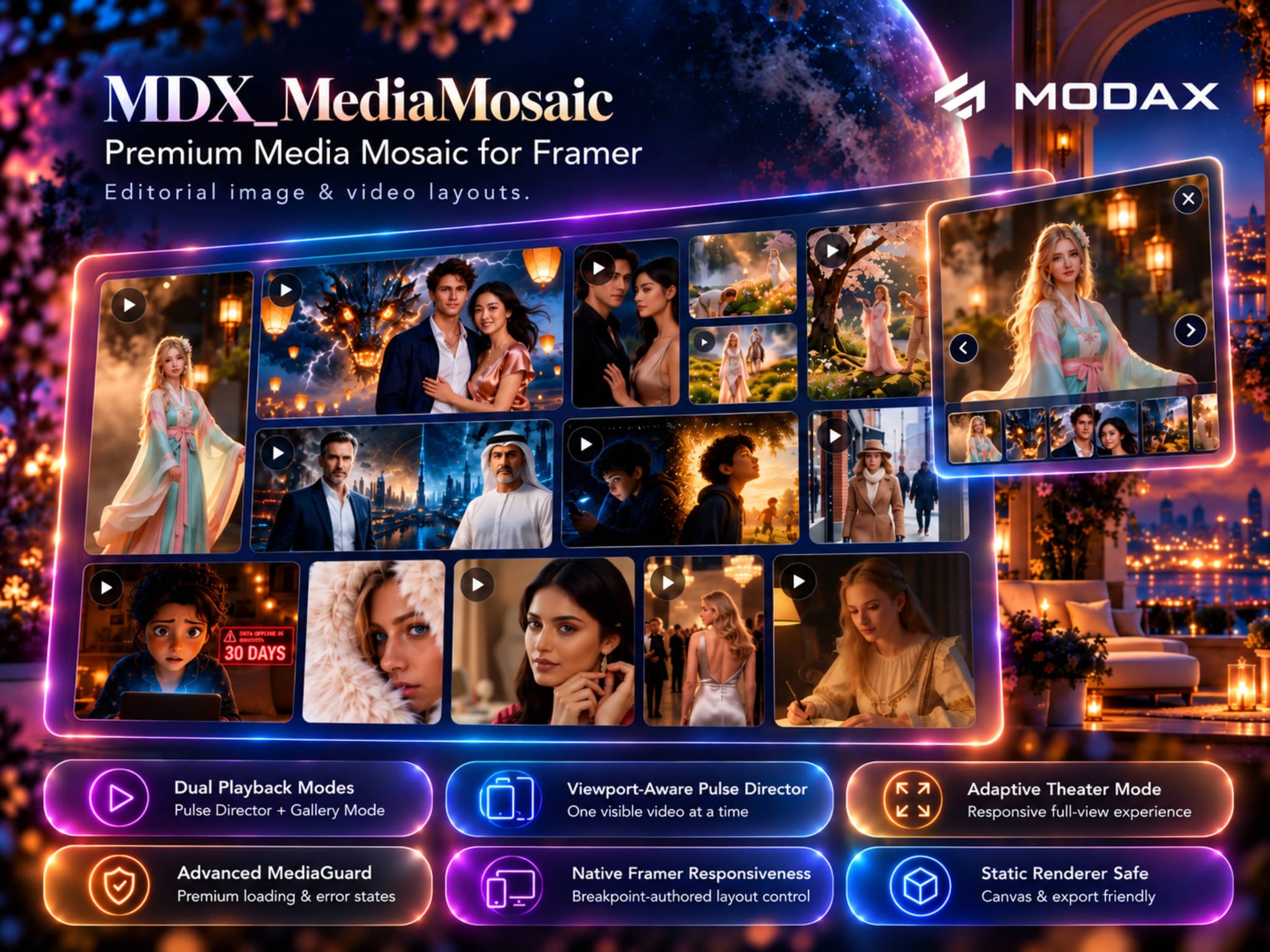
Meet MDX_MediaMosaic — a premium image + video mosaic for Framer.

Built for editorial storytelling, product showcases, portfolios, campaign pages, and rich media experiences.

🎬 Pulse Director — intelligently rotates one visible video at a time

🖼️ Mixed Media Mosaic — images + video in one responsive system

✨ Adaptive Theater Mode — click any tile for a full cinematic view

⚡ Viewport-Aware Loading — keeps larger collections responsive

🛡️ MediaGuard — polished loading, poster, empty, and error states

📐 Native Framer Responsiveness — breakpoint-authored layouts and tile spans

♿ Keyboard + Swipe Navigation — built for desktop and mobile

MDX_MediaMosaic is now live on the Framer Marketplace.

🔗 Live demo + documentation: https://modax.framer.website/mdx-components/mdx-media-mosaic

One mosaic. Images, video, motion, and cinematic exploration.
MODAX
MODAX2d

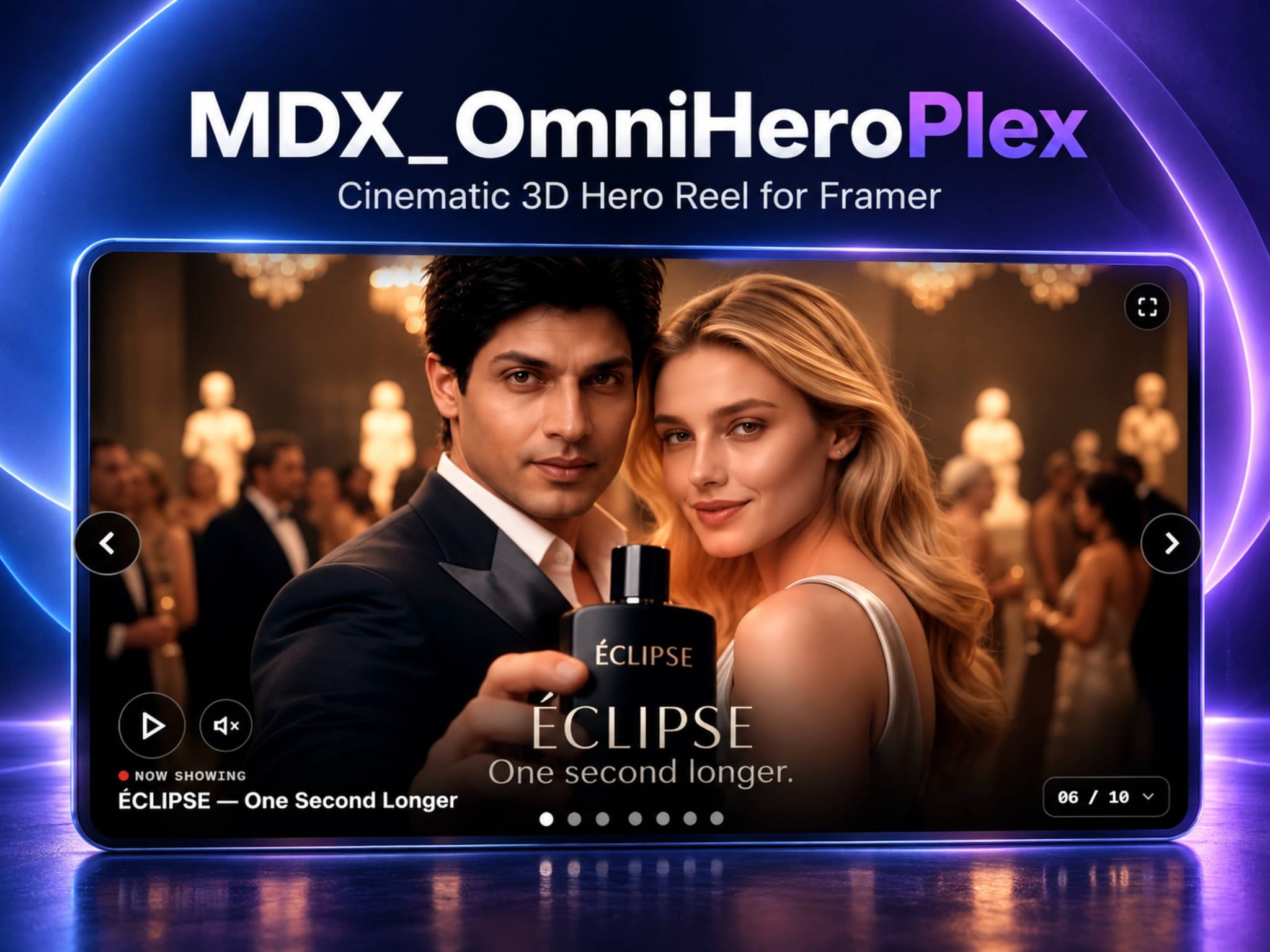
🎬 Meet MDX_OmniHeroPlex — turn your hero into a cinematic experience.

Built for sites where video deserves more than a standard player, MDX_OmniHeroPlex brings an immersive, full-focus media reel directly into Framer.

🌐 YouTube • Vimeo • Native Video

✨ Fluid drag + keyboard navigation

📚 Cineplex jump-list + direct navigation

🎭 Immersive Theater Mode

📐 Flexible video & player ratios

⚡ Smooth performance across extensive media libraries

♿ Responsive, accessible & reduced-motion aware

From film portfolios and creative studios to product launches, campaigns, editorial experiences, and brand storytelling — OmniHeroPlex turns the hero itself into the experience.

🚀 One hero. An entire cinematic experience.

Explore MDX_OmniHeroPlex live

MODAX
MODAX1w

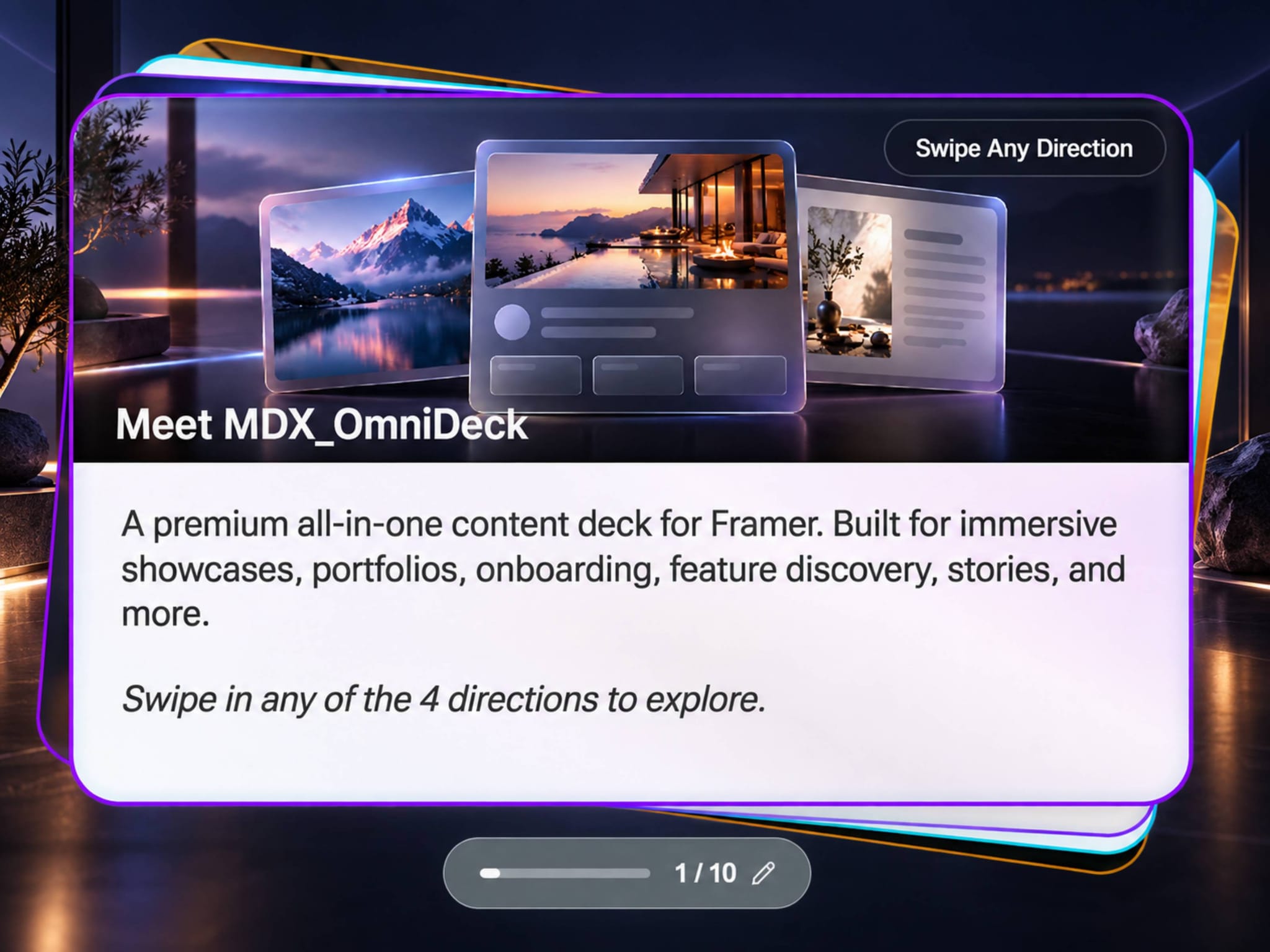
Meet MDX_OmniDeck — a carousel that refuses to move in just one direction.

One deck. Multiple experiences. Total control.

MDX_OmniDeck is now live on the Framer Marketplace — a premium content deck designed to go far beyond the conventional carousel.

🧭 4-Way Swipe Physics — Left, Right, Up, or Down with tactile inertia

🃏 Hybrid · Text Only · Image Only — mix completely different experiences in one deck

↔️ Flexible Layouts — position imagery Top, Bottom, Left, or Right with 10–90% sizing

🌍 Per-Card RTL — native Arabic, Hebrew, and other right-to-left content without disrupting the layout

🔤 Typography Override — independent Title, Body, and CTA fonts on any card

🎨 Deep Visual Control — dual themes, gradients, per-card styling, precise image framing, and 3D depth

▶️ Smart Interaction — Auto-Play, Infinite/Finite flow, editable Progress Pill, Swipe Hints, and directional labels

🔗 Connected Experiences — deep-link directly to a card and trigger external interactions with On Card Change

🛠️ Solo Design Mode — isolate and perfect any card directly on the Framer canvas

♿ Production Ready — keyboard navigation, reduced-motion support, smart loading, and responsive content handling

From product showcases and portfolios to onboarding, editorial content, multilingual experiences, and feature discovery — OmniDeck adapts to the experience instead of forcing the experience into a carousel.

MODAX
MODAX3w

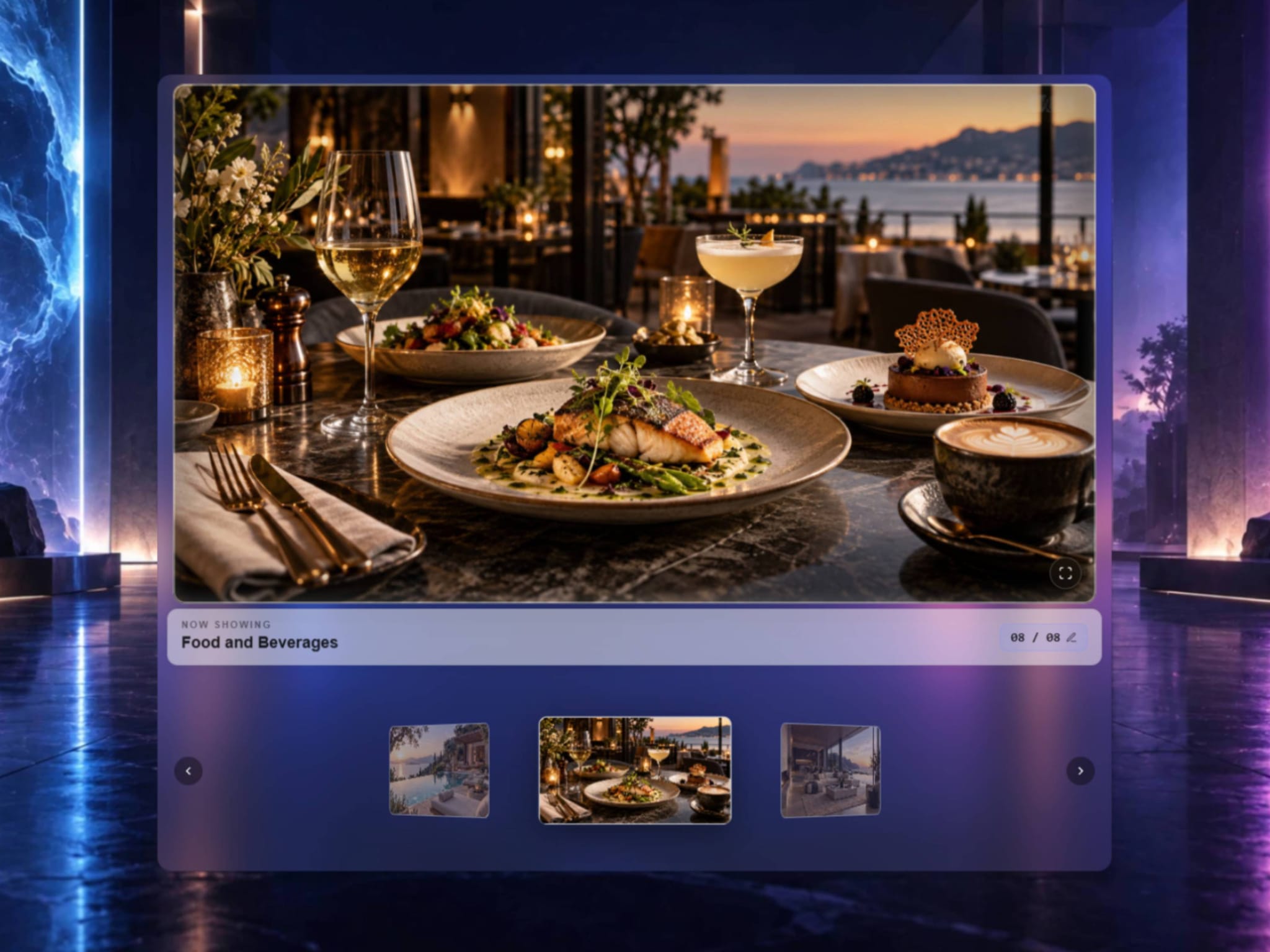
Meet MDX_OmniGallery — cinematic image browsing for Framer.

Turn ordinary image collections into immersive gallery experiences built for photography, product showcases, portfolios, digital art, editorial work, and visual storytelling.

🎛 True 3D Ring Carousel

📐 Smart Fit — lock your preferred aspect ratio and let landscape or portrait images adapt automatically

✨ Dynamic Ambient Glow

🎬 Glassmorphic Theater Mode

🚀 Buttery-Smooth 60fps Performance — Handles 100+ images with fluid interaction and responsive performance across both the Framer canvas and published site.

⚡ Framer Canvas Optimized

⌨ Keyboard & Accessible Navigation

🔢 Smart Slide Navigation

Choose 16:9, 16:10, 4:3, 3:2, 1:1, or 9:16 and keep the gallery consistently structured regardless of the images you add.

Your images stay the focus. The gallery becomes the experience.

MDX_OmniGallery is now available on the Framer Marketplace.

— MODAX

MODAX
MODAX3w

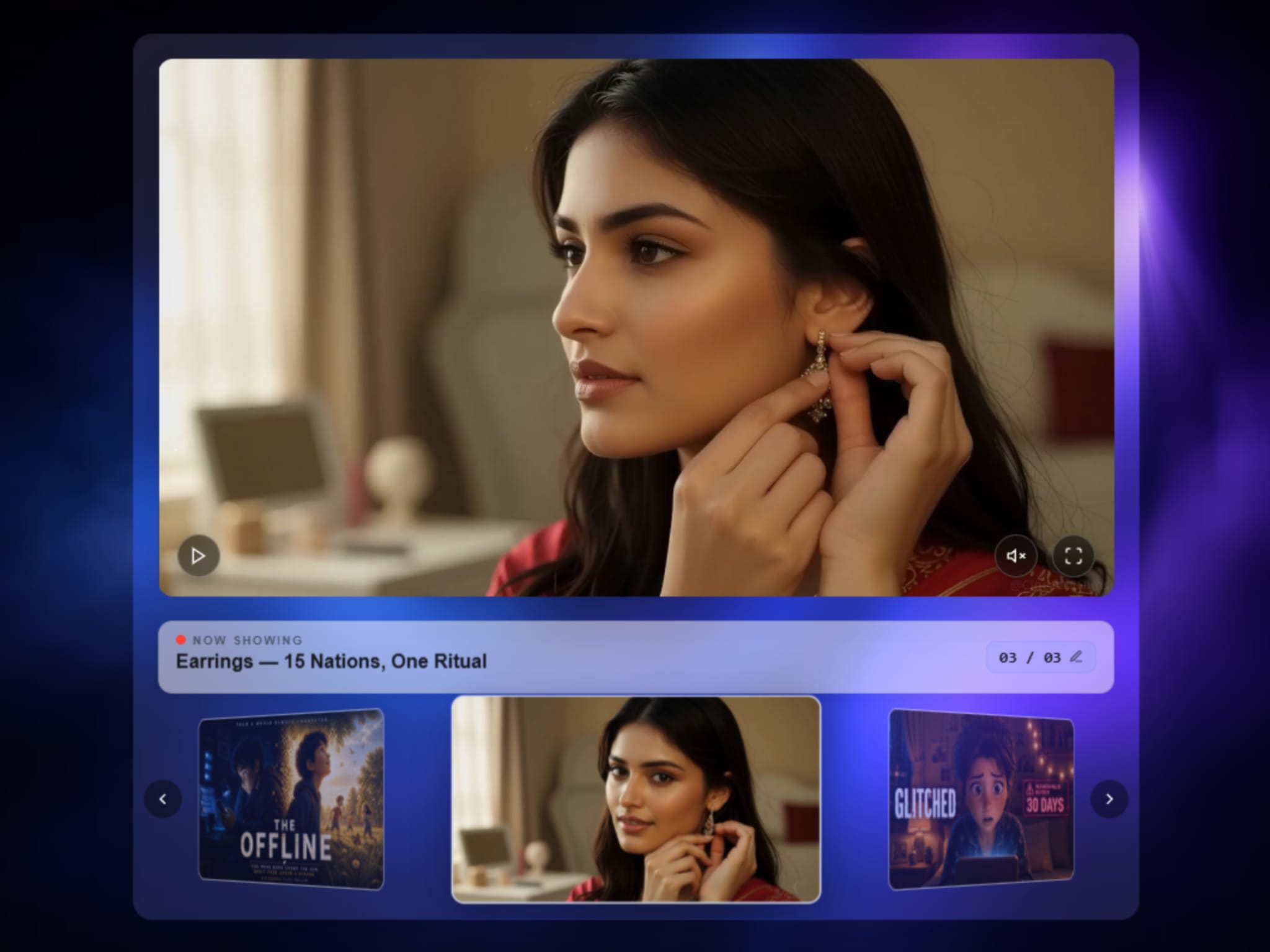
MDX_OmniPlex is live — now with an even more refined cinematic video experience. 🎬✨

Designed for Framer projects where video deserves more than a standard grid, MDX_OmniPlex combines immersive 3D browsing with a polished, flexible media player.

🌀 True 3D Video Carousel Browse videos through a genuine 360° ring with fluid drag, swipe, momentum, and keyboard navigation.

⚡ Built for Large Media Libraries Designed to remain responsive and efficient even as your video collection grows.

🌌 Glassmorphic Letterboxing Vertical, landscape, and mixed-ratio videos stay beautifully framed inside a consistent player.

📺 Picture-Tube Glass Effect A refined recessed-glass treatment adds subtle depth around the media surface.

✨ Adaptive Ambient Glow The active poster influences the surrounding glow, creating a more immersive viewing experience.

🖥 Optimized Framer Canvas Experience Designed to stay smooth and lightweight while working directly inside Framer.

🍿 Immersive Theater Mode Open videos in a premium fullscreen viewing experience with dynamic aspect-ratio handling and cinematic presentation.

⌨ Accessible Navigation Keyboard controls, ARIA support, quick-jump navigation, and touch-friendly interaction are built in.

▶ YouTube, Vimeo & Native Video

Built for portfolios, product showcases, trailer collections, courses, and video-driven Framer experiences.

MDX_OmniPlex — a Premium MODAX Component for Framer.

Built for designers. Refined with your feedback.

MODAX
MODAX1mo

Meet MDX_OmniPlex — cinematic video, reimagined for Framer.

Standard video grids work. But when video is central to the experience, they rarely feel immersive.

MDX_OmniPlex turns your video library into a true 3D media experience with fluid 360° navigation, momentum dragging, and a cinematic player built for mixed formats.

🎬 True 3D media browsing

▶ YouTube, Vimeo & native video

🌌 Glassmorphic mixed-ratio letterboxing

🍿 Fullscreen Theater Mode

✨ Thumbnail-driven ambient glow

🔢 Quick-jump video navigation

📱 Responsive, touch-friendly interaction

🛡 Reliable media handling

Built for portfolios, product showcases, trailer collections, courses, and any Framer project where video deserves more than a conventional carousel.

MDX_OmniPlex — a Premium MODAX Component for Framer.

Built for designers. Refined with your feedback.

MODAX
MODAX1mo

Meet MDX_DocMenu — a different way to navigate in Framer.

Traditional navbars work, but they can take up valuable space and often feel disconnected from the experience.

MDX_DocMenu brings an Apple-inspired dock interaction to Framer with a compact glassmorphic 3D prism tray designed for both site navigation and page-section control.

✨ Dynamic icon magnification

🧊 Glassmorphic 3D dock tray

🔗 Framer pages + external URLs

🧭 Smooth section scrolling

🎯 Animated active indicators

🪞 Icon reflection effects ↔ Smart overflow handling

Use it for documentation, SaaS, portfolios, product pages, storytelling experiences, and other projects where navigation should feel like part of the design—not just a utility.

Explore the live component + full documentation:

https://modax.framer.website/mdx-components/mdx-dock-menu

Built by MODAX for designers creating more distinctive Framer experiences.

MODAX
MODAX2mo

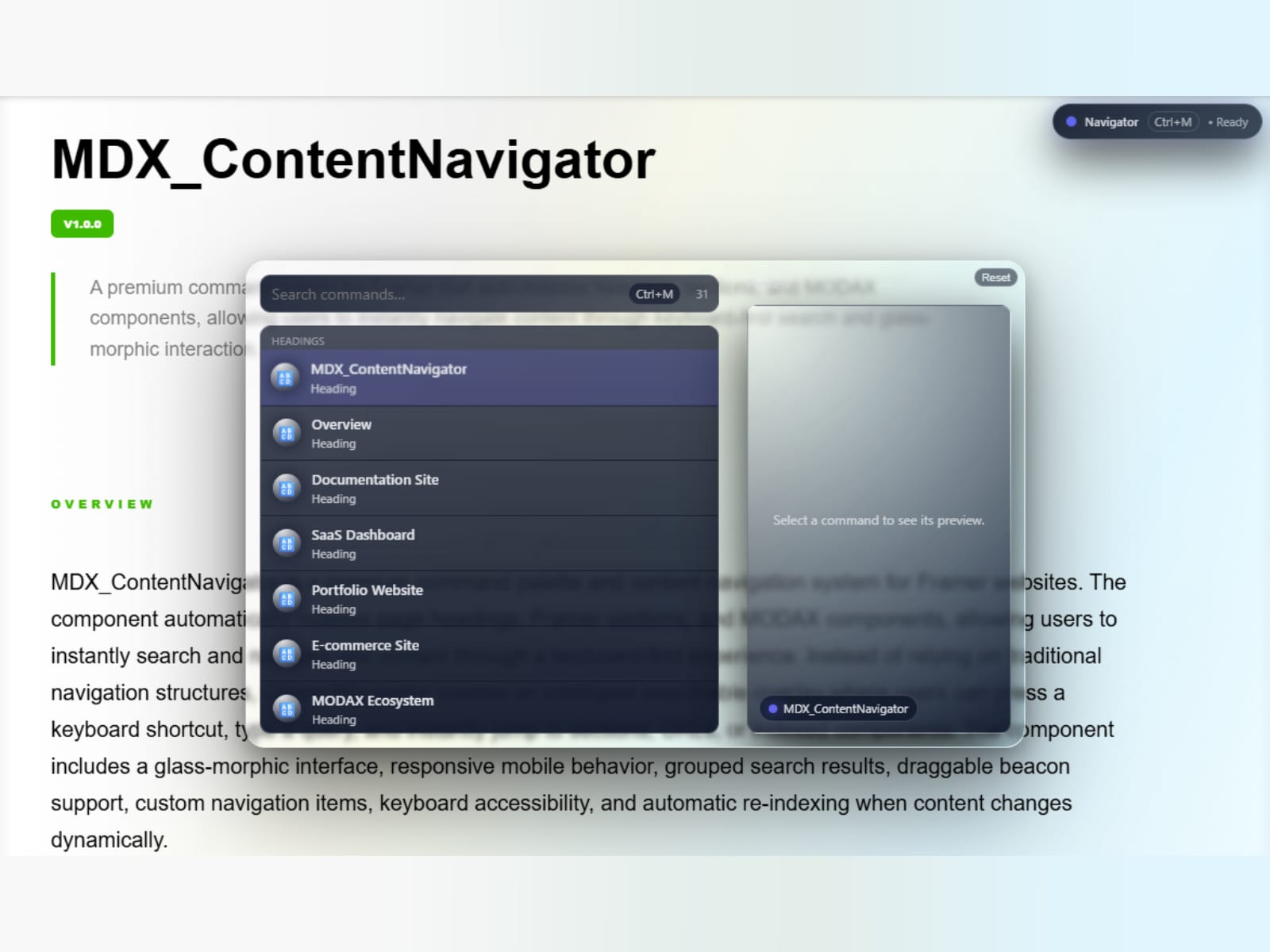
Meet MDX_ContentNavigator — a premium command palette for Framer. ⚡

Now live on the Framer Marketplace 👇

Long pages shouldn't feel hard to navigate.

With MDX_ContentNavigator, visitors can instantly search, preview, and jump to any heading, section, or media on your page through a beautiful glassmorphic command palette inspired by modern desktop workflows.

Just press ⌘M (or click the floating Beacon) and start typing.

✨ Highlights

🔎 Auto-indexes H1–H6, Sections, Images, Videos & Audio — no setup required

🖼 Live split-view previews for media before navigating

🧩 Automatically detects and groups other MODAX components

🖱 Draggable glassmorphic Beacon with viewport-aware positioning

⌨ Full keyboard navigation with smooth interactions

📱 Responsive experience across desktop and mobile

Simply drop it onto your canvas, choose your accent color, and it's ready to go.

MODAX
MODAX2mo

🚀 MDX_3DModelViewer is Now Live on the Framer Marketplace

Hey Framer creators! 👋

We are excited to introduce MDX_3DModelViewer, a production-ready 3D viewer that brings interactive GLB and GLTF models directly into your Framer projects.

Whether you're showcasing products, architecture, industrial designs, or creative portfolios, you can add immersive 3D experiences in just a few clicks—without relying on external embeds or custom code.

✨ Highlights

📦 Load GLB & GLTF models instantly

🖱 Smooth orbit, pan, and zoom controls

🌍 Six built-in lighting environments

📷 Multiple cinematic camera presets

🎬 Automatic animation support

🎨 Live material customization

🥽 WebXR VR-ready experience

🎭 Fullscreen & Theater Mode

🔁 Multiple independent viewers on the same page

⚡ Built for responsive, production-ready Framer websites

From product launches and landing pages to portfolios and interactive showcases, MDX_3DModelViewer helps transform static presentations into engaging experiences that visitors can explore.

We would love to see what you build with it!

Feedback and feature suggestions are always welcome.

MODAX
MODAXin Marketplace·3mo

Meet MDX_ContentNavigator — A universal command center for Framer that lets users search, navigate, and perform actions from one intelligent interface.

⚡️Stop making your users scroll endlessly. Let them instantly search headings, sections, media, and MODAX components with a beautiful glassmorphic UI and split-view media previews.

✨ Highlights:

🔎 Fuzzy search & auto-indexing

🖱 Draggable viewport beacon

⌨ Keyboard navigation (⌘M)

🖼 Live media preview panel

📱 Fully mobile responsive

Just drop it in and set the Scope Name to the page's root frame/stack name , and it automatically indexes your entire page. Upgrade your site's UX today!

MODAX
MODAXin Marketplace·3mo

🚀 Introducing MDX_3DModelViewer: Native Interactive 3D for Framer

Hello Framer Visionaries,

We are excited to share our newest component with you: MDX_3DModelViewer.

If you have been looking for a seamless way to bring real, high-fidelity 3D assets into your projects without breaking page performance or relying on clunky third-party embeds—this utility was built for you.

✨ What makes it powerful:

Native Integration: Zero external accounts or complex code required. Just drop it onto your canvas, paste a direct .glb or .gltf URL, and publish.

Complete Visitor Freedom: Smooth orbit, pan, zoom, and 6 instant camera presets allow full inspection of every asset detail.

Cinematic Lighting & Adjustments: Instantly cycle through 6 real-world environment presets while tweaking roughness, metalness, transparency, or emissive glow live on the page.

Immersive WebXR VR: Give your audience the ability to step inside your 3D models with a single click on supported devices.

It behaves perfectly like a native responsive element on your canvas, allowing you to deliver a luxury product experience tailored entirely to your page design. Categorized under Utilities, it runs entirely on native performance with zero overhead.

Explore the live preview directly inside our Framer Marketplace listing to see how this powerful utility works!

MODAX
MODAX3mo

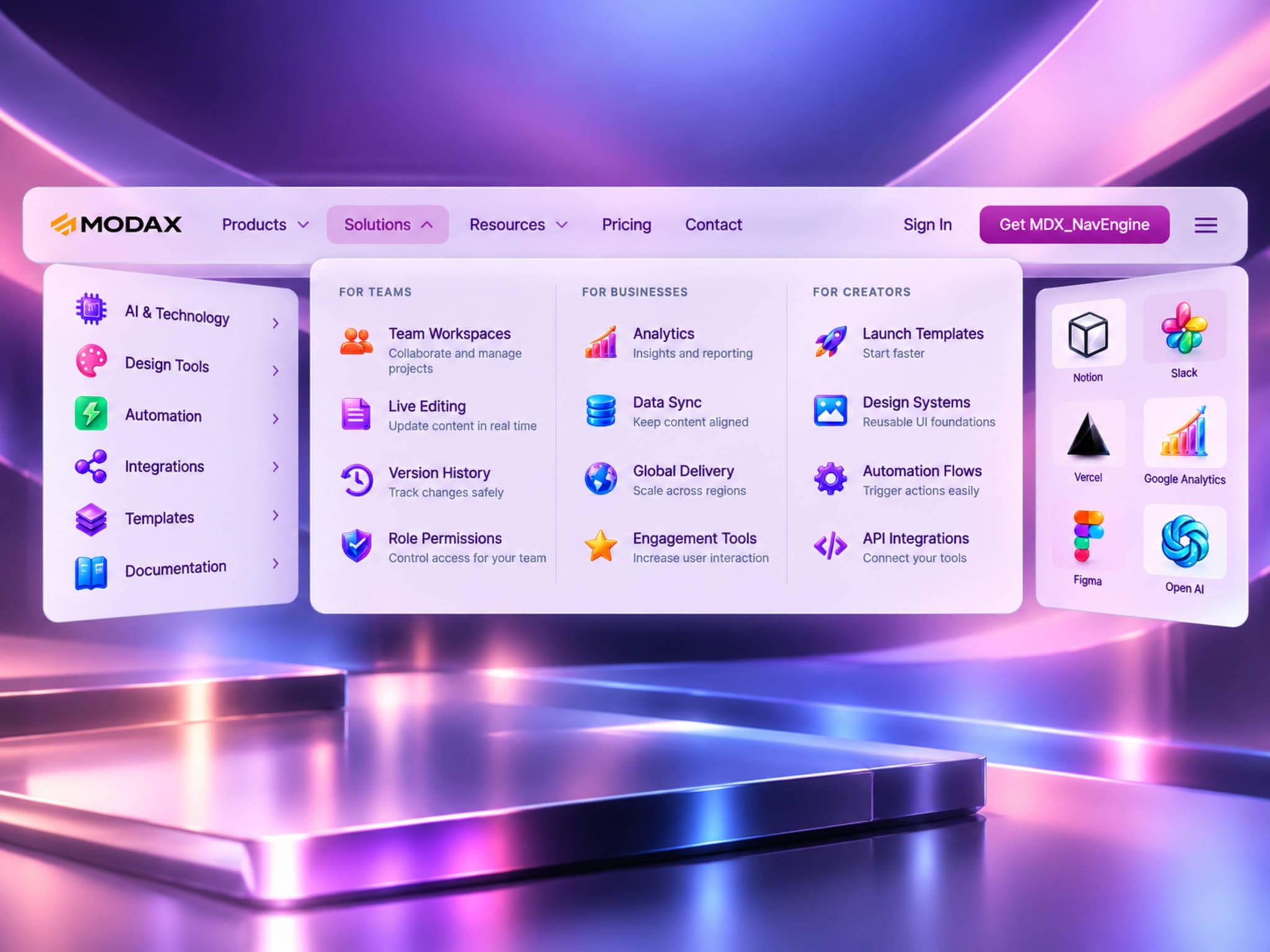
🚀 MDX_NavEngine v1.4.0 — Customization Update is now live.

Giving designers greater control over layout customization.

This release introduces new customization controls that make MDX_NavEngine even more adaptable to different brands and design systems.

🚀 Release Highlights

✅ Navigation Alignment

Choose Left, Center, or Right alignment for navigation items.

✅ Configurable Border Radius

Adjust the corner radius of navigation pills, dropdowns, and CTA buttons.

✅ CTA Padding

Fine-tune the horizontal padding of CTA buttons.

Typography customization continues to be available under Visual DNA → Typography, where Framer's native typography controls provide full control over font family, weight, size, and line height. The Visual DNA section also includes text color controls for both Light and Dark themes.

Thank you to everyone who continues to share ideas and feedback. Every MODAX release is shaped by real-world use and the creativity of the Framer community.

MODAX Release Principles

✓ Customer Driven

✓ Backward Compatible

✓ Fully Documented

✓ Production Ready

Built for designers. Refined with your feedback.