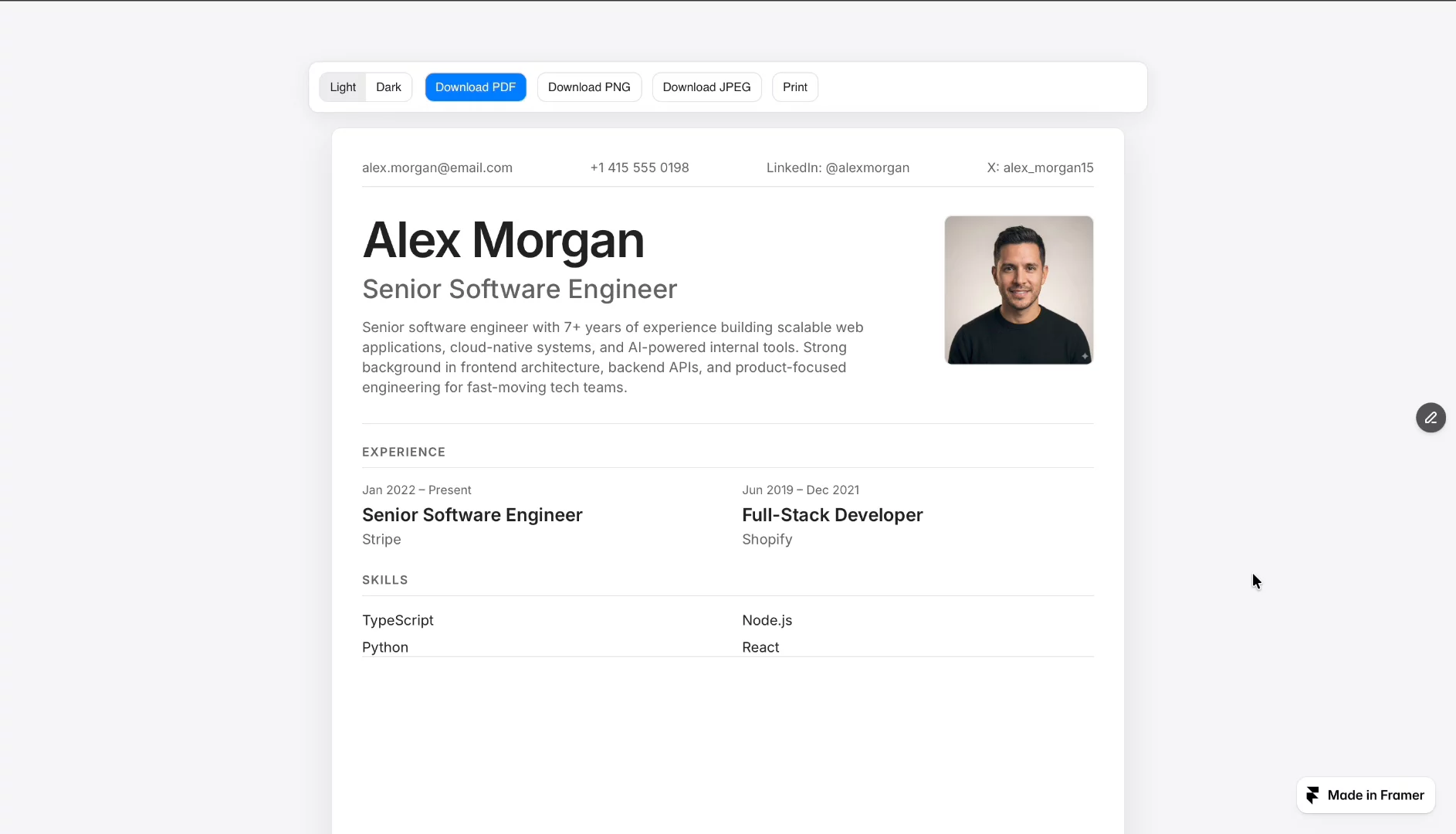
Resume Generator is a complete resume builder and viewer experience for a website, made entirely with Agent Mode (GPT 5.5) in Framer.
At a high level, the component has two main parts:
The Resume Generator Form is the input experience where users enter all the information that should appear on their resume.
It collects:
Profile photo
First and last name
Professional title or role
Short personal summary
Email address
Phone number
Location
Social links or handles
Skills
Work experience entries
The form supports dynamic content, so users can add multiple experience items and multiple social profiles instead of being limited to one fixed set of fields.
The Resume Viewer is the generated resume page. After the user submits the form, the viewer displays the entered information as a finished resume.
The viewer is designed to feel like an actual resume document rather than a basic web preview. It formats the user’s information into clean sections, including:
Header/profile area
Summary
Contact information
Social links
Skills
Experience
Three Resume Themes
Users can choose between multiple visual styles:
Professional: a more formal, corporate resume layout.
Modern: a bold layout with a darker sidebar-style presentation.
Minimal: a spacious, editorial-style resume with lighter visual treatment.
Light and Dark Mode
The resume can be previewed in both light and dark appearances, allowing users to choose the presentation that best fits their preference.
Resume Export
Users can download the finished resume as:
PNG
JPEG
A4 Document Output
Downloads are intended to preserve a fixed A4 resume format, so the exported file behaves like a real document rather than simply capturing the current screen size.
Skill Tags
Skills are displayed as styled tags or chips, giving the resume a polished, structured look.

Resume Generator is a complete resume builder and viewer experience for a website, made entirely with Agent Mode (GPT 5.5) in Framer.
At a high level, the component has two main parts:
The Resume Generator Form is the input experience where users enter all the information that should appear on their resume.
It collects:
Profile photo
First and last name
Professional title or role
Short personal summary
Email address
Phone number
Location
Social links or handles
Skills
Work experience entries
The form supports dynamic content, so users can add multiple experience items and multiple social profiles instead of being limited to one fixed set of fields.
The Resume Viewer is the generated resume page. After the user submits the form, the viewer displays the entered information as a finished resume.
The viewer is designed to feel like an actual resume document rather than a basic web preview. It formats the user’s information into clean sections, including:
Header/profile area
Summary
Contact information
Social links
Skills
Experience
Three Resume Themes
Users can choose between multiple visual styles:
Professional: a more formal, corporate resume layout.
Modern: a bold layout with a darker sidebar-style presentation.
Minimal: a spacious, editorial-style resume with lighter visual treatment.
Light and Dark Mode
The resume can be previewed in both light and dark appearances, allowing users to choose the presentation that best fits their preference.
Resume Export
Users can download the finished resume as:
PNG
JPEG
A4 Document Output
Downloads are intended to preserve a fixed A4 resume format, so the exported file behaves like a real document rather than simply capturing the current screen size.
Skill Tags
Skills are displayed as styled tags or chips, giving the resume a polished, structured look.