About Video Editor
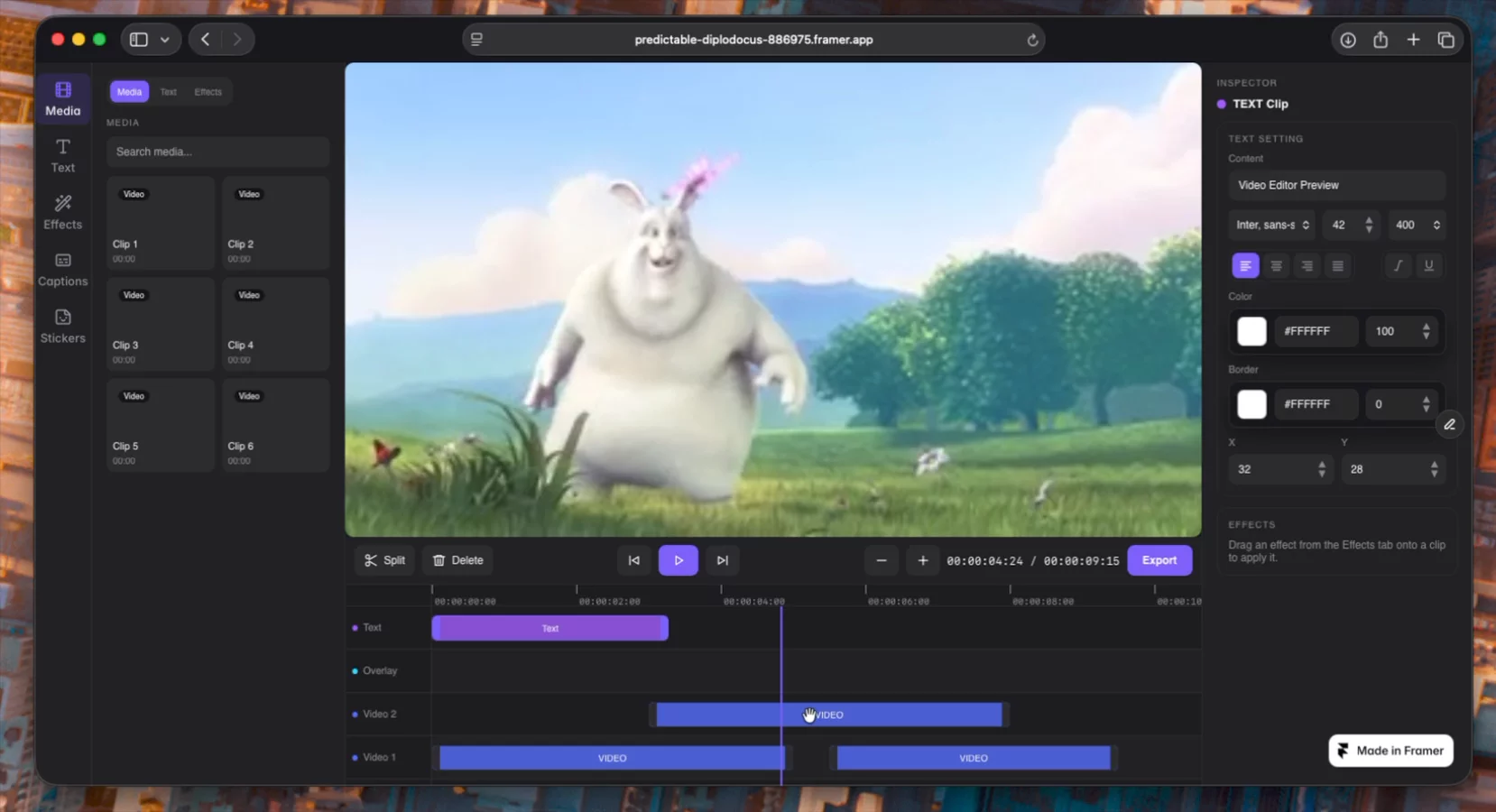
Video Editor is my hackathon entry: a working multitrack video editor built with Framer 3.0 agents. You can drop clips onto a timeline, trim and arrange them across tracks, add styled text and effects, and watch it all play back live in the browser.
Why I built it
I wanted to build something people don't expect a Framer site to do. A video editor felt like the real test — it's runtime software, not a page: a playhead that advances every frame, multiple videos seeking in sync, clips you drag and trim by hand. If Framer could do that, it could do almost anything.
What's inside
A media library you click to add clips to the timeline
A multitrack timeline with drag, trim, split, and scrub
A text panel with styled presets, edited live in the inspector
An effects panel — apply filters to a clip and tune them
A live preview that stacks every track and plays in sync
The whole thing runs on one master playback clock that the video, audio, and text layers all follow, so everything stays in sync as you play and scrub.
What agents helped with
Agents helped me build each piece on its own and refine it — the timeline interactions, the contextual inspector, the effect system — which made it far easier to iterate on the fiddly parts like clip dragging, keeping the preview smooth without flicker, and matching the dark UI across panels.
What surprised me most is how well agents handled the interactive side of Framer, not just layout and content. With a clear structure and small, verified steps, you can actually ship real interactive software people want to touch.
(Export runs on a render server — that's the next step. This is the live editing experience.)
Try it: click a clip onto the timeline, type a title, add an effect, and hit play.
Built with Framer 3.0 AI agents