About 07 Sankey Diagram
■ What it does
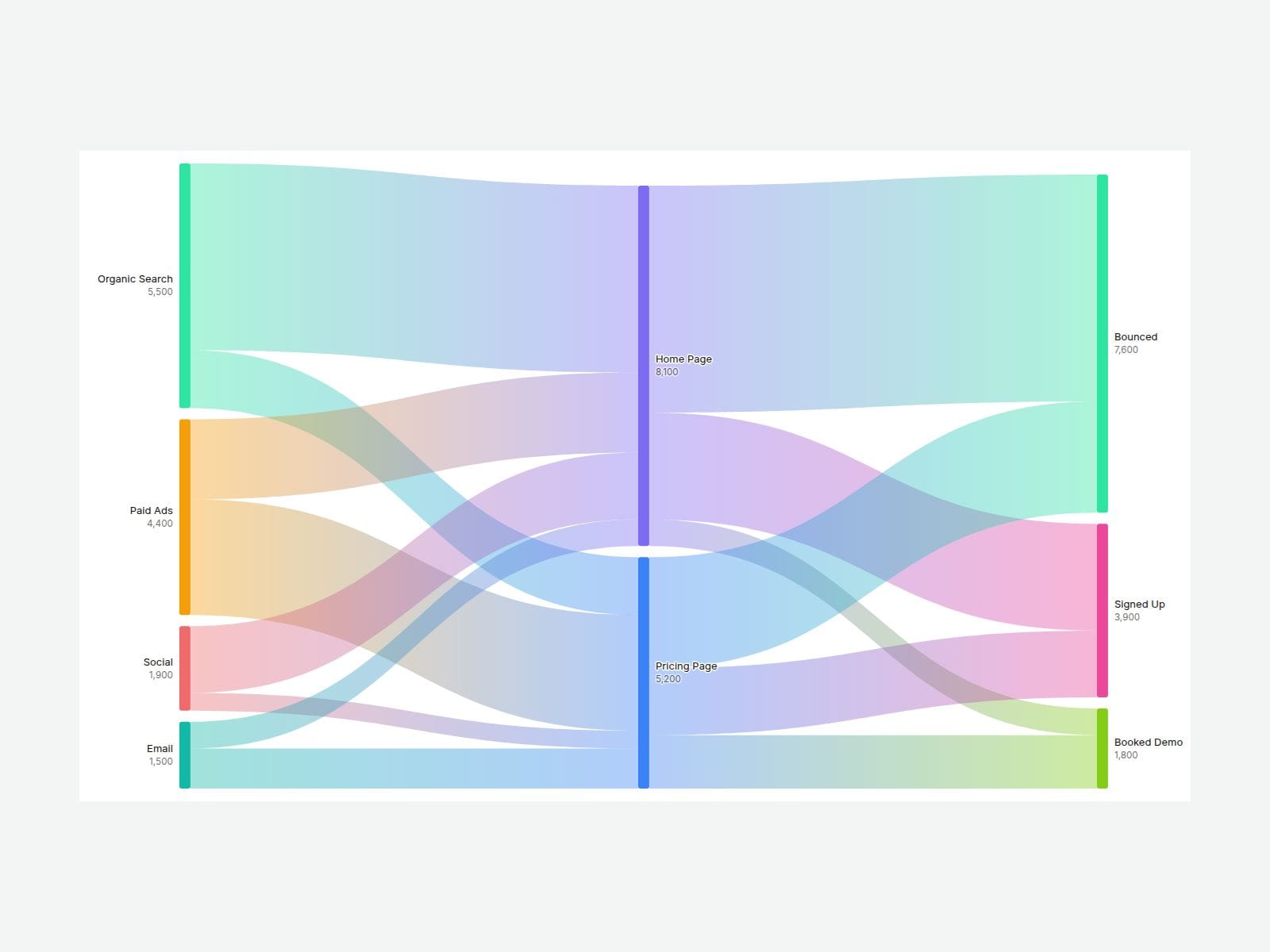
Sankey Flow Diagram shows where things come from and where they go — traffic sources to landing pages to sign-ups, budget to channels to results, customers through a journey. You only list the flows (From, To, Value). The component finds the nodes, sorts them into columns, sizes every ribbon by its value and draws smooth curved bands. No manual positioning, no nested frames.
Hover any node or ribbon and the whole path it belongs to lights up while everything else fades back.
■ Customizable properties
- Links — From, To and Value for each flow (same name = same node)
- Direction — Horizontal, or Vertical for mobile layouts
- Labels — Name, Name + Value, Name + %, Name + Value + %, or None
- Link Color — Gradient (from node color to node color), From Node, To Node or Neutral
- Hover — Full Path, Direct Only or Off, plus Dim Opacity
- Align Ends — pull end nodes into the last column
- Tooltip — flow value and share on hover
- Prefix / Suffix — "$", "€", " visits" and more
- Node Width, Node Gap, Node Radius, Link Opacity, Padding
- Palette and per-node color overrides
- Label and Background colors, Font, Alt Text for screen readers
■ Need help?
Reach out anytime at hello@brandingupstudio.com — we usually reply within 72 hours.
Custom edits are available from $75/hr.
Explore more components at BrandingUp → https://brandingupstudio.com
Built with code but fully customizable via property controls — no coding needed.
Unlink is not provided so we can keep delivering updates. When an update is available, just click the Update button on the component.