About Aisol Class Schedule
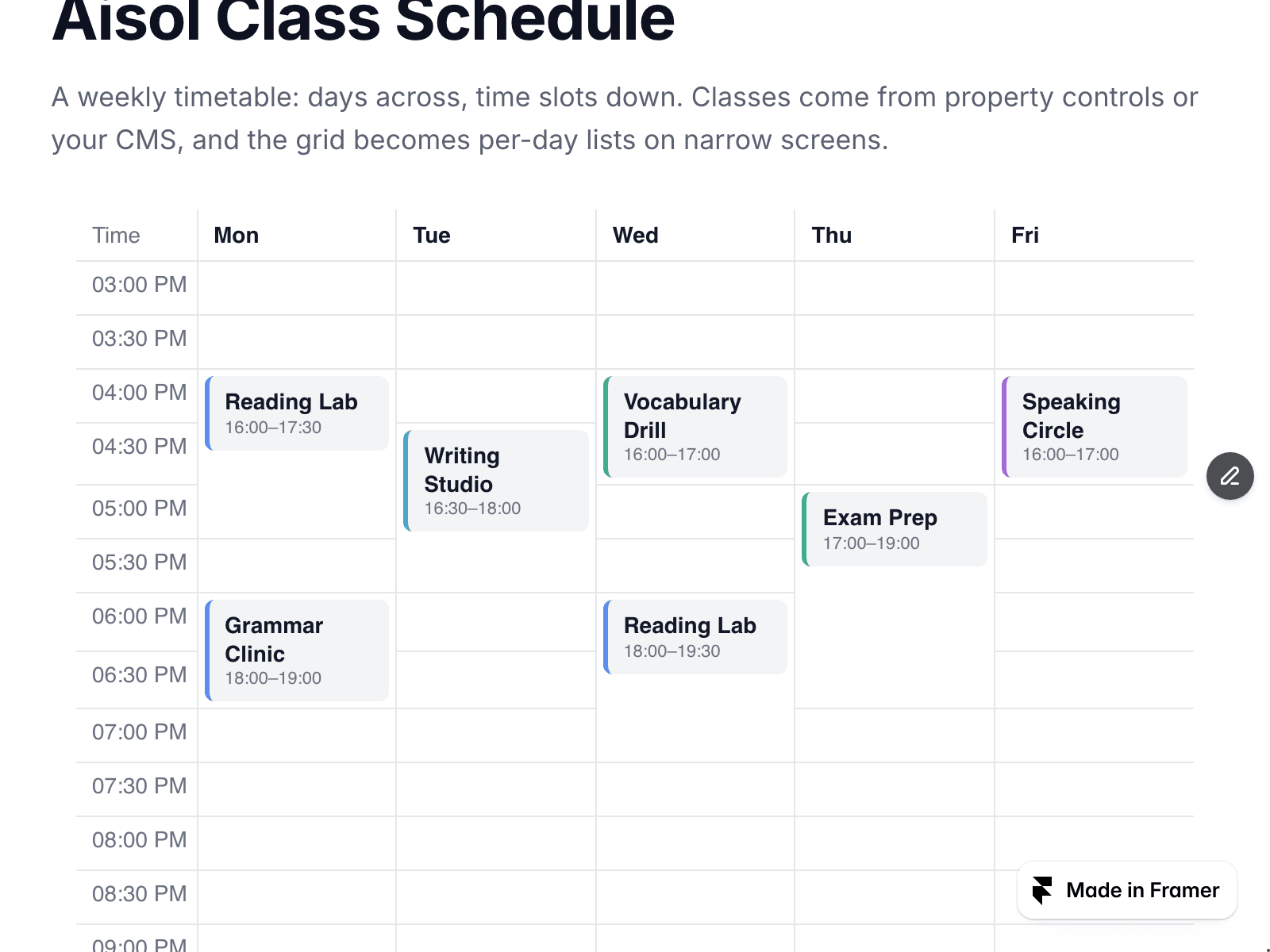
Aisol Class Schedule lays a week out the way a timetable should read: days across the top, time slots down the side, and each class sitting over exactly the slots it occupies.
Classes come from property controls or a CMS collection - title, day, start and end, room, teacher, level and an optional link. Nothing outside the component is read or written.
- The grid is a real <table>: days are column headers, times are row headers, so a screen reader announces "Wednesday, 4:00 PM, Vocabulary Drill" instead of a wall of boxes.
- Narrow screens get per-day lists instead of a squeezed grid - no sideways scrolling on a phone. The switch is pure CSS, so canvas and live site agree.
- Two classes at the same time share one block; a third and beyond collapse into a +N.
- Leave a colour empty and the component picks a stable one from the level and teacher.
- Today's column can be highlighted and the current time slot tinted, both resolved in the time zone you choose.
Rows the component cannot place stay visible: an unreadable time goes under "Needs a time", and a class outside the shown days or hours goes under "Outside these days and hours".
Not a booking system and not an event feed - for dated one-off events use Aisol Event List. This one is for the repeating weekly pattern: classes, lessons, office hours, studio slots.
Part of the Aisol Course Site Kit -
Curriculum accordion, tuition plan table, event list, hotspots and the free FAQ Fold for $19 instead of $31: https://payhip.com/b/W2hRH
More components at Aisol Studio - https://www.framer.com/@ulz-song/