About Basic Slideshow
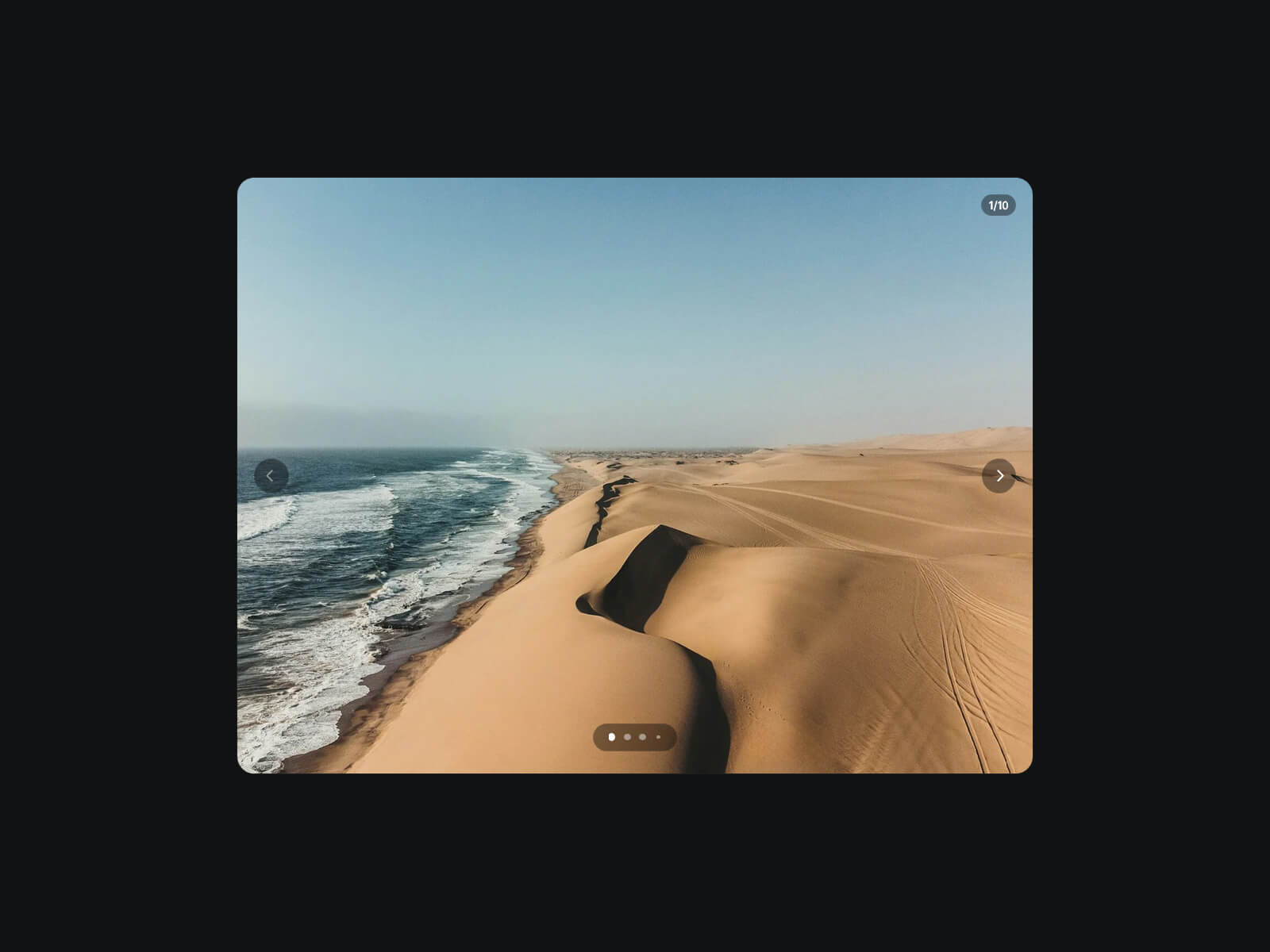
Basic Slideshow is a clean, swipeable image slideshow with a glass-style dot pagination pill. Drag through slides, let autoplay handle it, or jump straight to any slide from the pagination.
Built to fit how you work: feed it images manually, bind each slide straight to a CMS collection field, or paste raw image URLs, no rebuild needed if your source changes. Every visual detail (fit, colors, glass, borders, radius, pagination, counter) is yours to style.
Key Features
Sourcing
Manual mode with a simple image list
CMS mode: up to 10 images, each natively bindable to a collection field
URL mode: paste up to 10 image URLs directly, no upload needed
Motion
Slide (true push) or Fade transitions, with adjustable speed
Optional Ken Burns zoom that keeps animating across slide changes without resetting
Optional desktop drag, with a rubber-band bounce at both ends
Navigation
Optional prev/next arrows, vertically centered, with their own size, colors, and glass style
Glass-style pagination pill: dot size, gap, colors, background, border, padding, and offset
Truncates into a sliding window once there are many slides, so the pill never gets too wide
Optional slide counter (3/12 style), styled on its own
Pagination, arrows, and counter each toggle independently
Autoplay and Performance
Autoplay with adjustable duration, optional loop, and stop-on-interaction
Cover or Contain fit, with a blurred backdrop behind Contain images
Loads only the images reachable in one click, nothing else until it's needed
How to Set Up
Drag Basic Slideshow onto your canvas
Pick a Mode (Manual, CMS, or URL) and add your images
Publish
Refund Policy
All sales of digital products are final and non-refundable. Questions? Contact hellonostromostudio@gmail.com before purchasing. Enjoy!