About Blog Contents Kit
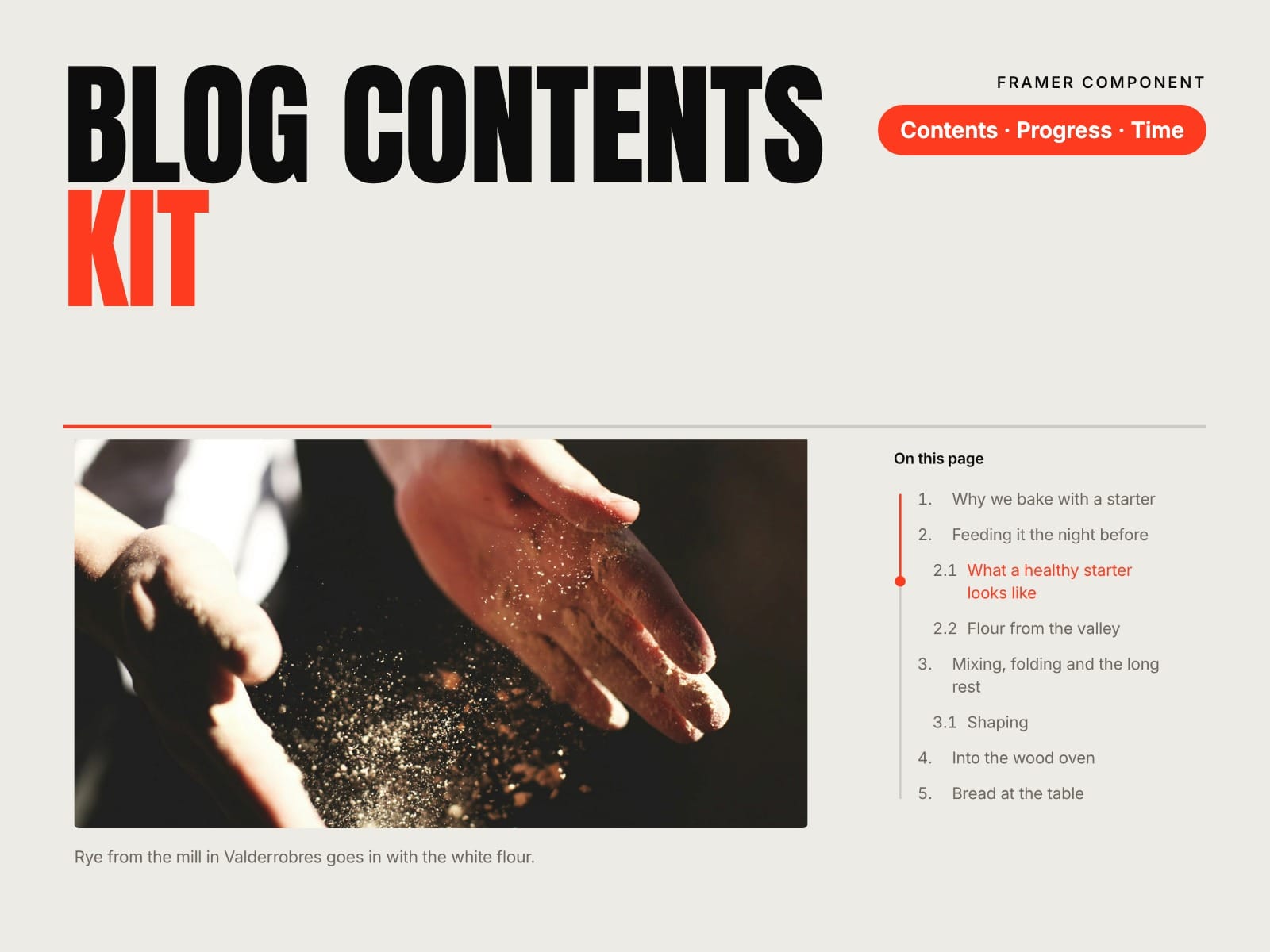
A table of contents that follows the reader. Framer’s formatted text doesn’t give headings anchors, so a table of contents has nothing to link to. Connect your CMS article to Article Body once: every heading gets an anchor, and the contents and reading time read from it.
How to use
Paste Blog Contents Kit into your Framer project
On your blog’s CMS page, place Article Body and connect Body to the formatted text field
Place the Table of Contents in a sidebar, above the article or in a sticky bar
Add Reading Time next to the date and publish
Key features
An anchor on every H2, H3 and H4, stable across republishes
Current section highlighted while reading, with a line or a dot
Smooth scroll with an offset for sticky headers
Three layouts: List, Box and a Bar for phones, with a rail that fills as you read
Reading Progress bar for the top of the page, and reading time
Drop cap, large quotes and image captions in the article
H2 or H2 + H3, optional numbers
Your article’s typography: fonts, colours and spacing
Keyboard and screen reader friendly, no network requests
Full documentation: miguelrecio-components.framer.website/blog-contents/docs
One-time payment. Single-Use licence: one website or project per licence. Questions: info@miguelrecio.es.