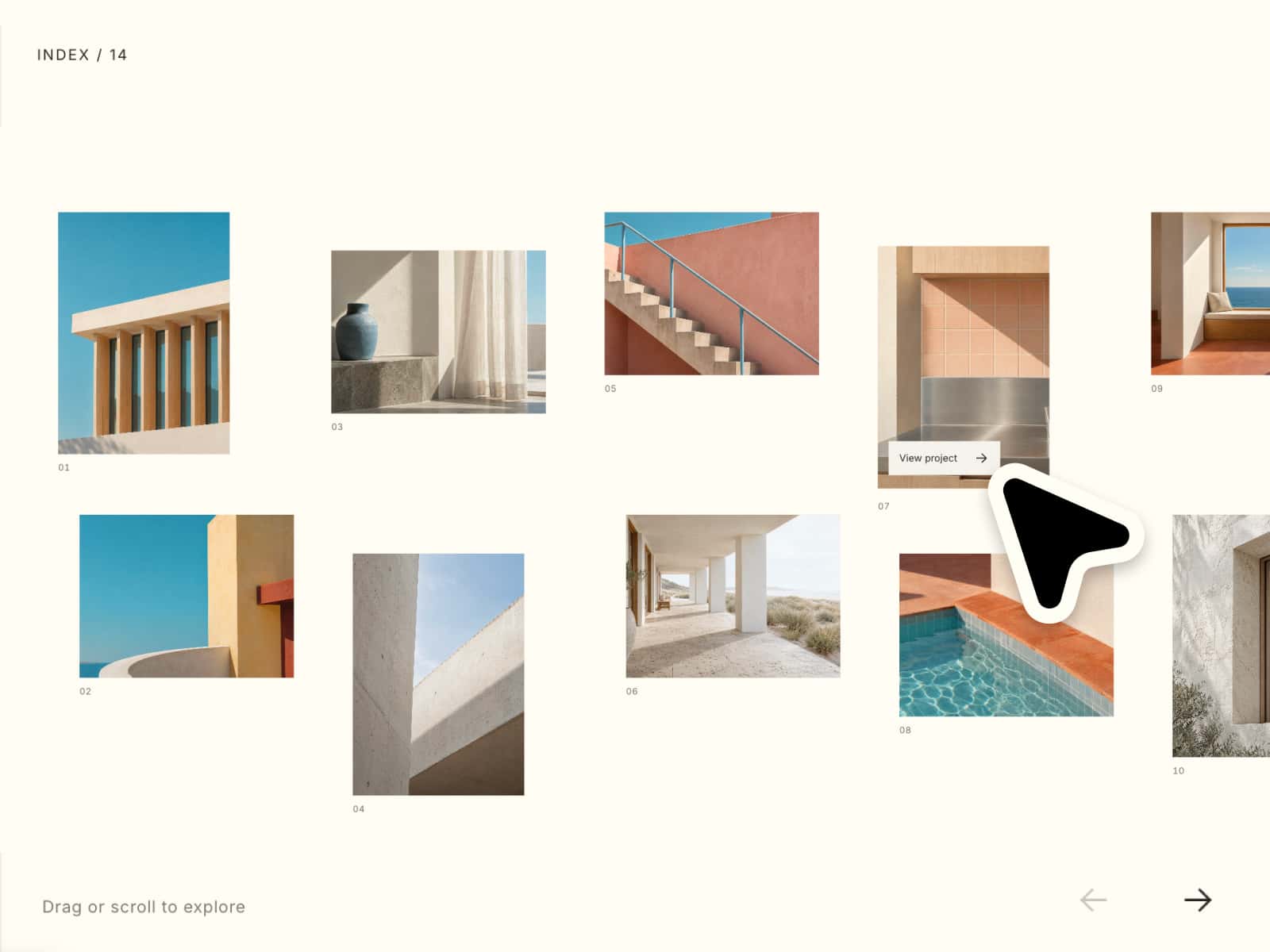
About CMS Bento Video/Img
🎯 What It Does
A powerful, ultra-customizable Bento Grid component that displays your static and dynamic media (Videos/Images/Components) in a beautiful layout with automatic or manual spanning for visual variety, amazing lightbox feature, external/internal linking and hover interactions.
🔌 Flexible Data Sources
Multiple Collection Lists - Connect one or multiple CMS Collection Lists simultaneously
Gallery Fields - Perfect for CMS page galleries with image/video content
Static Items - Manually add any images, videos, or custom components
Content Modes - Display pure media (images/videos) OR custom Framer components (cards, buttons, etc.)
📐 Smart Grid Layouts
Responsive Mode - Auto 3-column layout that shows ALL items dynamically
Fixed Mode - Custom columns/rows with precise control
Automatic Spanning - Items randomly span across cells (2x1, 1x2, 2x2) for bento effect
Manual Spanning - Configure specific items to span (Fixed mode only)
Min Height Control - Set minimum height (25-1000px) for consistent proportions
Smart Row Calculation - Automatically calculates required rows based on item count and spanning
🎬 Video Control Mastery
Autoplay Priority - Videos play automatically on grid or trigger on hover
Play on Hover - Interactive video playback when hovering
Sound on Hover - Unmute audio on hover for engagement
Reset on Exit - Return video to start when hover ends
Loop Control - Continuous playback in grid view
🖼️ Advanced Lightbox
Full-Screen Viewer - Click any item to expand in beautiful lightbox
Navigation Controls - Arrow buttons and keyboard navigation (← →)
Close Button - Customizable position (top/right) with custom icons
Control Display - Internal (overlay) or External (outside with 8px gap)
Video Controls - Toggle native controls in lightbox
Autoplay Options - Choose if videos play automatically when opened
Custom Styling - Background color, border radius, button colors & blur effects
Custom Icons - Upload SVG icons for arrows and close button
✨ Hover Animations
Zoom Effect - Scale media inside tile (1.0-1.5x) without affecting layout
Color Filters - Apply black & white, sepia, or blur effects on hover
Smooth Transitions - Configurable duration (0.1-1s)
Transform Origin - Perfectly centered scaling
🎨 Visual Customization
Gap Control - Spacing between grid items (0-100px)
Border Radius - Rounded corners for items and lightbox (0-50px)
Fade-In Animation - Staggered entrance with delay control (0-200ms)
Randomize Order - Shuffle items for variety on each load
🎯 Perfect For
Portfolio galleries with mixed media
Product showcases with CMS integration
Team member grids with custom cards
Video galleries with playback control
Dynamic landing page sections
Blog post galleries
Case study presentations
⚙️ Easy Setup
Add component to your Framer canvas
Choose Data Source (Collections/Gallery/Static)
Connect your CMS or drag in media
Select Display Mode (Responsive/Fixed)
Enable Spanning for bento effect
Customize hover, lightbox, and video settings
Adjust styling to match your brand
🚀 Key Features
Connects to multiple data sources simultaneously
Shows ALL items with smart row calculation
Professional lightbox with keyboard support
Granular video playback control
Non-intrusive hover zoom (media only, not tile)
Distributed spanning (top, middle, bottom)
Responsive out-of-the-box
Zero layout shift on hover
Custom component support (not just media)
Professional-grade animations
⚠️ Commercial use restrictions :* - Sharing with third parties who haven't bought the component on Framer Marketplace, nor on LemonSqueezy's FramerMaster's account is PROHIBITED
* - Use of this component in templates, direct resell or shared link without payment is strictly PROHIBITEDRefund policy :Because this is a digital product, all sales are considered final.Once you complete your purchase, you'll get instant access to the Framer component. Since digital items can't be returned, we're not able to offer refunds, exchanges, or cancellations. Refunds are only issued in cases of duplicate charges.Please make sure to review the features and preview materials before buying. If you're unsure or have any questions, feel free to reach out — we're happy to help before you commit.
By completing your purchase, you're confirming you understand and accept these terms.