About CMS Timeline
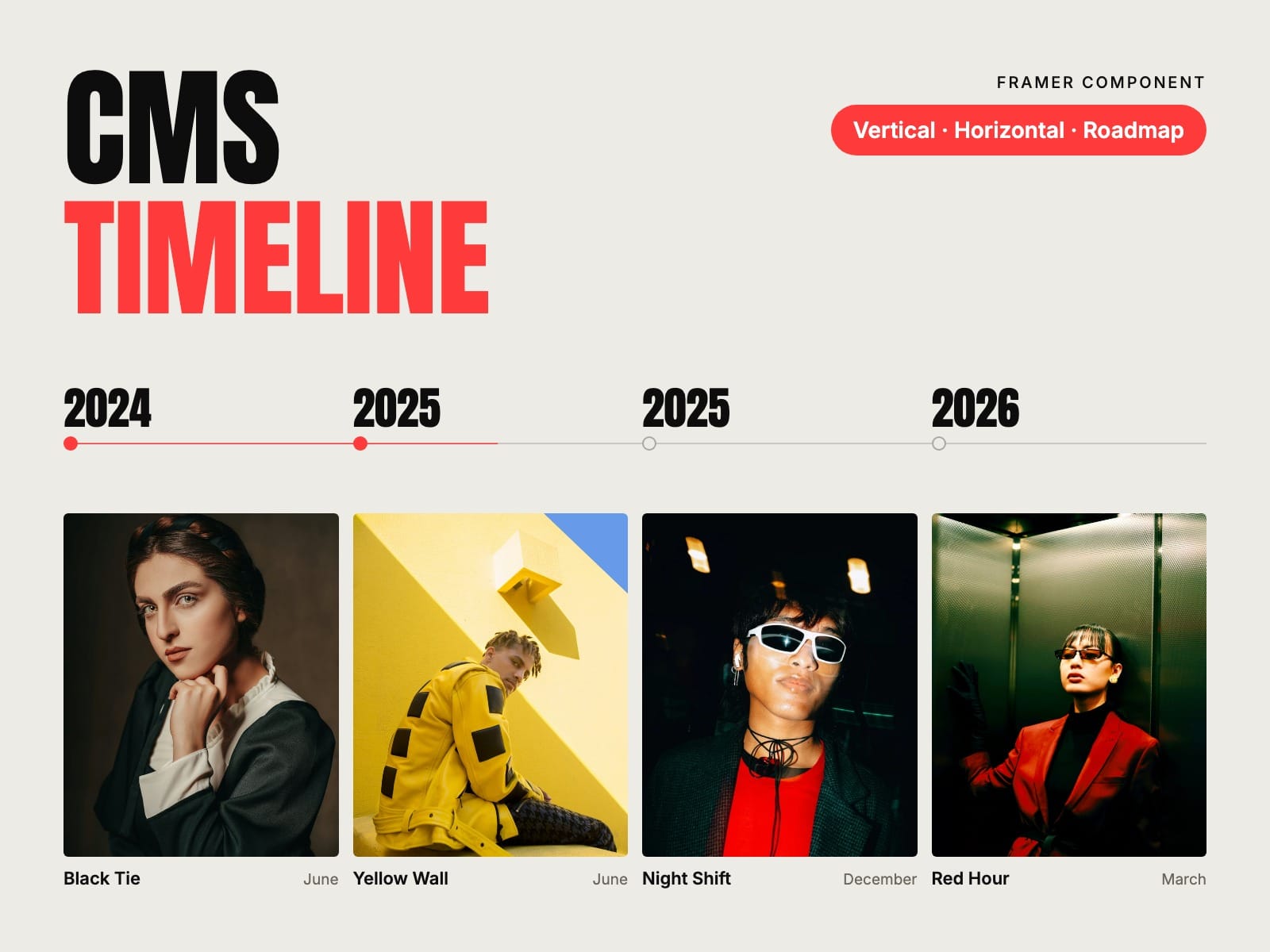
Your story, from the CMS. Put a Timeline Item in a Collection List and the timeline shows every milestone in its place by date: a company history, a product roadmap, project milestones or a changelog.
How to use
Paste CMS Timeline into your Framer project
Add a Collection List of any collection with a Date field and put a Timeline Item inside its item
Connect the title and the date, plus category, status, description, image and the item's page if you have them
Pick Vertical, Alternating, Horizontal or Roadmap, choose the date format and publish
Key features
Reads any CMS collection with dates; add an item and it takes its place
Vertical, Alternating (cards on both sides, staggered), Horizontal and Roadmap columns by status
Dates as 2026, May 2026, 12 May 2026 or Q2 2026, with month names in any language, or your own labels
Year headings, oldest or newest first
A line that fills as you scroll, with dots that light up
Upcoming milestones marked automatically
Status badges in your colours, and category filters
Cards that lift on hover and link to each item's page; drag the horizontal row with a mouse
Responsive images, keyboard and screen reader friendly, no network requests
Full documentation: miguelrecio-components.framer.website/cms-timeline/docs
One-time payment. Single-Use licence: one website or project per licence. Questions: info@miguelrecio.es.