About Course Curriculum
Every course page has the same block: what you'll learn, module by module,
lesson by lesson. And in Framer that block usually means a CMS collection,
a second collection for lessons, a reference field between them, and a
template you assemble by hand before you can type a single title.
This is that block as one component.
WHAT IT IS
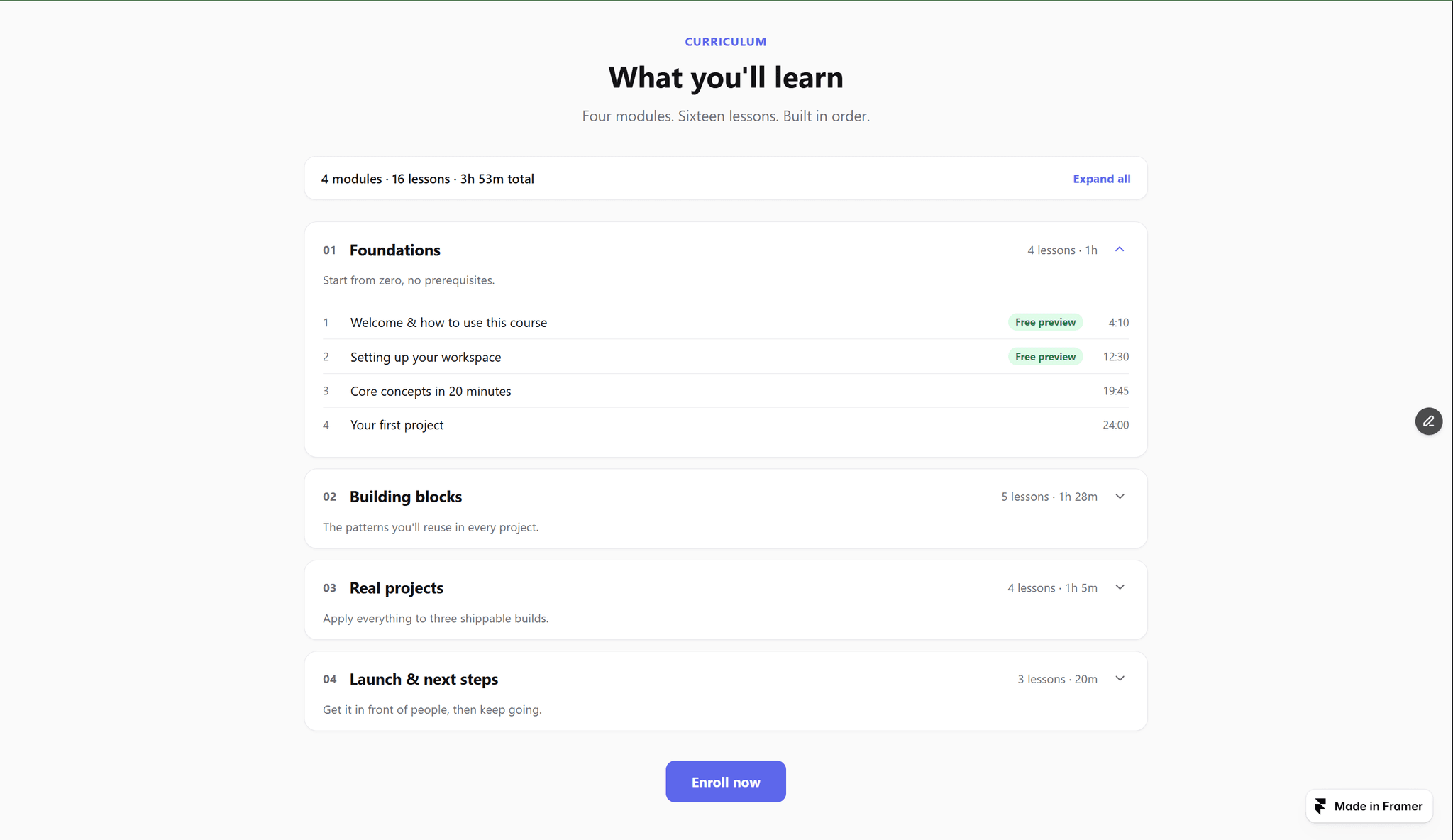
A curriculum accordion. Each module has a title, an optional one-line
description, and its lessons. You type the lessons as plain lines in the
properties panel — one lesson per line, like this:
Setting up your workspace | 12:30 | free
Title, duration, and an optional badge word. That is the whole format.
WHAT COMPUTES ITSELF
— Module numbers (01, 02, 03…)
— Lessons per module and minutes per module
— The summary strip: "4 modules · 16 lessons · 3h 53m total"
— Badges from a single word: free (Free preview, green), locked, or new
— A free lesson with a URL becomes a link to the preview
Delete a lesson, add a module, change a duration — every count updates.
Nothing to recalculate, nothing to keep in sync.
WHAT YOU GET
— Multi-open accordion with Expand all / Collapse all. Default open state:
first module, all, or none.
— Durations accept 12:30, 1:05:20, 45m, 1h 5m, or a plain number of
minutes — and display exactly what you typed.
— A CTA button at the bottom for your enrollment link. Empty URL, no button.
— Light and dark themes, one accent color, adjustable max width.
— Full-bleed section background with built-in vertical spacing, so it sits
between your existing sections without a wrapper.
— Accessible: real buttons with aria-expanded, labelled regions, and badge
text that never relies on color alone.
— Zero external libraries, zero layout shift. Pure React and CSS.
Everything is configured from the properties panel. No CMS, no code.