About CTA Kit
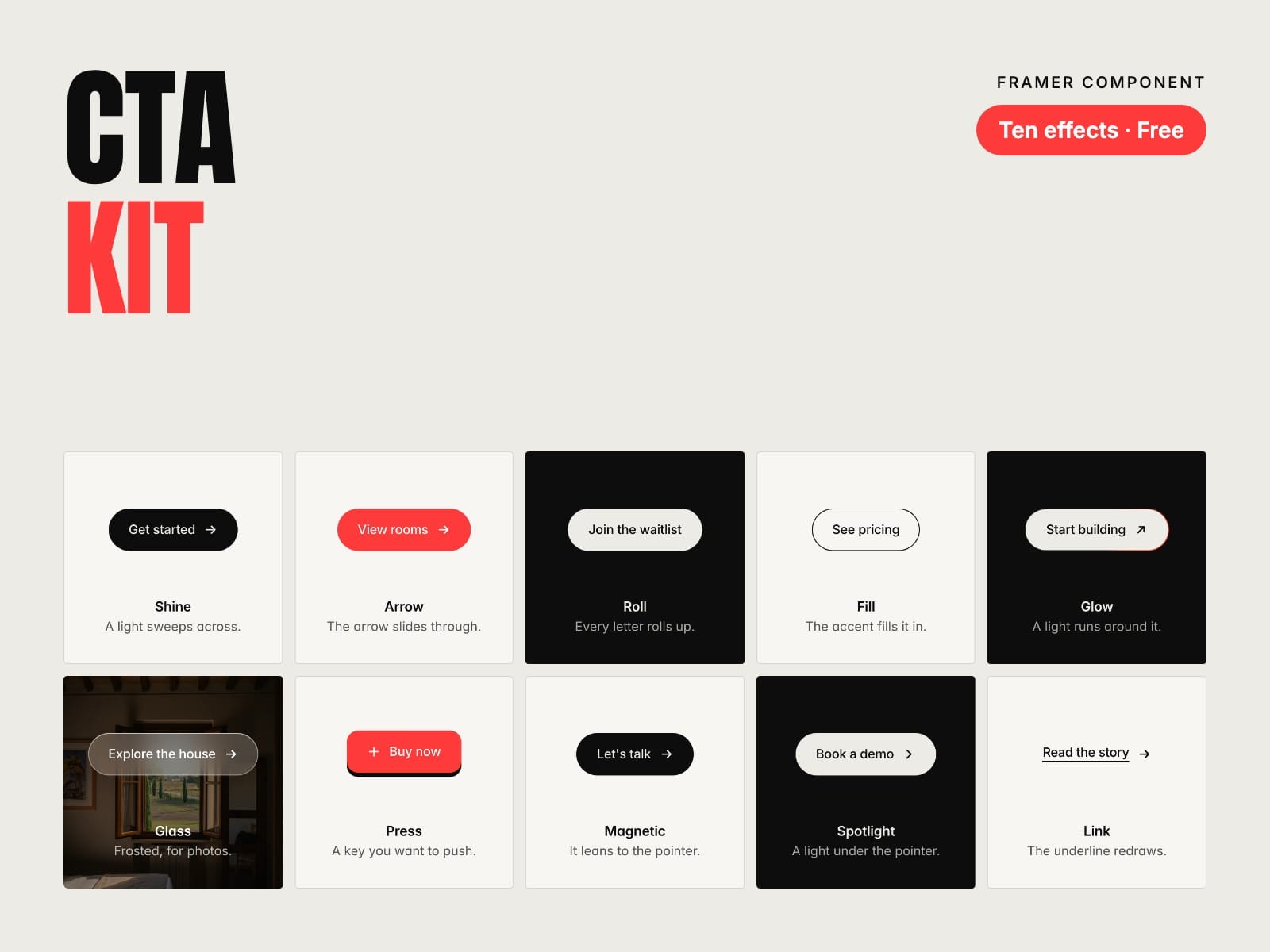
Ten calls to action that feel good to press. Free. One component, ten hover and press effects, in your own fonts and colours: Shine, Arrow, Roll, Fill, Glow, Glass, Press, Magnetic, Spotlight and Link.
How to use
Paste CTA Kit into your Framer project
Drop it wherever a button goes and pick an effect
Choose size, shape and icon, and your font and colours
Link it to a page, a section or a web address, or use the Tap interaction
Key features
Ten effects in one component
Hover effects on computers, press feedback on phones
Three sizes, three shapes, seven icons on either side
Real links, or a button for Framer's Tap interaction
Full width for forms and phones
Visible keyboard focus and calm versions for reduced motion
Pure CSS: no libraries, no network requests
Full documentation: miguelrecio-components.framer.website/cta-kit/docs
Made by Miguel Recio. More components for the CMS, rates, listings, events and blogs on my profile. Questions: info@miguelrecio.es.