About Depth Text
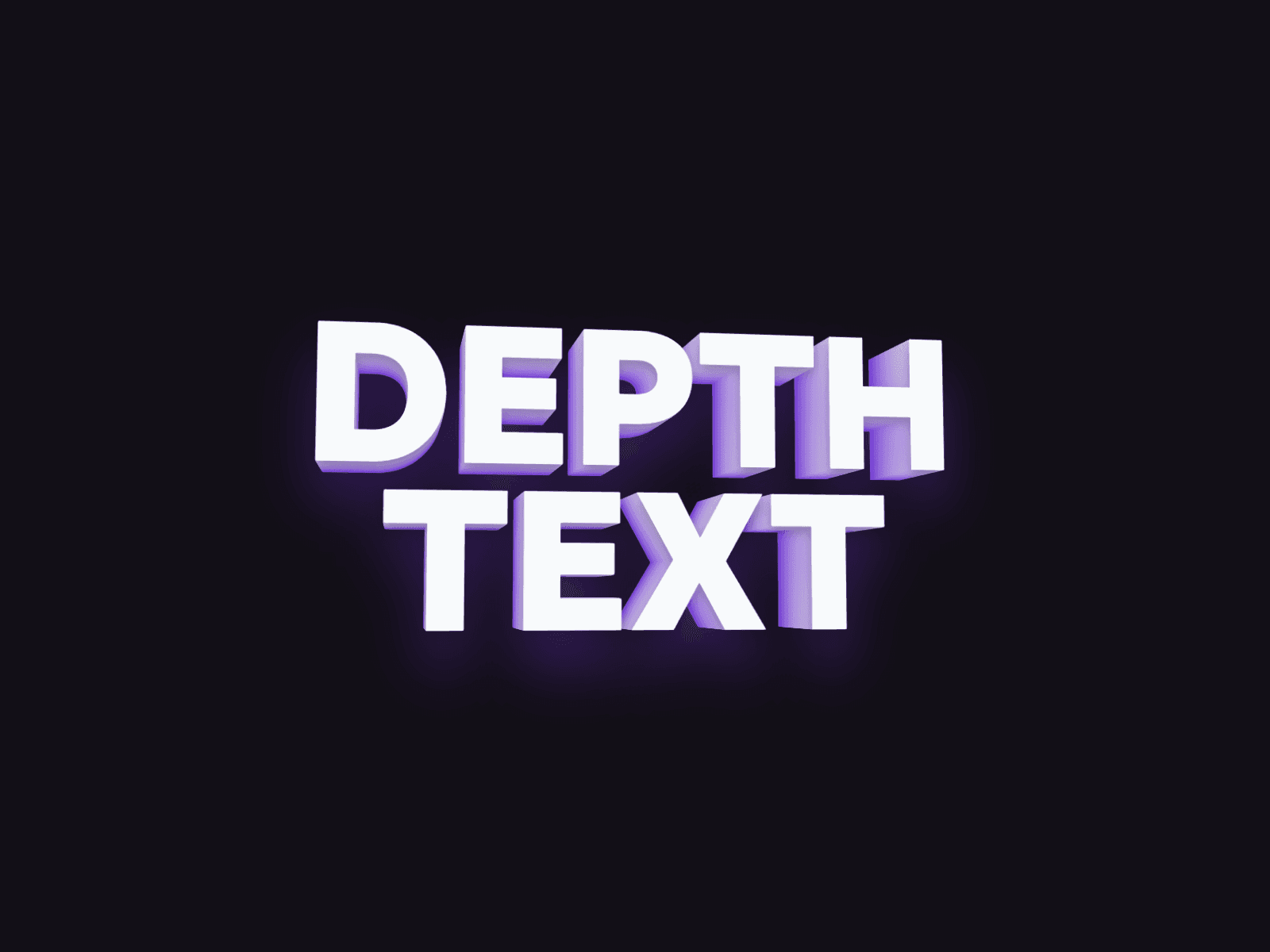
Depth Text turns any headline into real 3D lettering: a stack of layers extrudes your text into a solid block that tilts toward the cursor and slowly orbits on its own when nobody’s pointing at it. No WebGL and no images, just live, editable text.
Made to Be Yours
Depth Text is built for full creative control: pick any font, blend the face and depth colors, and dial in how thick and how dramatic the extrusion feels. Make it follow the cursor, orbit on its own, or both, and tune the tilt, perspective, and smoothing until the motion feels exactly right.
Key Features
Depth
Up to 64 layers, with adjustable spacing between them for thin or chunky extrusions
Face and depth colors blend into a smooth gradient through the layers
Optional tinted shadow glow underneath the text
Motion
Follow Cursor: the text tilts toward the pointer
Auto Orbit: a slow, looping drift when the cursor is away, with adjustable speed
Tilt, Perspective, and Smoothing for subtle or bold movement
Touch devices fall back to the orbit, and reduced motion settings are respected
Typography
Any font from the Framer font picker: size, weight, spacing, line height, alignment
Multi-line text with your own line breaks
SEO and Accessibility
Choose the tag: H1, H2, H3, P, or Span
Your text appears only once in the HTML, the depth layers are purely visual
Real, selectable text that screen readers can read
Performance
Pure CSS 3D, no dependencies
Animation pauses automatically when scrolled out of view
How to Set Up
Drag Depth Text onto your canvas
Type your text and pick a font
Set the colors, layers, and depth
Publish
Refund Policy
All sales of digital products are final and non-refundable. Questions? Contact hellonostromostudio@gmail.com before purchasing. Enjoy!