About Gravity Playground
Your services, dropped in with real physics. Grab them. Throw them.
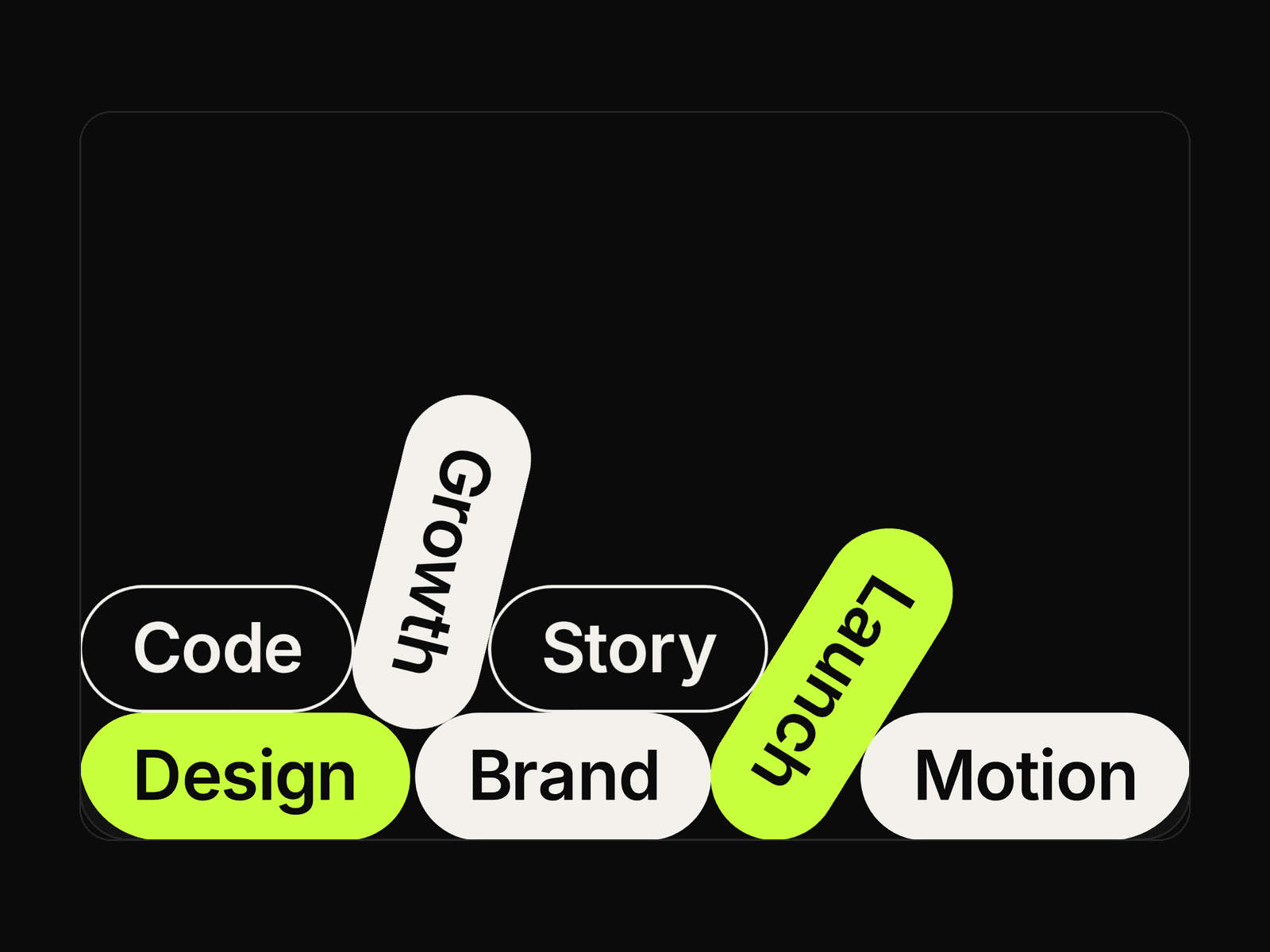
Gravity Playground turns a plain list of tags, services or skills into a tactile pile of pills that falls into place when it scrolls into view. Visitors can drag, throw and shake every pill - and you can drop in your own logos, stickers or avatars as physical bodies. A custom capsule-physics engine, written for this component, keeps it at 60fps with zero dependencies.
Watch demo: https://youtu.be/bUoDYiW75y4
Key features
Real capsule (pill-shaped) collisions - pills stack, tilt and roll naturally
Drag & throw with mouse or touch; optional cursor push while hovering
Layers slot: any Framer component or frame becomes a physical body
Per-tag style: Solid, Outline or Accent
Full Framer font control, colours, padding, background and radius
Physics: gravity, bounce, friction, drop tilt; start in view or on load
Lighter mobile mode: smaller pills and capped tag count
Keyboard: shake, wind and re-drop; reduced-motion shows a settled pile
Sleeps when settled, pauses off-screen, transform-only rendering
Use cases
Agency "What we do" sections and service lists
Skills / tool stacks on portfolios
Playful footers and 404 pages
Event topics, product feature tags, client logos (via Layers)
Hiring pages: perks and values that people play with
How to use
Insert - Drag Gravity Playground from Assets. Give it Fill width and a fixed height (400-700px works best). The canvas shows the settled pile.
Write your tags - Open Tags, add one row per pill and choose its Style (Solid / Outline / Accent).
Add layers (slots) - In Layers, connect any component or frame (logos, emoji, stickers). They fall with the tags using their own size; round or pill shapes look most natural.