About Journey Map Lite
What it does
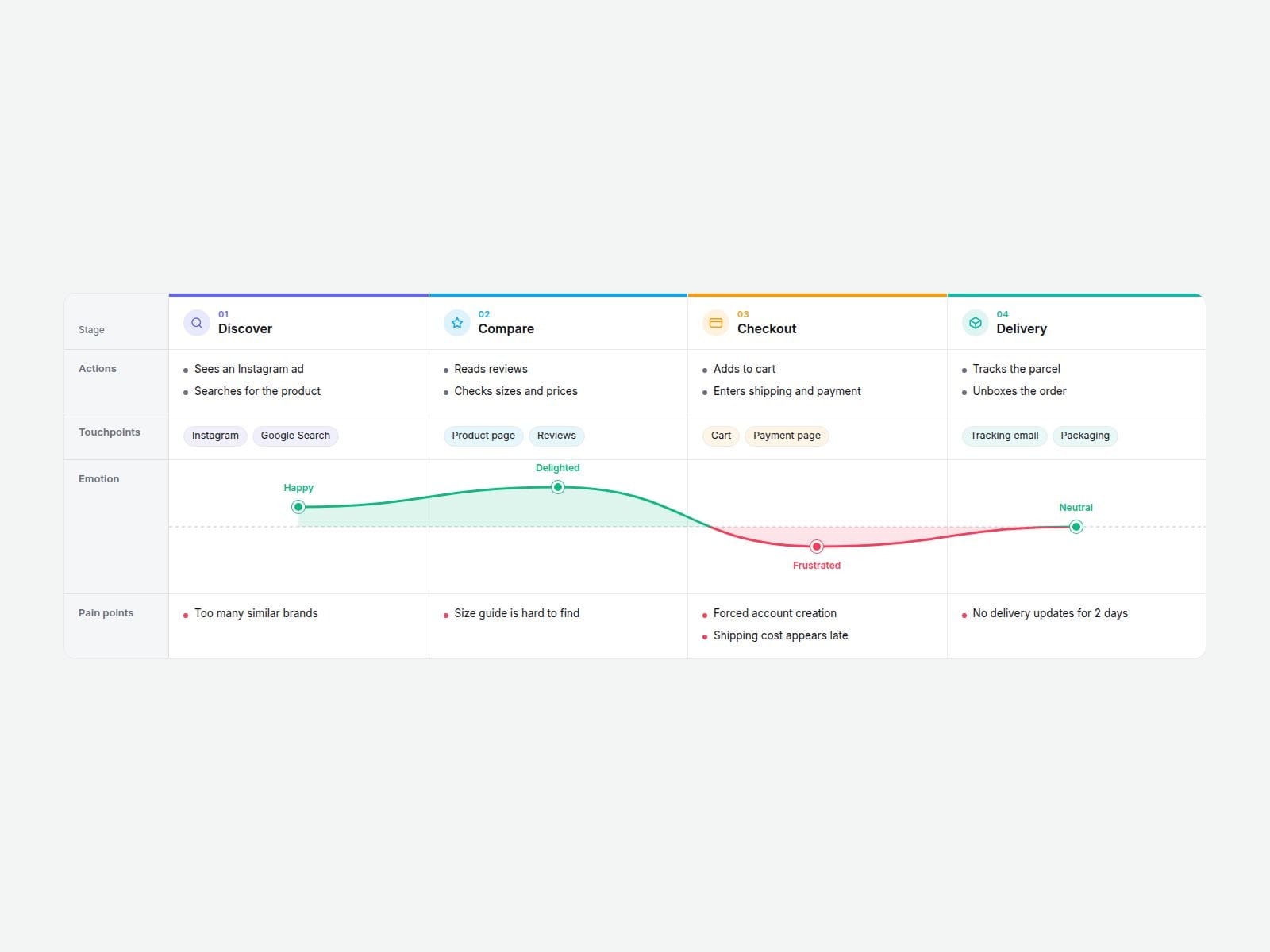
Fill in your stages and Journey Map Lite builds the whole customer journey table for you: actions, touchpoints, pain points and a smooth emotion curve drawn from a simple score for each stage, from -2 (upset) to +2 (delighted).
The label column stays pinned while the stages scroll sideways on small screens, the hovered column is softly highlighted, and every row can be switched on or off. A good fit for UX case studies, service design and onboarding explainers.
Customizable properties
• Stages (up to 4): name, icon, color, actions, touchpoints, emotion score, pain points
• Show or hide each row; stage icons and mood labels on/off
• Hover column highlight on/off
• Curve, background, label column, text and border colors
• Corner radius and two fonts
Need more?
The full version, 10 Customer Journey Map, adds unlimited stages, an Opportunities row, a compact density and editable row names: https://www.framer.com/marketplace/components/10-journey-map/
Need help?
Reach out anytime at hello@brandingupstudio.com. We usually reply within 1 business day.
Built with code but fully customizable via property controls, no coding needed. Unlink is not provided so we can keep delivering updates. When an update is available, just click the Update button on the component.
Every paid BrandingUp component in one payment: All-Access Pass, $49 → https://brandingup.lemonsqueezy.com/checkout/buy/3391c106-6fbc-41b8-9cc8-b63365b95665