About Iceberg Diagram Lite
What it does
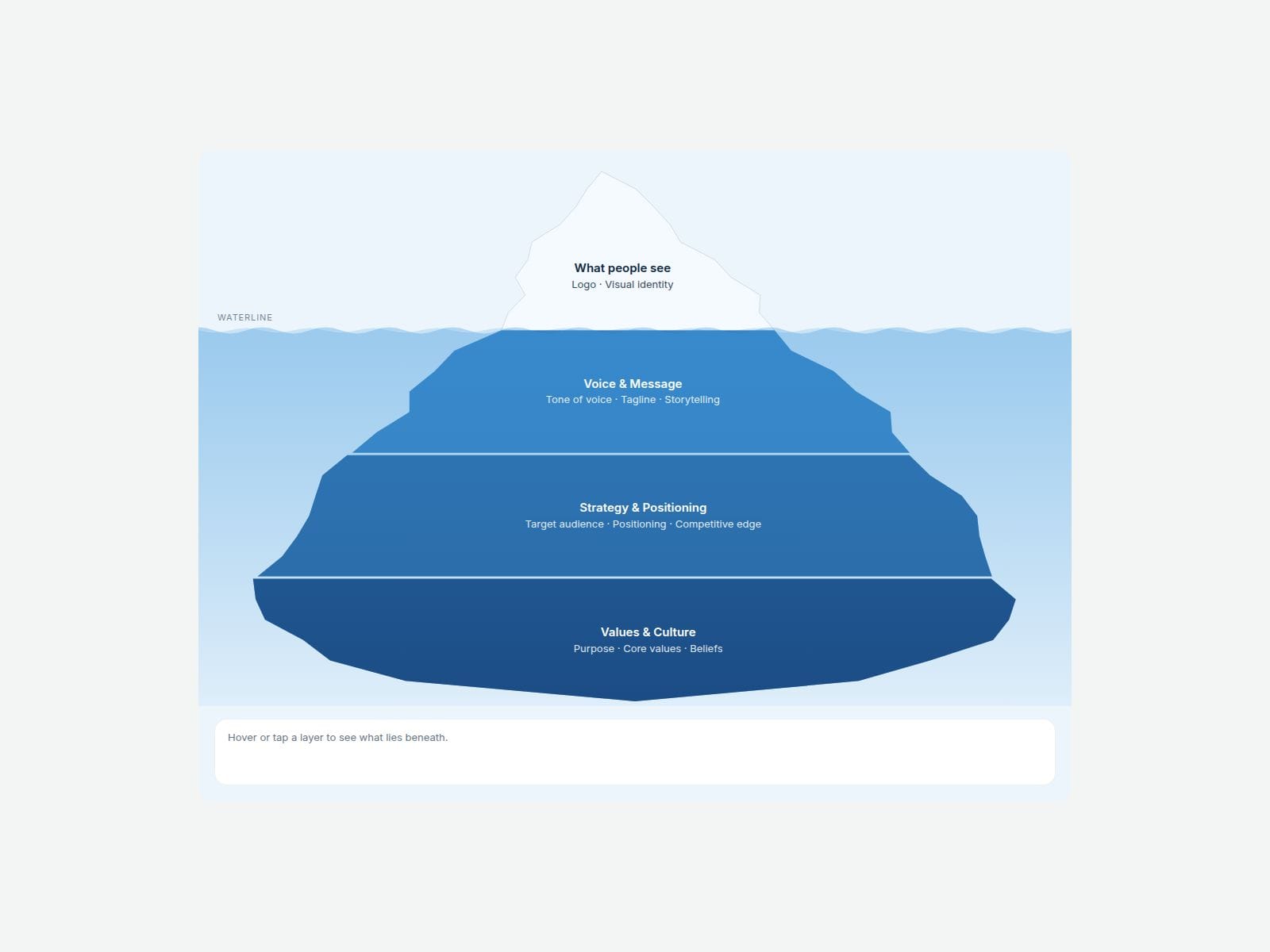
Add your layer names and Iceberg Diagram Lite draws the whole iceberg for you. The shape splits itself to fit the number of layers: a small tip above the waterline, wider layers below, and a rounded bottom. Edges are generated automatically, and the Shape Seed and Roughness controls give you a different iceberg with one click.
Hover, tap or use the keyboard on any layer to highlight it and read its notes in the panel underneath. Depth shading, a waterline with a soft water gradient, and a stacked layer list on narrow screens are all built in. Great for brand strategy, culture and "what people don't see" explainers.
Customizable properties
• Above the waterline: title, items and note
• Levels (up to 3): title, one item per line, note
• Above Water share, Roughness, Shape Seed, Gap, Wave Shape
• Detail panel and interactions on/off, panel hint text
• Colors for ice, base, depth, water, highlight and text; two fonts
Need more?
The full version, 14 Iceberg Diagram, adds up to 8 layers, side labels (left or right with leader lines), animated waves and an Open Layer setting: https://www.framer.com/marketplace/components/14-iceberg-diagram/
Need help?
Reach out anytime at hello@brandingupstudio.com. We usually reply within 72 hours.
Built with code but fully customizable via property controls, no coding needed. Unlink is not provided so we can keep delivering updates. When an update is available, just click the Update button on the component.
Every paid BrandingUp component in one payment: All-Access Pass, $49 → https://brandingup.lemonsqueezy.com/checkout/buy/3391c106-6fbc-41b8-9cc8-b63365b95665