About Liquid Glass Cursor
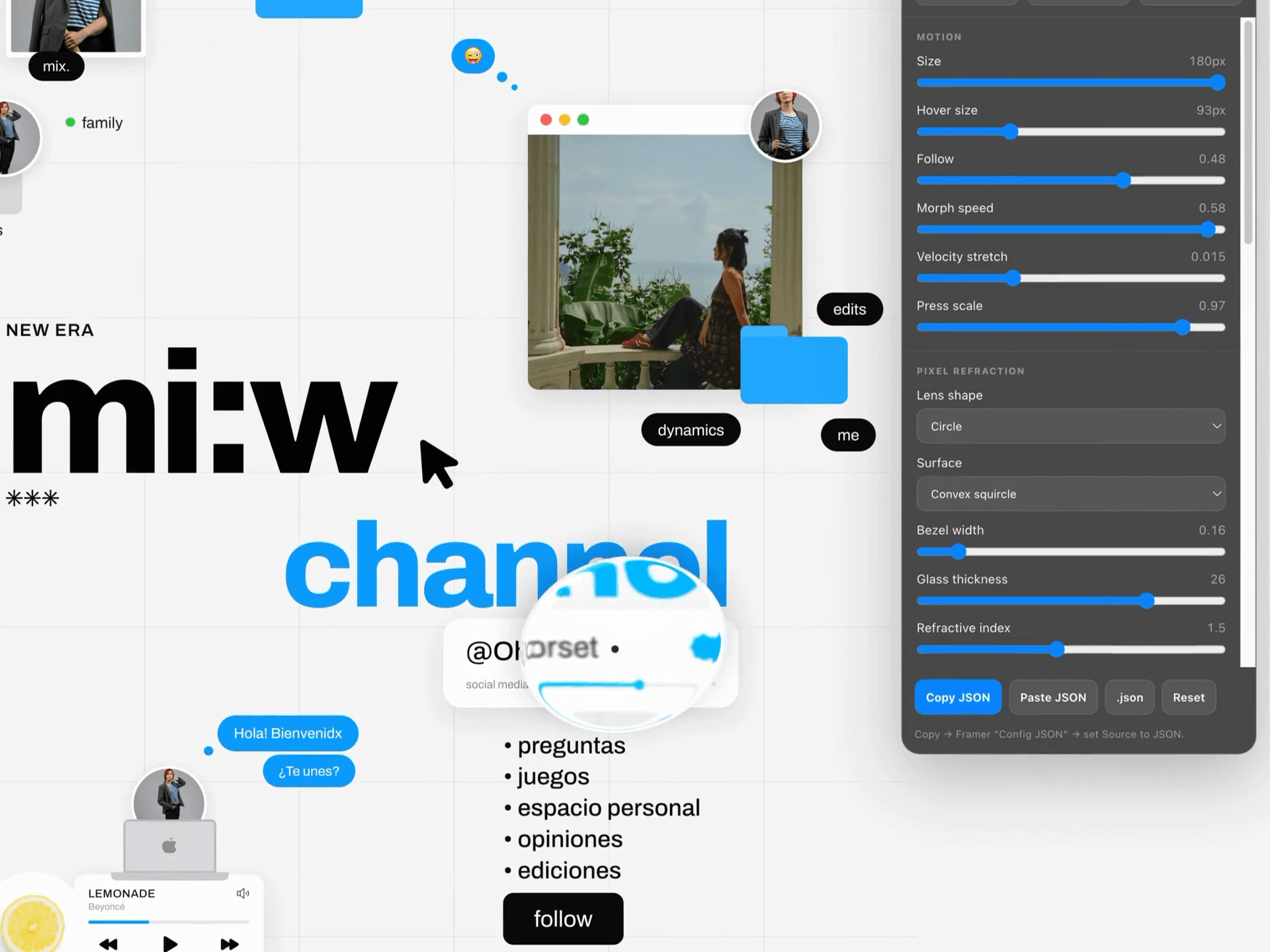
Liquid Glass Cursor for Framer adds a macOS-style refractive glass cursor to any Framer website. It bends, magnifies, blurs, and lights the pixels beneath the pointer, so text, images, cards, gradients, and backgrounds react as you move.
Key Features:
Real Pixel Refraction: Distorts live page content beneath the cursor using SVG displacement and
backdrop-filter.macOS-Inspired Glass: Combines refraction, magnification, blur, tint, edge lighting, highlights, chromatic dispersion, and shadow.
Live Settings UI: Tune the effect on your preview or published site and see changes instantly.
Copy & Paste JSON: Export your setup, paste it into the Config JSON prop, or download it as a
.jsonpreset.Framer Controls: Adjust size, hover size, follow speed, stretch, thickness, refraction, blur, tint, lighting, shadows, pointer dot, and more.
Hover Morphing: Expands over links, buttons, inputs, or custom selectors with smooth deformation and click compression.
Adaptive Glass: Increase optical strength as the cursor grows for a thicker lens feel.
Built-In Presets: Start with Regular, Clear, or Shader-style glass.
Browser Fallback: Chromium gets full displacement; unsupported browsers fall back to layered blur and glass styling.
No Plugins Required: Add the component, configure it, and publish.
Use Cases:
Portfolios and agency websites
SaaS and product landing pages
Experimental and macOS-inspired interfaces
Product launches and visual campaigns
Browser Support
For the strongest live refraction, use Chrome or Edge. Other browsers automatically use the glass fallback.
Refund Policy
Due to the nature of digital products, all sales are final.
Exceptions:
Technical Defects: The component is defective and our support team cannot resolve it.
Duplicate Purchase: You accidentally purchased the same item twice.
Please contact us for support before requesting a refund.