About Scrold
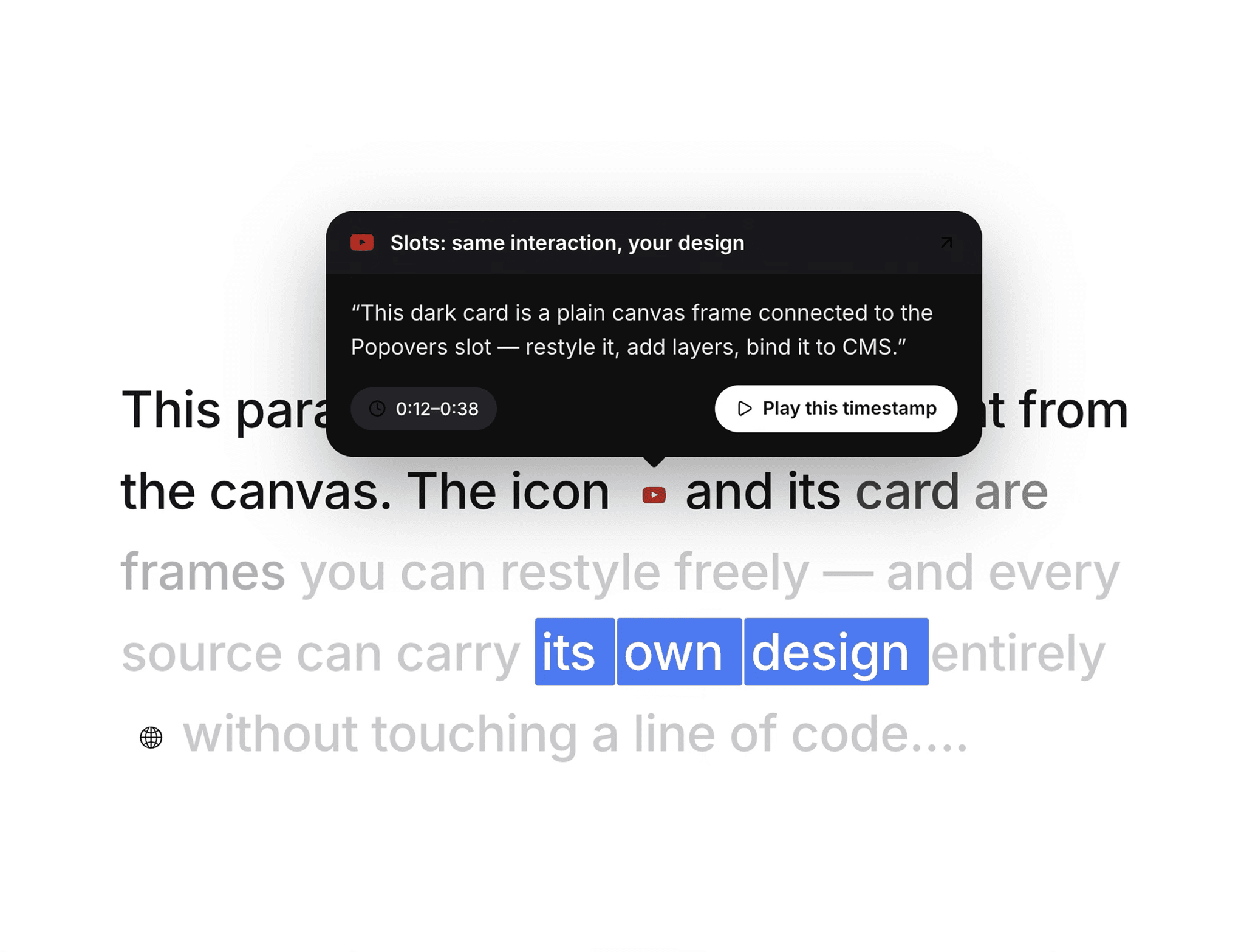
Turn long-form reading into a guided experience. Scrold colors your text in as the reader scrolls, turns [1]-style markers into inline citation chips, and reveals sources as cards — on hover, on scroll, or both. Native to Framer, no external libraries.
✨ Features
- Scroll-scrubbed reading — words color in progressively, anchoring the reader's eye.
- Citation chips — [1] markers become inline chips, right in the text flow.
- Source cards — a chip opens its card as a popover with a caret pointing at it.
- Reveal modes — Hover, Scroll, or Both. On scroll, each card presents itself as the reading reaches its chip, then hands off to the next.
- Phrase highlights — wrap words in ==double equals== for a selection-style highlight.
- Bring your own UI — connect your icon and card frames; they stay fully editable. Fill, radius, shadow, CMS binding — just Framer layers.
- Full controls — unread/read/highlight colors, size, weight, line height, chip size, caret, and the scroll window the scrub runs over.
- Canvas-safe — built on Framer's static renderer API; the editor stays fast.
📦 Three ways to use
1. Code Component — drop it in, paste your text, fill the chips array.
2. Slot Component — connect your own text, icon, and popover layers. Zero code.
3. Code Override — apply to a frame that already holds your text and cards; it finds them by layer name.
🚀 Quick start (slots)
1. Insert the slot component.
2. Type [1], [2] where you want chips — in Text or a connected text layer.
3. Connect icon frames to Icons, card frames to Popovers — chip n pairs with popover n.
4. Pick a Reveal mode, then preview.
💡 Notes
The scrub and cards run in preview and on your published site; the canvas shows a static preview with numbered chip markers, so nothing animates while you design.
Questions? Reach out via the support link — feedback shapes the roadmap.