About PDF Flipbook Pro
About
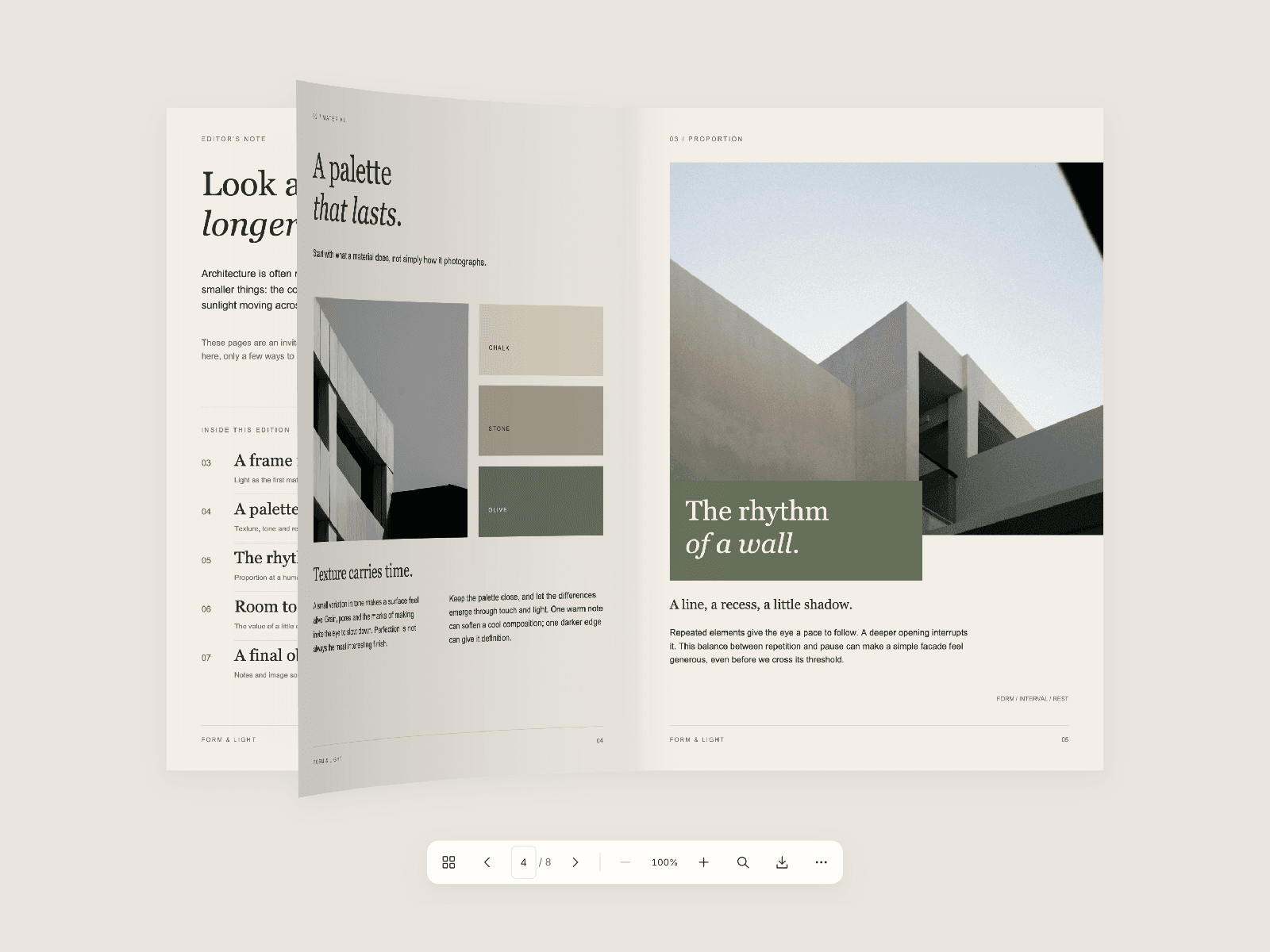
PDF Flipbook Pro turns PDFs and image collections into interactive, responsive books in Framer. Visitors can turn curved pages by dragging, swiping or clicking, then explore a publication with thumbnails, search, zoom and fullscreen reading.
Add a PDF upload or URL, create an image-based book, or connect PDF URLs and individual image fields to your CMS. Choose single-page or spread reading, with left-to-right or right-to-left navigation.
What you can customize
Set the starting page, responsive breakpoint, covers, image fit and page proportions. Choose Magazine, Book or Hardcover motion, then tune page curl, turn speed, shadows and paper color. Style the reader with light, dark or custom colors, typography, padding, corner radius and the tools you want to show.
PDF reading includes text search with highlighted matches, bookmarks, page links, original-file downloads and password entry. Optional reading-position memory, keyboard controls and reduced-motion support make the experience feel at home across devices.
Great for (examples)
Give visitors an engaging way to explore:
Editorial magazines and lookbooks
Product brochures and catalogs
Portfolios and case studies
Menus, reports and digital publications
Share your build
Made something with PDF Flipbook Pro? Tag me @Matthias_Oel on X. I’d love to see it.
Need help?
Questions or feedback? Reach me at matthias@lmvision.de or on X.
Need a matching component?
Pair your publication with another polished presentation component: