About Skill Index
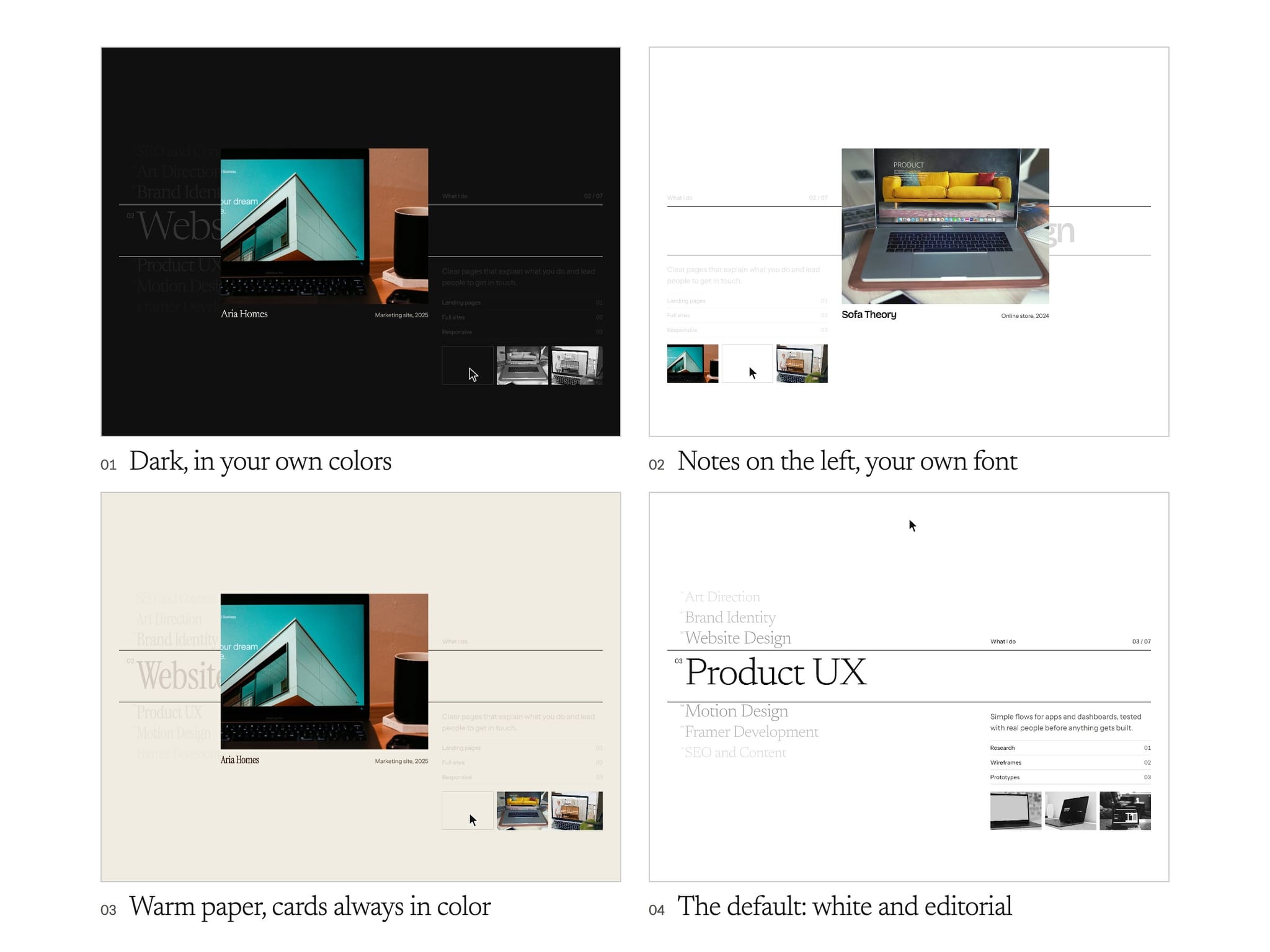
Skill Index is a services section for portfolio, freelancer and studio sites. Your skills are set as a large typographic list on a clean page. As people scroll, the section pins in place and the list moves one line at a time. The line in the band grows to full size, and only its notes and work change. After the last line, the page scrolls on.
Each skill has its own small shelf of work. Point at a card and it moves out of the shelf, grows and turns full color with its project name, while the page text fades back.
Features
• A pinned scroll section that moves through your list one line at a time and then lets the page carry on
• Up to three work cards per item. Each one moves out and grows on hover
• Only the notes and work for the line in the band change
• Click any line to go to it. The list loops so the page always looks full
• Long titles are never cut off. The type size adjusts to the longest one
• On phones, the first tap brings a card out and the next follows its link
• Respects reduced motion
• Works on desktop, tablet and phone. It sizes itself to the space it has
Easy to customize
• Titles, text, tags and links for every item
• Image, title, details and link for every work card
• Title and notes fonts, and all colors
• Notes on the left or right, numbers, counter and band lines
• Number of side rows, side size and row spacing
• Number of cards, big card width, grey at rest and text fade
• Scroll distance per item, snap, first item and minimum height
Setup
1. Add Skill Index to your page and set its width to fill. Its height sets itself from your list.
2. Keep it out of any parent frame with Overflow set to Hidden, because that stops the section from pinning.
3. Add your skills in the Items list. Then add a picture, title and details for each work card.
4. Pick your fonts. A light serif for titles suits the design.
5. Check the scroll and hover in Preview. The canvas shows a still view.