About Smoke button
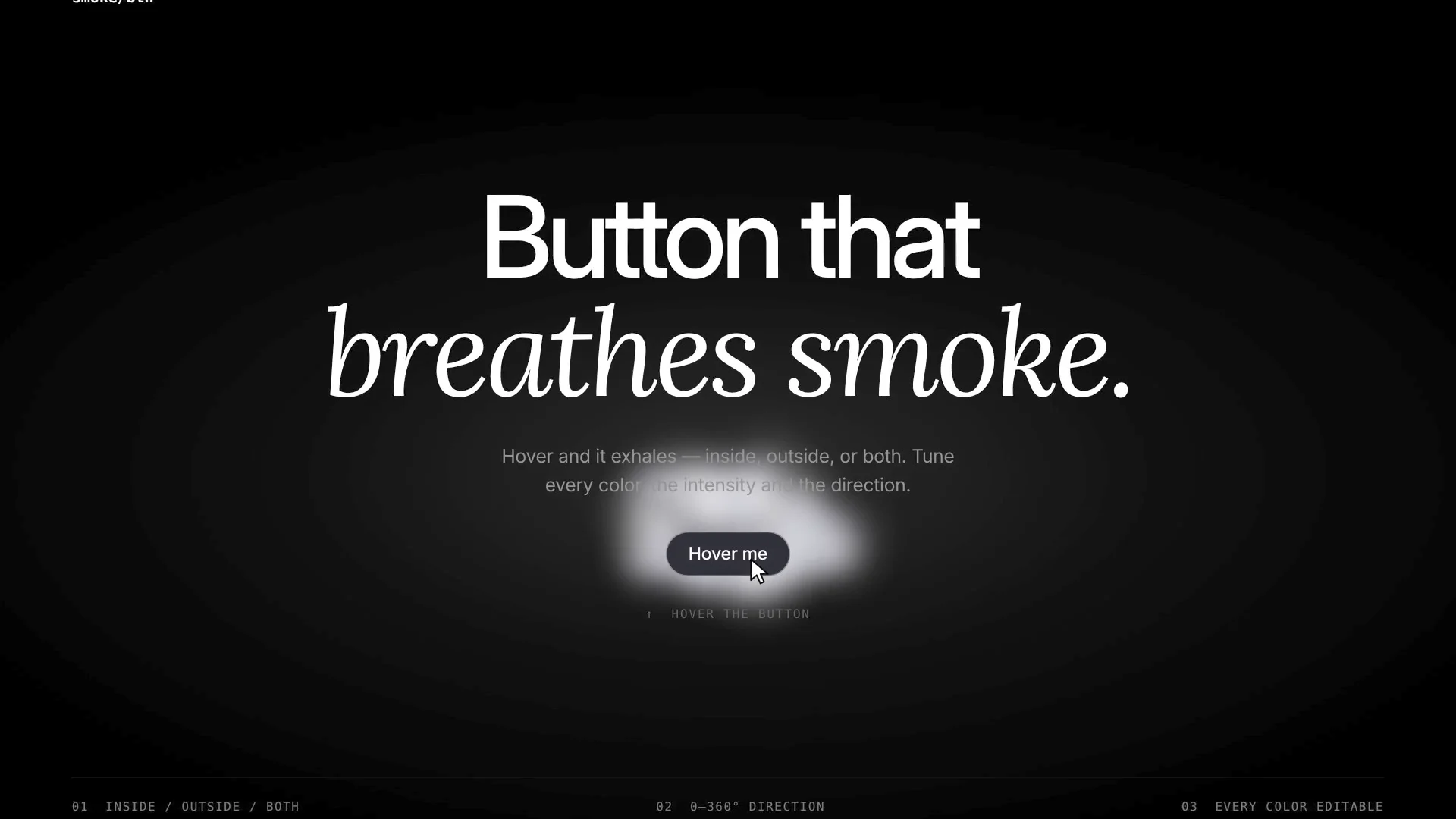
Smoke Button is a drop-in Framer code component. Hover it and soft, drifting smoke rolls out of the button. Press it and it lets out an extra puff. Everything is editable from the properties panel, no code needed.
Smoke placement
• Inside, outside, or both • Outside smoke can sit behind or in front of the button
Smoke style
• Color plus an accent color, with an accent mix amount
• Intensity: from a faint wisp to a thick cloud • Direction (0–360°) and direction spread: send it up, sideways, down, or in every direction
• Puff size, speed, drift force, turbulence and lifetime
• Softness (blur), opacity and outside reach
• Blend mode: Normal, Screen, or Glow
Button style
• Text, link, and the full font controls (family, weight, size, spacing, line height)
• Fill, text and border colors, each with its own hover color
• Border width and style, corner radius per corner, padding per side
• Hover fade timing
Built for Framer
• Works with Framer color styles
• Fit or fixed sizing
• Page links work in Preview and on your live site
• Smoke previews right on the canvas while you edit, and can be switched off
How to use
Drag the Smoke Button onto your page.
Set its text and link.
Style the button and the smoke from the properties panel.