About StepwiseForm
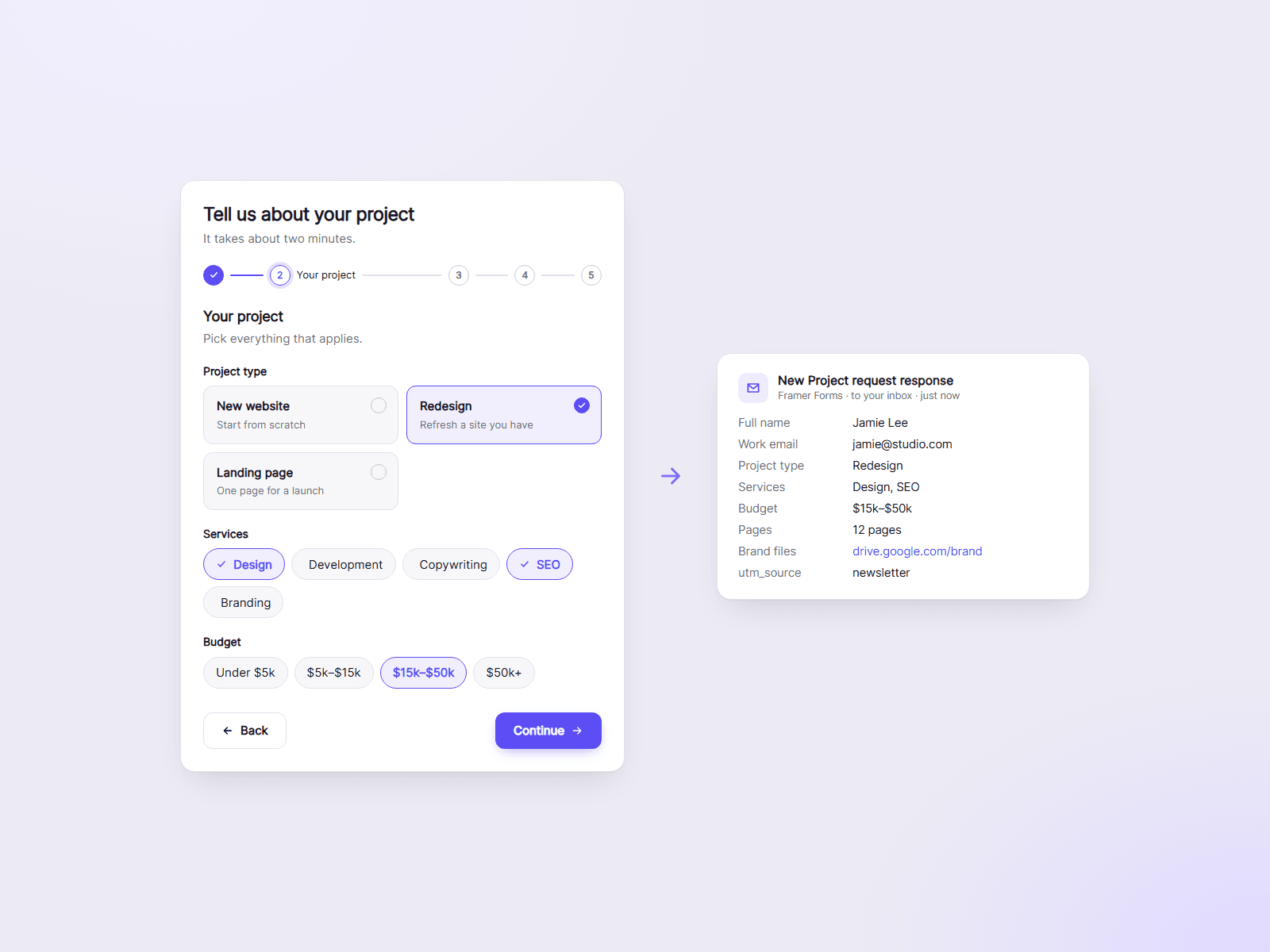
A multi-step form that works with Framer Forms. Write each step's fields as simple lines of text, and visitors move through clear steps, check a summary of their answers, and send. Framer delivers the answers, so they go wherever your form is set to send them.
What you can customize
Everything is set from the property panel. No code needed.
- Steps with a title, description and fields
- 17 field types, from text and dropdowns to cards, star ratings, scales and sliders
- Required fields and side-by-side fields
- Conditions that show or skip steps and fields
- Progress style, review step and transition
- Button texts, thank-you message or a page to open after sending
- Colors, radius and font
Details
- Each field shows its own error message, and the first one gets focus.
- The review step lists every answer with an Edit button per step.
- Answers arrive under your own labels, with the page address and UTM tags.
- Visitors can leave and finish later on the same device.
- Pressing Enter moves to the next step and never sends a half-filled form.
- Buttons and messages come in 10 languages and follow the visitor's browser.
- The canvas can show any step, the review or the thank-you message, plus a setup check that never shows on your site.
How to use
Insert a Framer Form and delete the fields and button inside it. Put this component in the form and set its width to Fill or 100%. Set Send To on the form as with any Framer Form, and verify the email address there. Then edit the steps: each field is one line, Label* | type | options. Publish and try it.
Code
This is a code component. Unlinking is not available, so the source cannot be viewed or edited. It sends nothing on its own: all answers go through your Framer Form. Updates arrive through the Update button in your Assets panel.
Support
Email joviseo1106@gmail.com. Replies usually take up to 3 business days. More components are at https://joviseo.vercel.app