About UTM Lead Capture
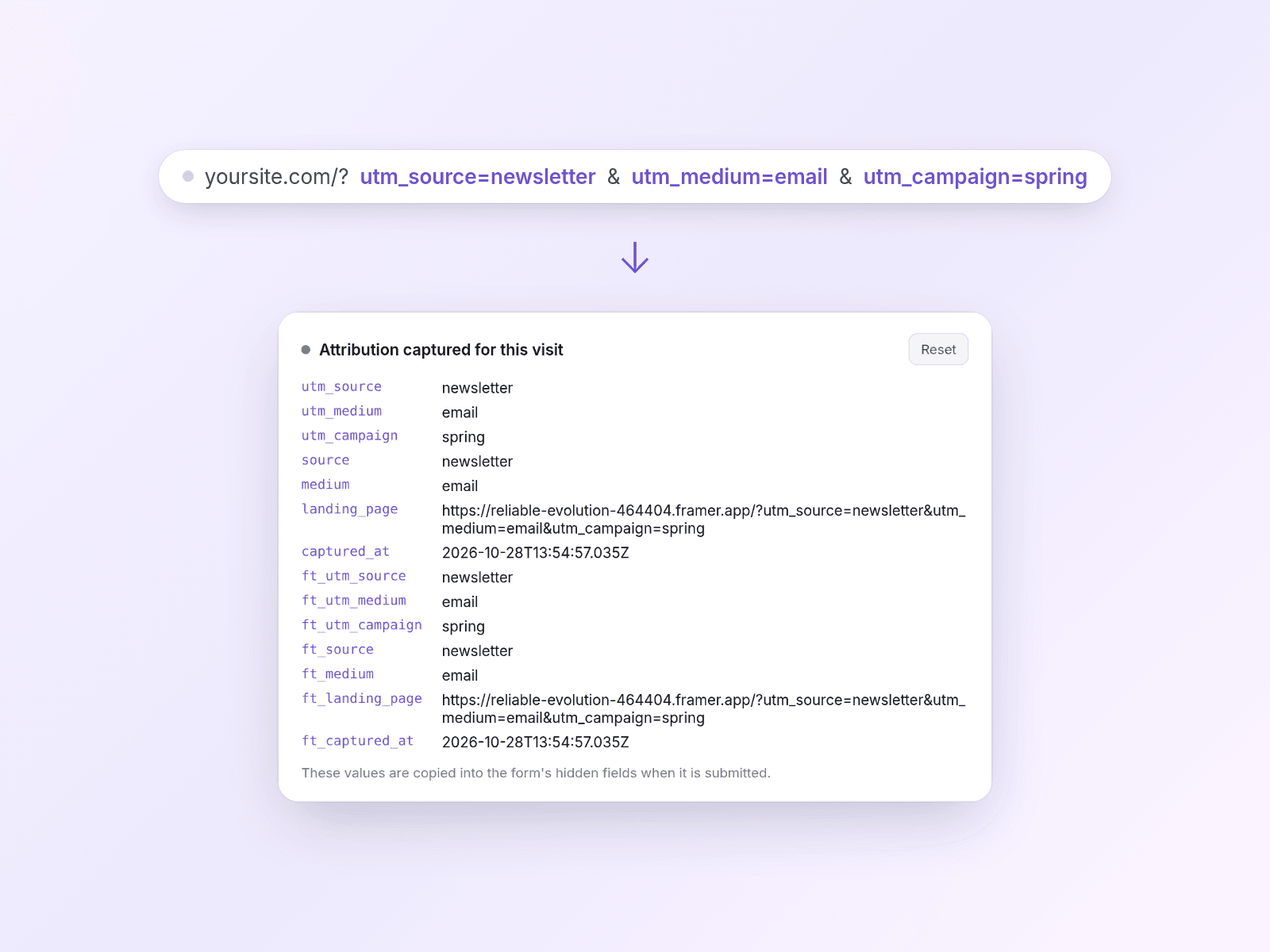
See which campaigns bring enquiries to your Framer site. Built for agencies and service businesses, UTM Lead Capture adds campaign details to the hidden fields in your connected form, so lead submissions carry their source.
- Capture UTM tags, ad click IDs, referrer, landing page and custom parameters.
- Choose first touch, last touch or both, with configurable memory across visits.
- Check captured values with a debug panel. Configure consent-aware storage or memory-only capture.
Included: UTMCapture.tsx, optional UTMOverrides.tsx and a README.md setup guide with field-name reference, in a downloadable ZIP.
Setup: Create a Framer code file named UTMCapture, paste the supplied TSX and save. Drag UTM Capture onto your page and connect your form to its Form slot. Add Hidden inputs named for the values you need, such as utm_source and utm_campaign. Add capture-only instances to campaign landing pages too. Preview or publish with a test UTM link, submit a test lead and check the received values.
Requirements and limits: Requires a Framer project, code-editor access and a form you can place inside the component. Works with the connected Framer form or non-iframe HTML form; it does not fill unrelated forms or iframe embeds. Hidden fields must be added manually. Referrers may be unavailable when browsers/apps strip them. Persistent storage requires appropriate consent configuration; cookie-banner integration must be tested, including Framer's built-in banner. This is attribution support, not a guarantee of complete tracking or legal compliance.
Licence: Single-use.
Currency and taxes: Prices are listed in US dollars. Checkout may show a converted currency and applicable taxes; review the final total before paying.
Support: hello@clickedfirst.co.uk