About Chapter Video Player
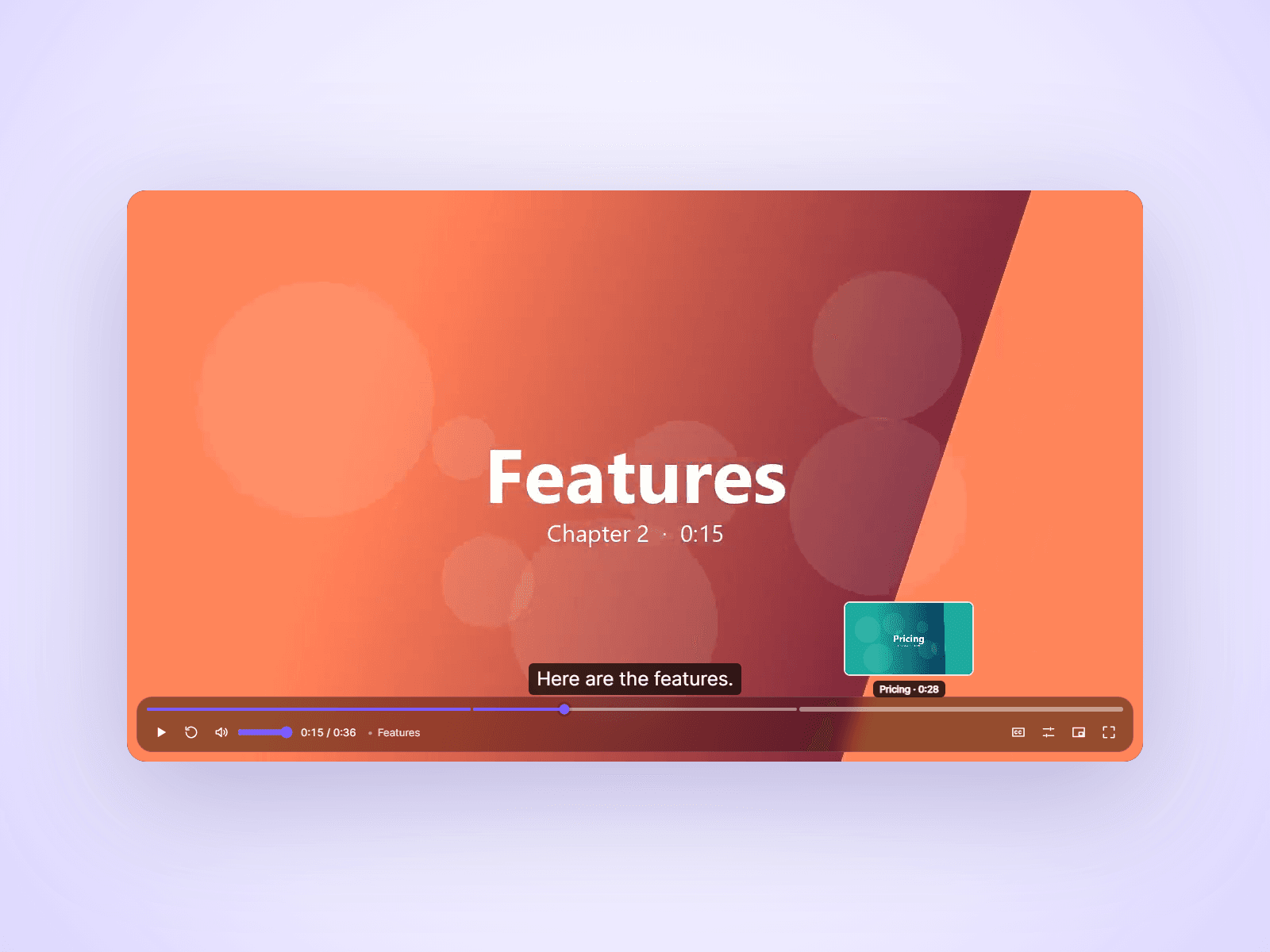
A video player that helps people watch to the end. Chapters split the timeline, captions are easy to add, an end screen turns viewers into clicks, and a mini player keeps the video going while they scroll.
Features
- Chapters: the timeline splits into sections, the current chapter shows by the time, and the menu jumps to any chapter
- Captions: paste SRT or WebVTT text
- End screen: a title, your button and Replay
- Mini player: keeps playing in a corner when visitors scroll past
- Seek preview with the chapter name
- Autoplay on load or when visible, muted, with a Tap to unmute button
- Speed, loop, picture in picture, full screen, elapsed or remaining time
- Keyboard shortcuts, and double-tap to skip on phones
Customize from the property panel
- Classic or Glass controls
- Accent, icon and background colors, radius
- Fill or fit, skip length, auto-hide delay
- Ambient glow
- Font
How to use
Upload a video (MP4, WebM or MOV) and a poster image. Type chapters one per line, like "0:12 Features". Paste captions as SRT or WebVTT text. Set a link for the end screen button. YouTube and Vimeo links are not supported.
Shortcuts: Space or K play, J and L skip, arrows seek and change volume, M mute, F full screen, C captions, 0–9 jump.
This is a code component. The source cannot be viewed or edited. Updates arrive through the Update button in your Assets panel.
Support: joviseo1106@gmail.com. More components at https://joviseo.vercel.app