About Recipe Card Pro
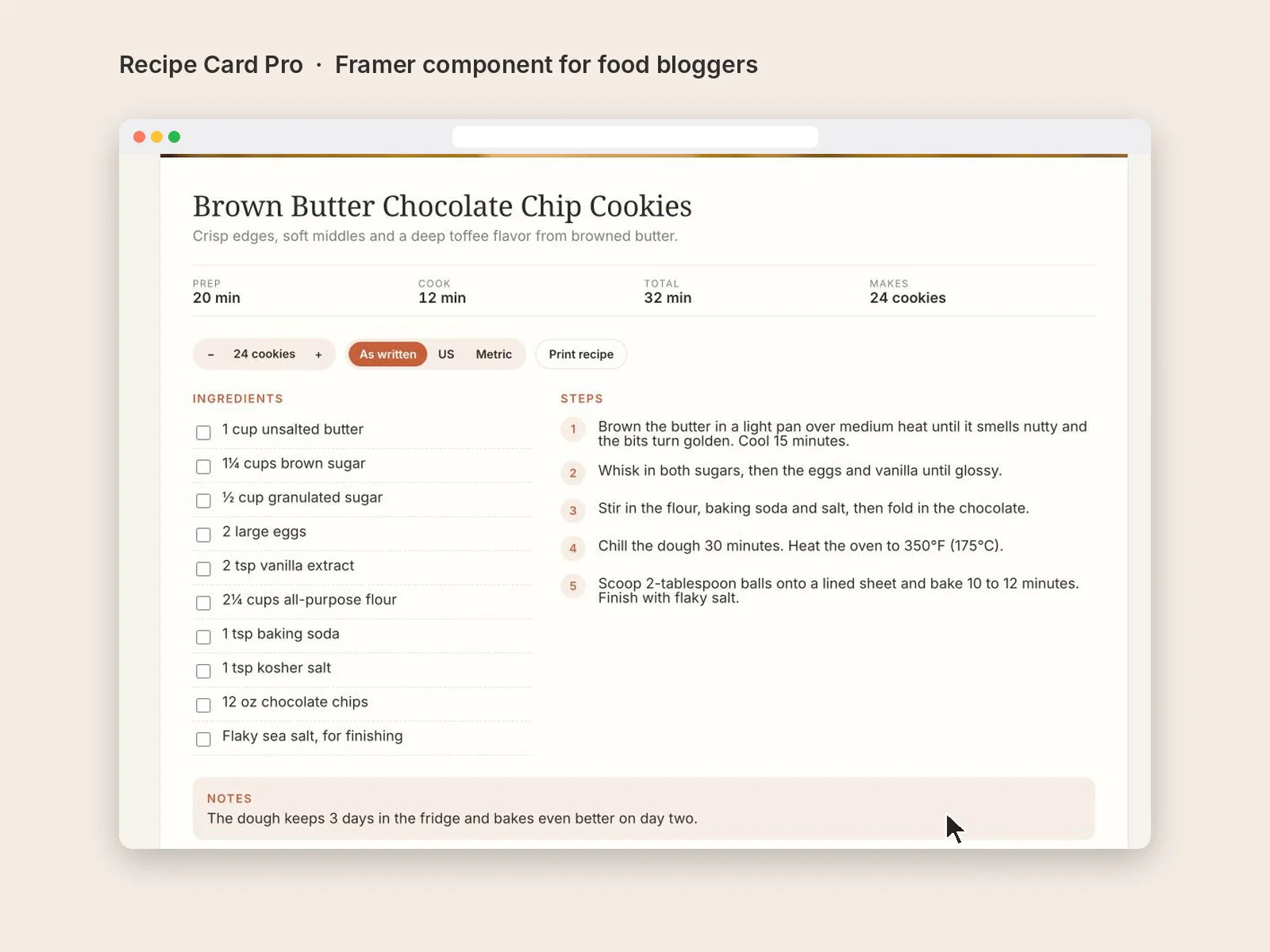
Paste in your ingredients the way you'd write them ("2 1/2 cups flour") and Recipe Card Pro does the rest. Visitors can scale servings up or down, switch between US and metric, tick off ingredients and steps as they cook, and print a clean copy without your site's menus and ads. It also adds Google recipe markup automatically, so your recipes can show up as rich results in search.
What's included:
Servings scaler that recalculates every amount, with kitchen-friendly fractions (1¼, ⅔)
One-tap US / metric / as-written switch
Tap-to-check ingredients and steps
Print button that opens a clean, printer-friendly page
Google recipe markup (schema.org/Recipe), on or off
Prep, cook and total time, yield, notes, photo
Your colors, corners and fonts
How to use it:
Drag Recipe Card Pro onto a page and set its width (it grows to fit its content).
In the right panel, fill in Recipe name, Short intro, Photo, times and Makes (for example 24 cookies).
Add one ingredient per row, written normally. Amounts and units are detected automatically. Lines without an amount ("Flaky salt, for finishing") are left as they are.
Add one step per row.
Turn off any of the four extras you don't want: Servings +/−, US / Metric, Print button, Google markup.
Pick your Accent, Background and Text colors, then your fonts.
Tip: put one Recipe Card Pro inside a CMS page and connect the fields to your recipe collection.