About Resource Library Pro
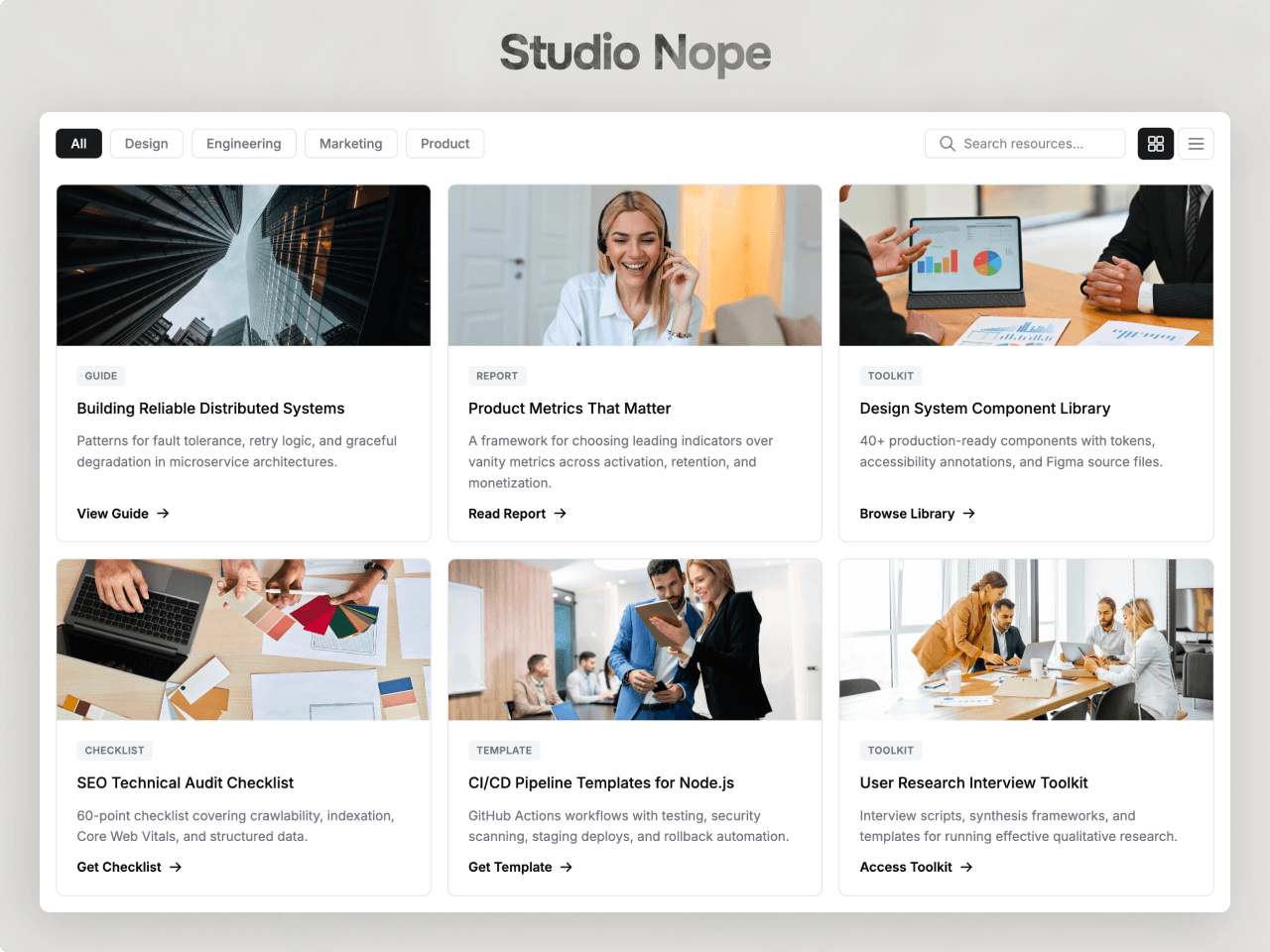
A resource library for Framer sites: guides, reports, templates and downloads in one filterable grid. Visitors filter by category, search as they type and open any resource in a side drawer. Built and edited from the properties panel. No code.
Drop it on your page, set Width to Fill, and it works straight away with demo resources you can replace.
What you can build
A downloads hub for guides, e-books and whitepapers.
A case study or report library with category filters.
A template or toolkit page with free and gated items.
A dark or light resource centre that matches your brand.
How it works
Category filters are built from your resources automatically. Search filters as you type. Switch between grid and list view. Cards open the detail drawer, go straight to the link, or do nothing. The drawer shows the image, badges, full description, details and the download button. Free and Gated badges show what needs an email.
Built for Framer
Attach files with Framer's file picker so the button downloads them. Open in new tab and No follow on every link. Pick any font with Framer's font picker. Optional structured data helps search engines read your resources.
Styling
Every part has its own style group: header, filters, search, cards, badges, buttons, drawer and colours, spacing, radius and shadows.
Accessibility
Keyboard access to filters, cards and the drawer, focus that stays in the drawer and returns when it closes, and reduced-motion support. On phones the filters scroll sideways so every option stays reachable.
The preview page has the full setup guide and every setting explained.
One licence covers unlimited personal and client sites. Support: hello@studionope.com