About The Announcement bar
Announcement Bar for Framer
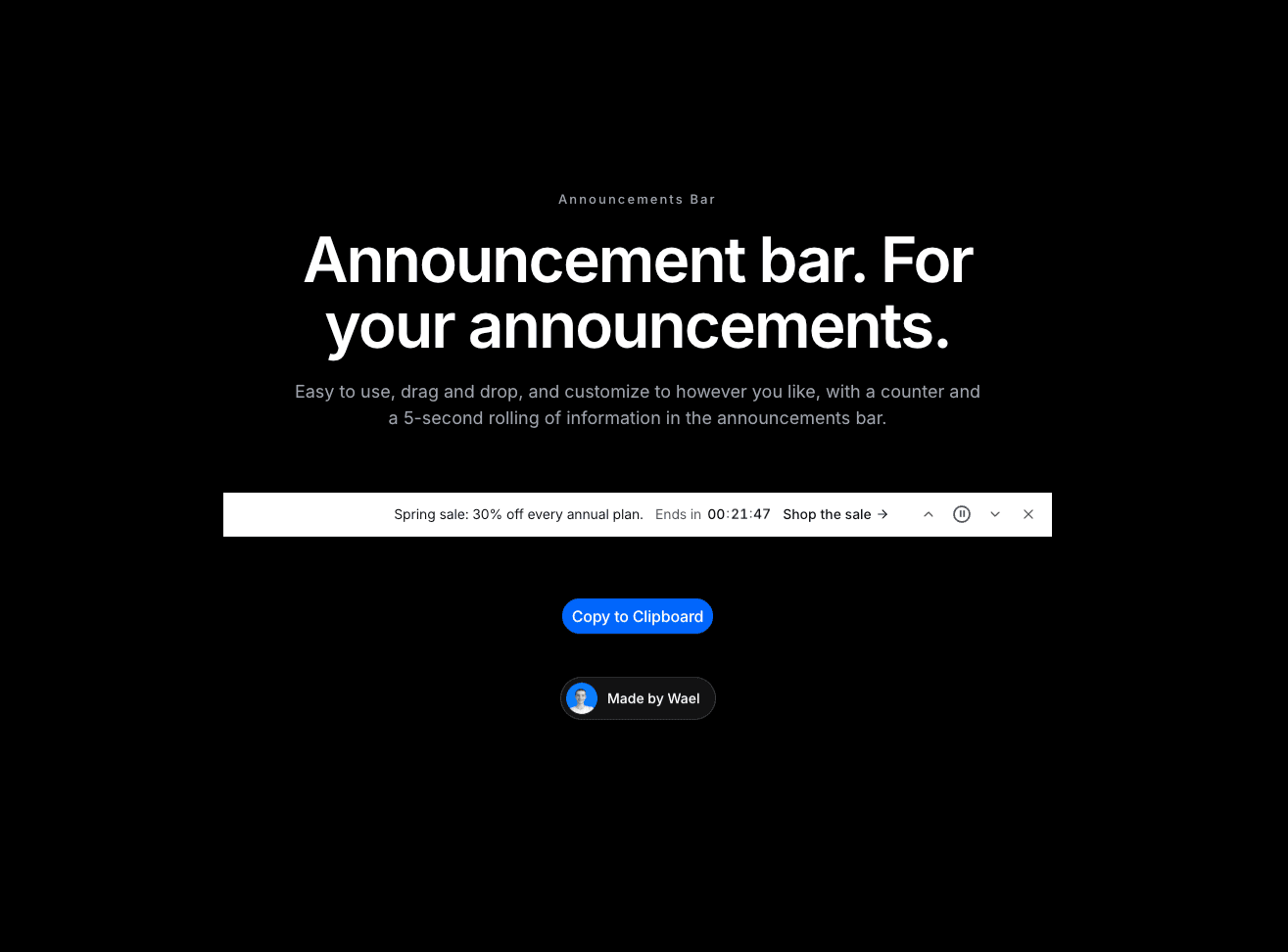
What it is A slim announcement bar for the top of your site. It rotates messages with smooth transitions, optional links and live countdowns. Use it for sales, launches, shipping notices and other updates.
Why you need it
It keeps visitors informed. Rotate multiple announcements automatically, let visitors move between them, and pause rotation on hover or focus.
It makes offers feel timely. Add a call-to-action link and a live countdown to any message.
It fits your brand. Choose a neutral or inverted tone, a Light or Dark theme, colors, a font and a border. You can also show or hide the controls and dismiss button.
It remembers dismissals. Add a Remember ID to keep the bar hidden after a visitor closes it. Change the ID to show a new campaign.
It connects to your design. Trigger actions when a visitor clicks a call to action, dismisses the bar, changes the announcement or a countdown ends.
How to use it
In Framer, go to Assets → Code → + New code file.
Name it AnnouncementBar, paste the code below and save.
Drag the component onto your page, above the navigation.
Add your messages, links and countdowns, then adjust the appearance and controls in the properties panel.
Publish your site.
Need help?
Email me at wailelmachti6@gmail.com and I’ll help you get set up.
Built something with it?
Share it and tag me on X: https://x.com/Waeldesignz. I’d love to see it.
Made by Wael!💙